Cori Settings - Setup & Configuration
Last updated: September 9, 2026
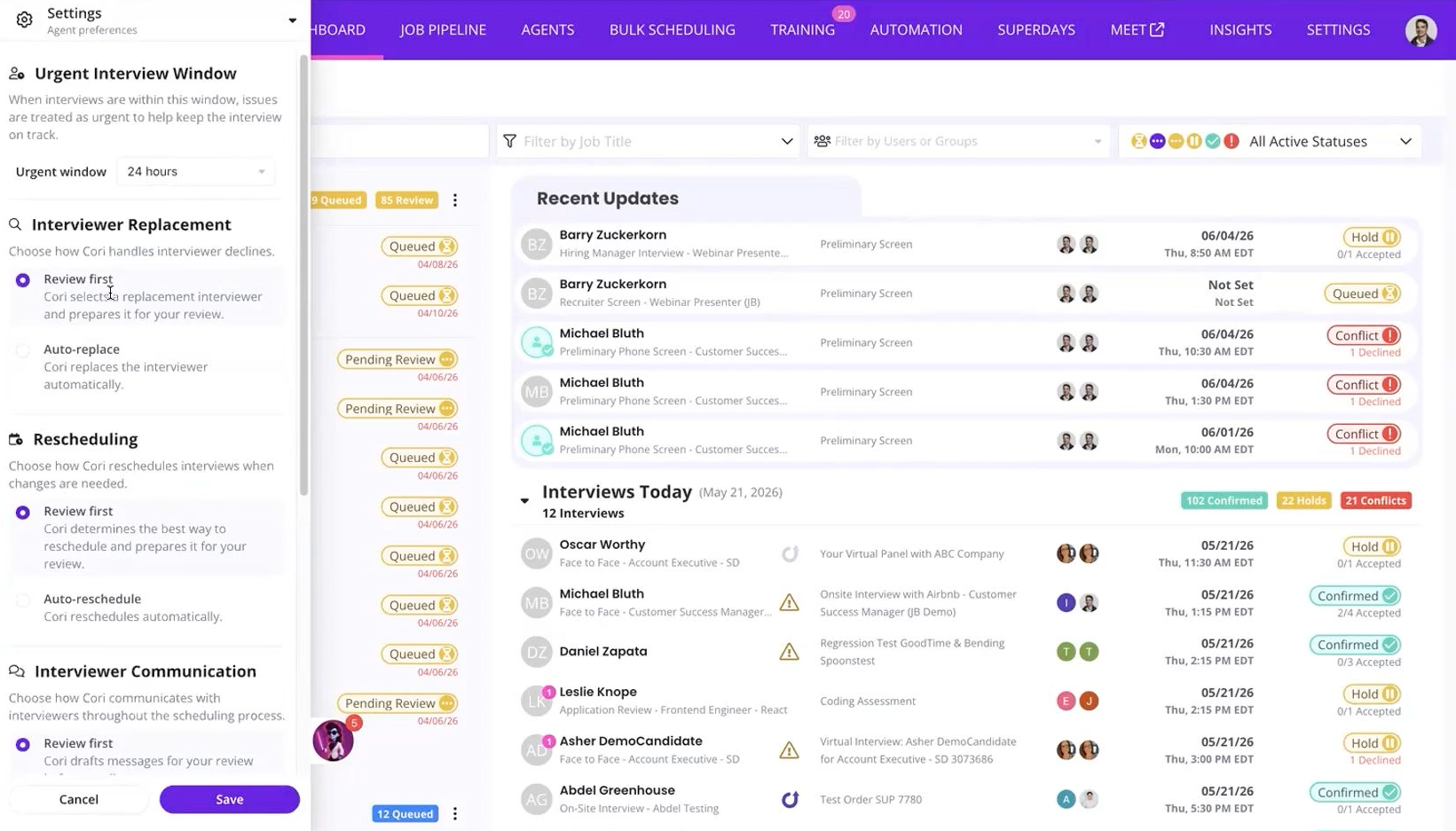
TL;DR: Cori Settings determine how much autonomy Cori has when completing supported coordination tasks.
You can figure whether Cori should prepare actions for review or complete eligible actions automatically.
Before You Begin
Before increasing Cori's autonomy, confirm that your GoodTime configuration is accurate, including:
Interview templates
Interviewer pools and eligibility
Interviewer availability
Scheduling rules
ATS and calendar integrations
Access Cori Settings
Navigate to the dashboard
Click on Cori icon in the drawer
Open Cori Settings
Review the available automation controls
Choose the appropriate level of autonomy
Save your settings
Review First vs. Auto Confirm
Review First
Cori prepares the recommended action and waits for Recruiting Coordinator review before completing it.
Auto Confirm
Cori completes eligible actions automatically when the workflow and configuration allow it.
This setting can affect workflows such as:
Initial scheduling
Candidate rescheduling
Interviewer replacement
Choosing the Right Level of Automation
A good starting approach is to use higher automation for predictable, lower-complexity workflows and keep human review for interviews with frequent exceptions or more complex requirements.
For example:
Recruiter screens -> Auto Confirm
Standard hiring manager interviews -> Auto Confirm or Review First
Complex panels -> Review First
Executive interviews -> Review First
Recommended Rollout
Start with a smaller number of predictable workflows, review Cori's activity, and expand automation as your team becomes comfortable with the results.
What Happens When Cori Can't Complete an Action?
If Cori cannot find a valid solution or additional judgment is requirement, she surfaces the situation for human review.