Job Specifications - Resume Screening and Matching
Last updated: October 15, 2026
TL;DR: GoodTime's AI Agent as part of the Agentic Plan can instantly evaluate applicants and automatically prioritize top talent based on role-specific criteria, streamlining your hiring process from the start. With instant, AI-summarized match insights, you can confidently advance the right candidates to the next stage. Agents also extract and organize job requirements for each posting, making it easy to customize criteria and ensure alignment with your team’s unique hiring needs.
1. AI-Powered Job Requirement Extraction
As soon as a job is created or posted:
GoodTime’s AI scans the public-facing job description.
It extracts and categorizes the job requirements into three key buckets:
Required: Deal-breakers. If the candidate doesn’t meet these, they’re not a match.
Ideal Candidate: Ideal qualifications, but with some flexibility.
Nice-to-Have: Additional attributes that enhance a candidate’s fit.
You can drag & drop between the 3 buckets to widen or narrow your qualification parameters. Plus, you can manually add, edit, or delete any of the listed requirements directly from this page.
2. Automated AI Candidate Matching
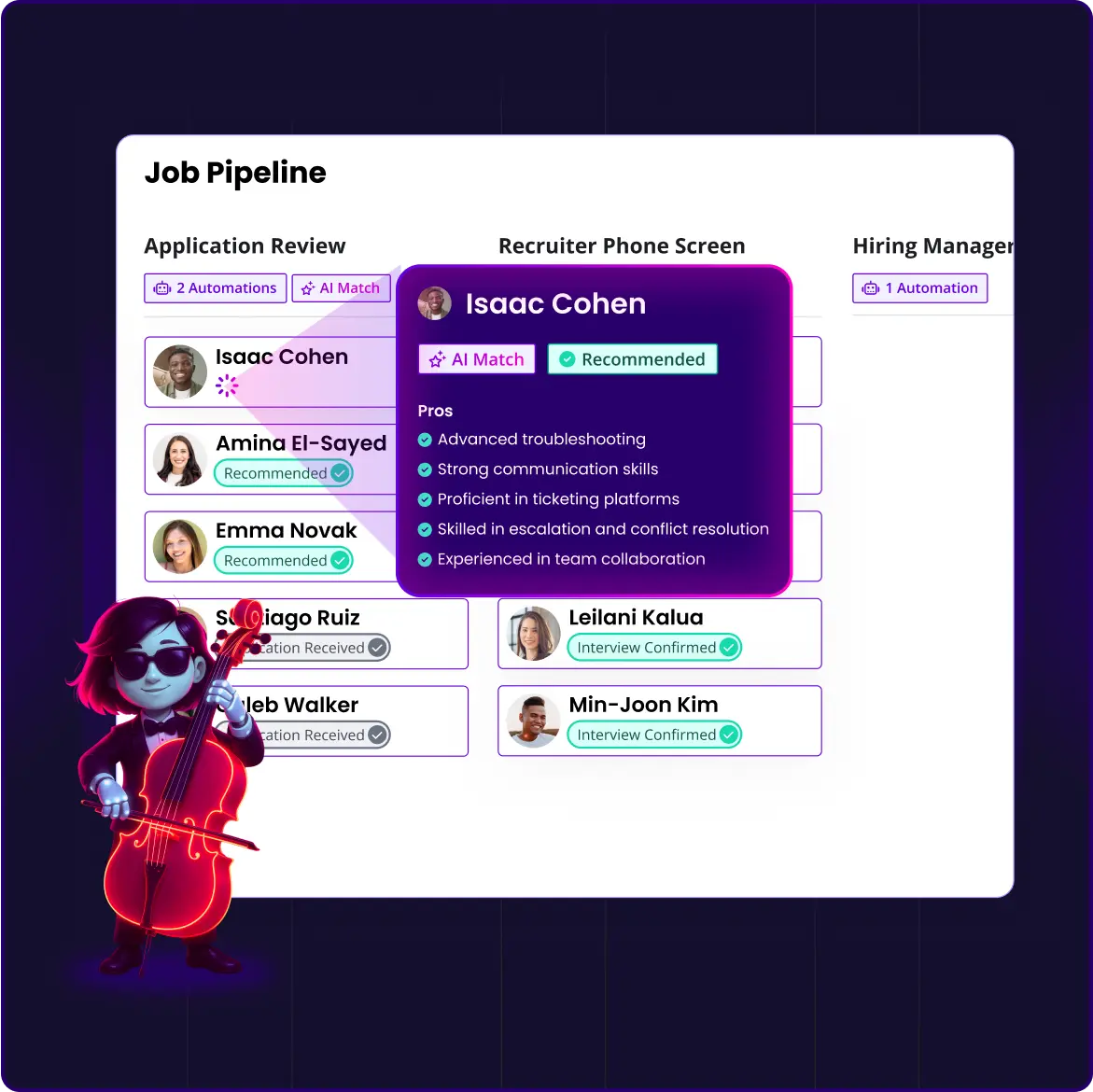
Each incoming applicant is automatically evaluated in real time.
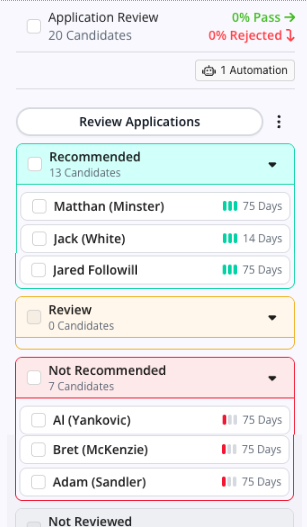
Candidates are scored and sorted in the pipeline based on how well they match the job requirements.
Highly-matched candidates appear at the top of your list.
Candidates with low matches appear at the bottom—allowing recruiters to quickly respond or disqualify in batches.

Example in Action
When a candidate applies:
The AI evaluates them instantly.
If they are a strong match:
They’re moved to the next stage (requires Workflow Automation).
They receive a message (text/email) with a scheduling link.
They self-schedule their interview—all without manual recruiter involvement.
Candidates who don’t meet the requirements can be identified and responded to quickly, helping close the loop and maintain a positive candidate experience.
Job Pipeline - Candidate Management Enhancements
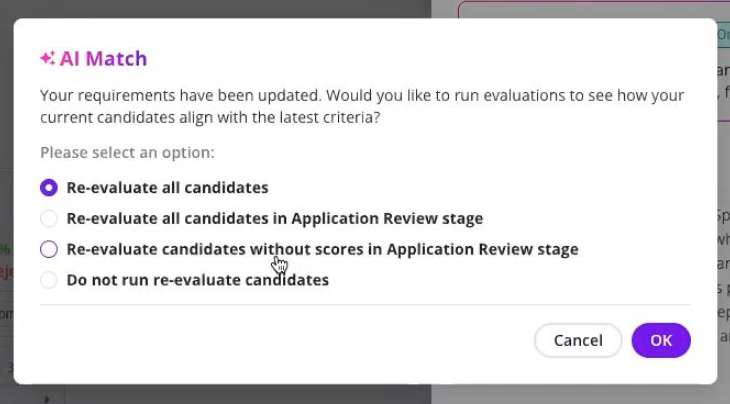
Granular re-evaluation settings:
If you change/refine the criteria which you want GoodTime's AI to screen your candidates against, but you do not want to re-evaluate ALL candidates, we now provide you with additional options to only re-evaluate those candidates remaining in the Application Review stage, or perhaps only those who have not already been scored.
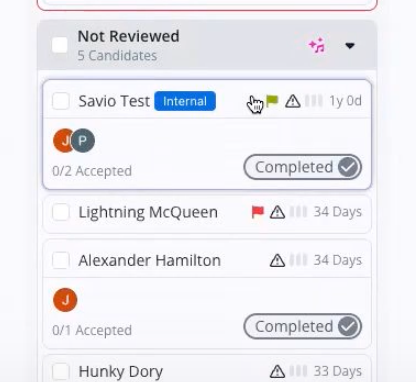
Assign flags to candidates:
To assist with the management of candidates in the Job Pipeline view as you are reviewing their applications GoodTime now allows you to assign a visual flag to candidates.
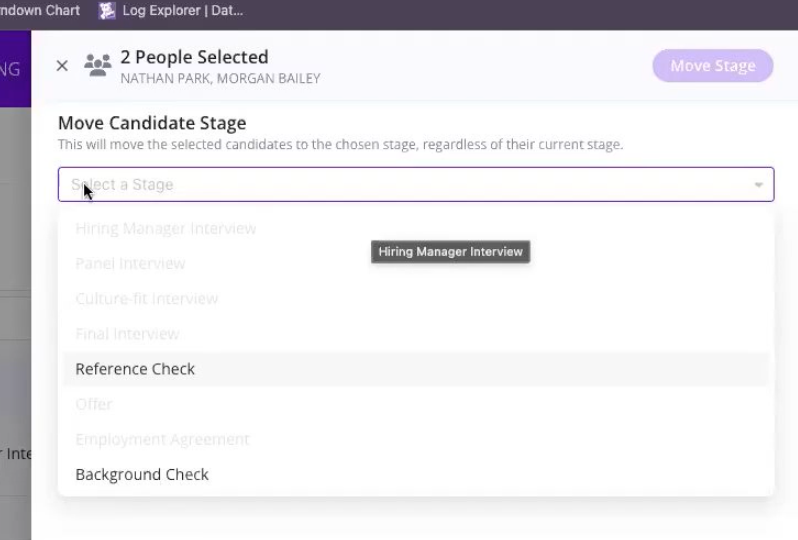
(WD Specific) Move candiate stage:
For WD customers, GoodTime's Job Pipeline now intelligently understands your unique WD pipeline logic and will only allow you to move a candiate from one stage to another if it corresponds with your own stage advancement configuration settings:
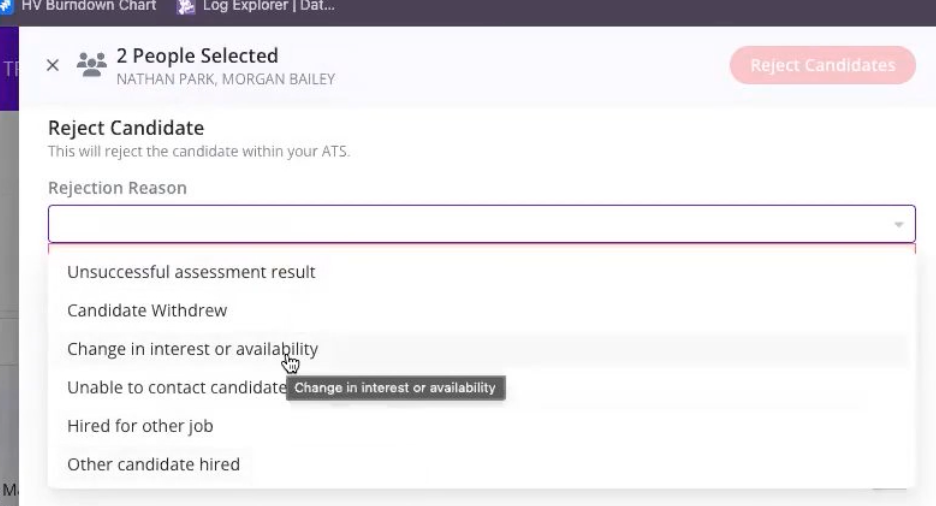
Rejection Reasons form your ATS:
If you choose to manage your rejection process from within the GT Job Pipeline view, we now intelligently import your ATS rejection reasons into GoodTime so you can reject candidates from a single screen (and even reject in bulk if you wish) with all of this seamlessly syncing back to your ATS under the established rejection categories you have in place there (Note; import of rejection reasons from the ATS is only supported by WD and GH ATS).
Visual cues for candidates that have been viewed:
GoodTime's Job Pipeline will show with a white background and bold text any candidates within the Job Pipeline view which have not yet been manually reviewed. This provides a useful visual cue when managing multiple candidates from the single Job Pipeline screen.
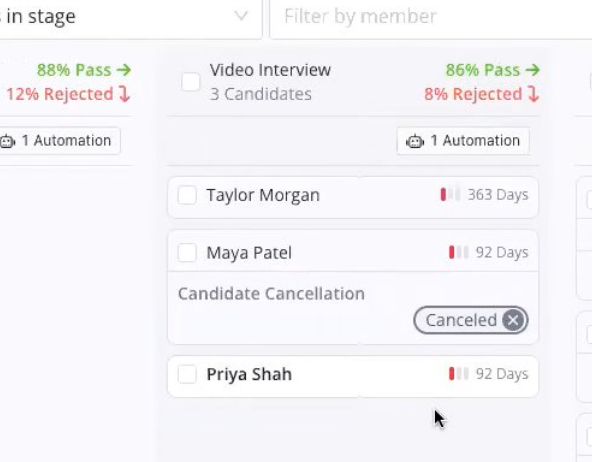
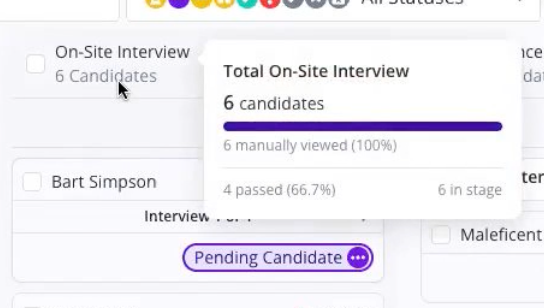
Header summary popups have also been included to allow you to quickly hover over the header section of any interview stage in the Job Pipeline view to see at a glance how many candidates have been viewed and what the current pass-through rate for these candidates are.