Notes - @mention Team Members
Last updated: October 19, 2026
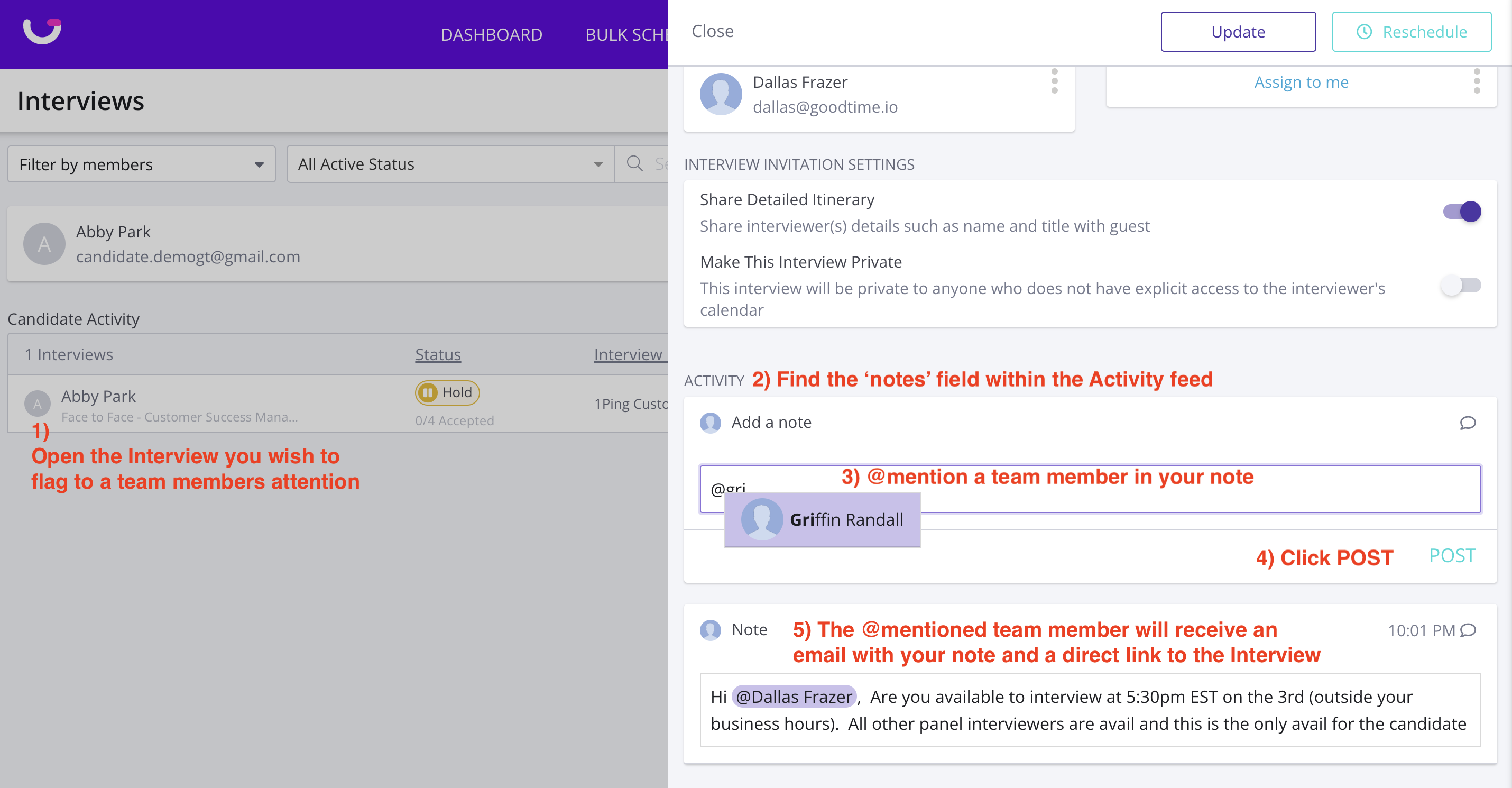
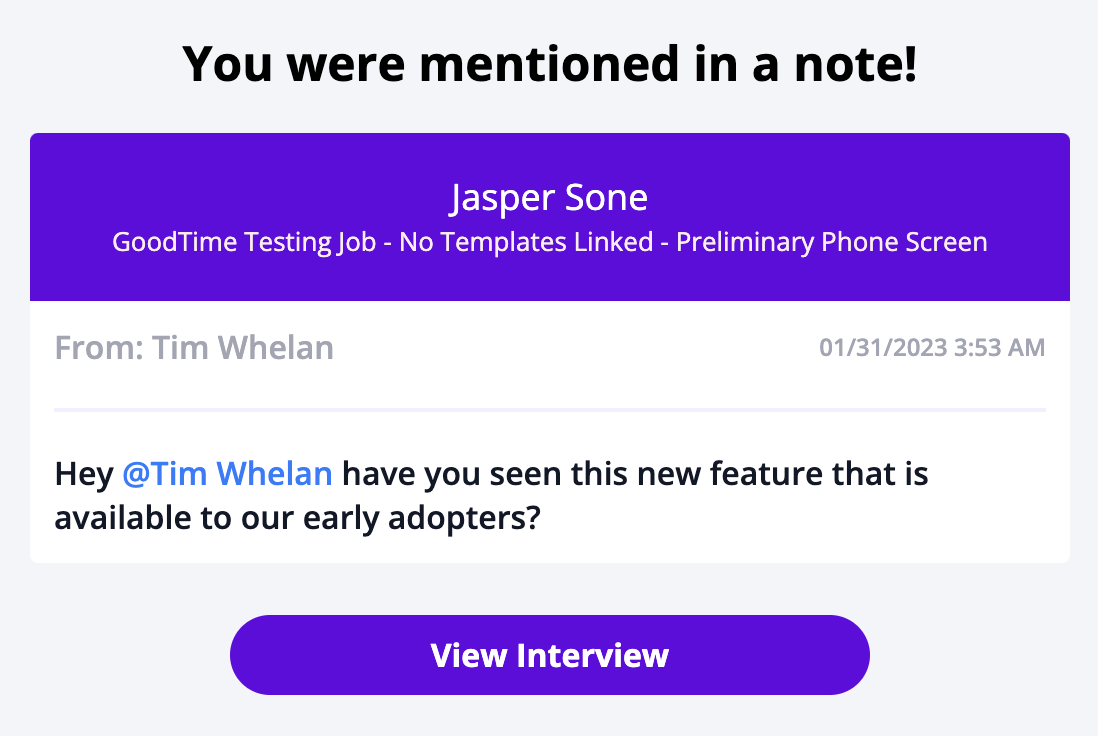
TL;DR: Through @mentioning a team member within an interviews notes section you can call a specific candidates interview to the attention of a team member. When you @mention an individual it will send an email with the note to the @mentioned team member as well as a direct link back to the interview in question.
How to @mention a team member in a note:
Within the notes section @mention any of your internal team members
- NOTE: the person you @mention must be reflected in your team tab (that is, the must be an employee on your internal company directory) for you to be able to @mention them in a noteThe individual you @mentioned will receive an email with the text of the note as well as a direct link to the interview in question.
After the mention is posted, hovering over the mentioned person's name does not display their email address. If teammates have duplicate or similar names, the posted mention hover does not reveal which email address was selected.
After the mention is posted, hovering over the mentioned person's name does not display their email address. If teammates have duplicate or similar names, the posted mention hover does not reveal which email address was selected.