How to Enforce Logging in through SSO
Last updated: August 29, 2026
GoodTime has made a recent update to allow customers to enforce logging into GoodTime through your Single Sign On service.
*Currently only available for Okta & Azure
Customers who set up their SSO integration AFTER April 28th, 2025:
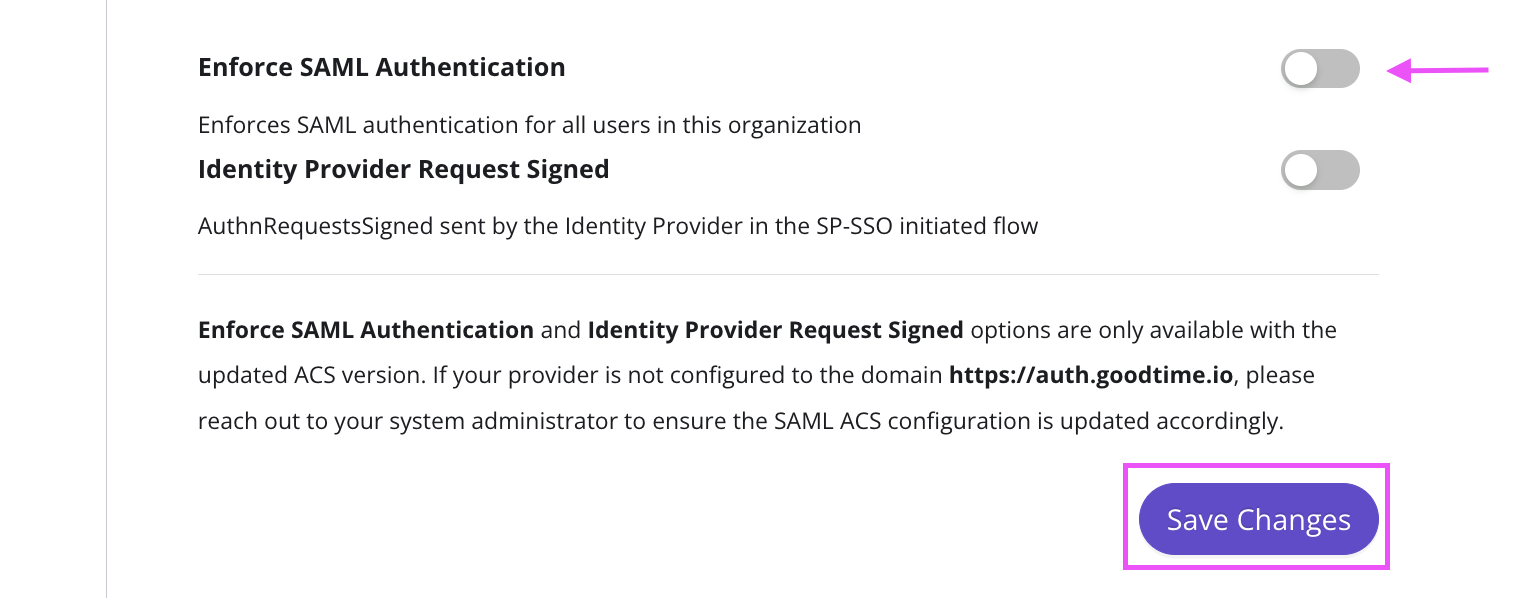
Under Settings --> SSO, toggle "Enforce SAML Authentication" on, and hit save.
Customers who set up their SSO integration BEFORE April 28th, 2025:
You will need to update your current SSO integration
Navigate to your existing SAML configuration for GoodTime (in Okta/Azure) and update the previous EntityId & ACS URL with auth.goodtime instead of a.goodtime
You will see the new entries populated under the GoodTime --> Settings --> SSO page. Simply copy & paste them into Okta/Azure.
Example:
Previous EntityId:
https://a.goodtime.io/v2/saml/metadata/yourcompanyname
New EntityId:
https://auth.goodtime.io/auth/saml/metadata/yourcompanyname
Previous ACS (Consumer) URL:
https://a.goodtime.io/v2/saml/acs/yourcompanyname
New ACS (Consumer) URL:
Once updated, you can enable the new setting in GoodTime --> Settings --> SSO page.