Cori - AI Coordination Agent
Last updated: September 9, 2026
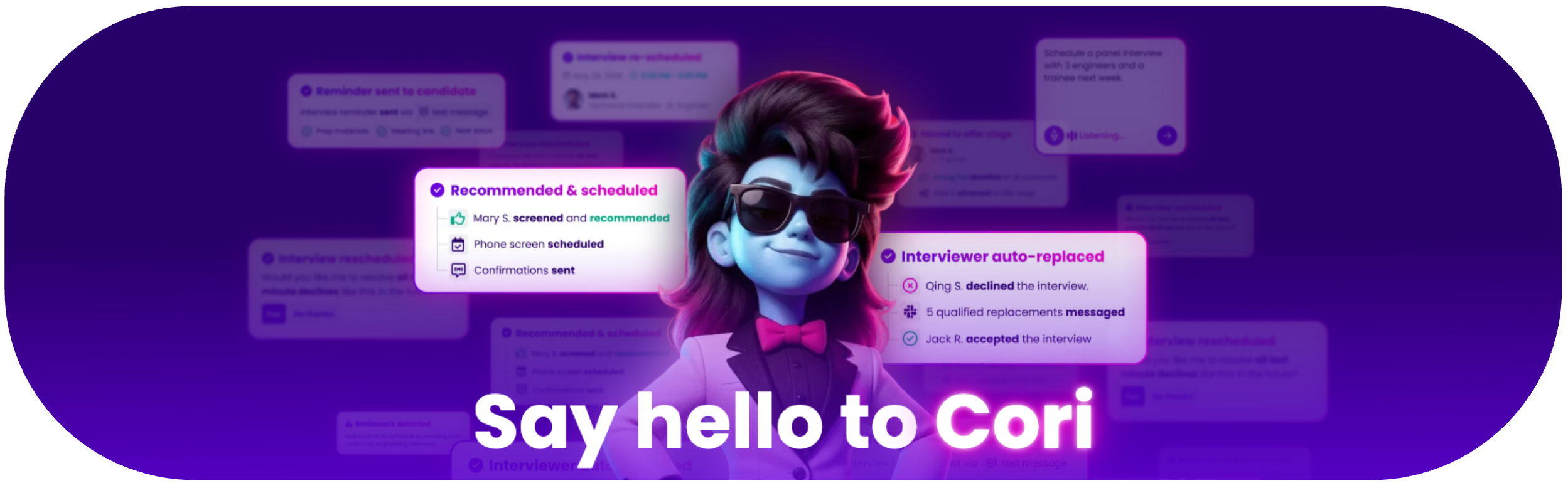
TL;DR: Cori is GoodTime's AI agent for hiring coordination. She can help interpret scheduling requests, plan next steps, execute supported coordination tasks, and surface situations that need human input.
With GoodTime HIRE: Agentic Plan, Cori can support workflows including scheduling, rescheduling, interviewer replacement, candidate communication, and other recruiting coordination tasks.
Your organization controls how much autonomy Cori has through Cori Settings.
What is Cori?
Cori is designed to work like a digital teammate, not just a chatbot.
She can use recruiting context and GoodTime configuration to:
Understand scheduling and coordination requests
Determine the appropriate next action
Complete supported tasks automatically
Escalate exceptions for human review
Cori works across GoodTime Hire and keeps your team informed about the actions she takes.
How Cori Works
Understand
Cori interprets scheduling requests, availability, interview requirements, and other recruiting context.
Plan
Cori determines the appropriate template, panel, timing, and next step based on your GoodTime configuration.
Act
Cori can complete supported actions such as scheduling, rescheduling, and replacing interviewers.
Escalate
If Cori needs additional information, approval, or human judgment, she surfaces the issue to the recruiting team.
Cori in Action
Automated Scheduling
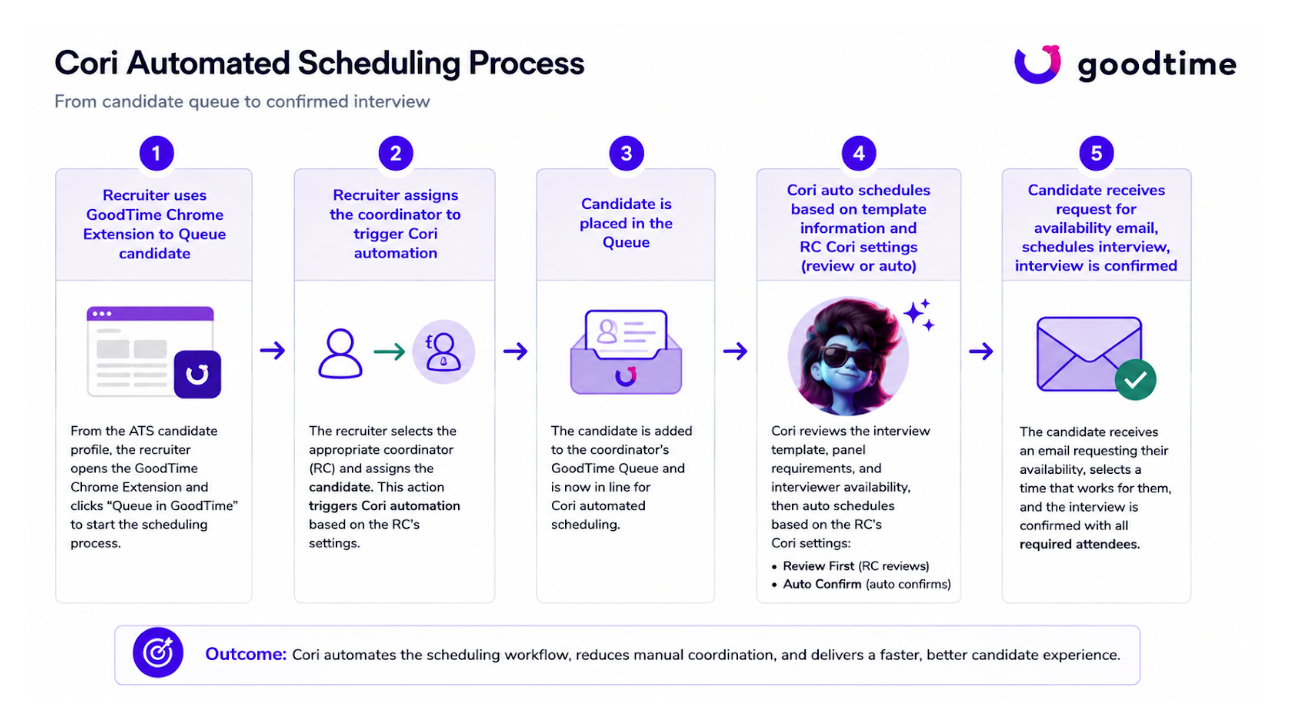
Cori can take over once a candidate is queued for scheduling. She reviews the interview template, panel requirements, and interviewer availability, then either prepares the schedule for review or completes it automatically based on the Recruiting Coordinator's Cori settings.
Automated Rescheduling
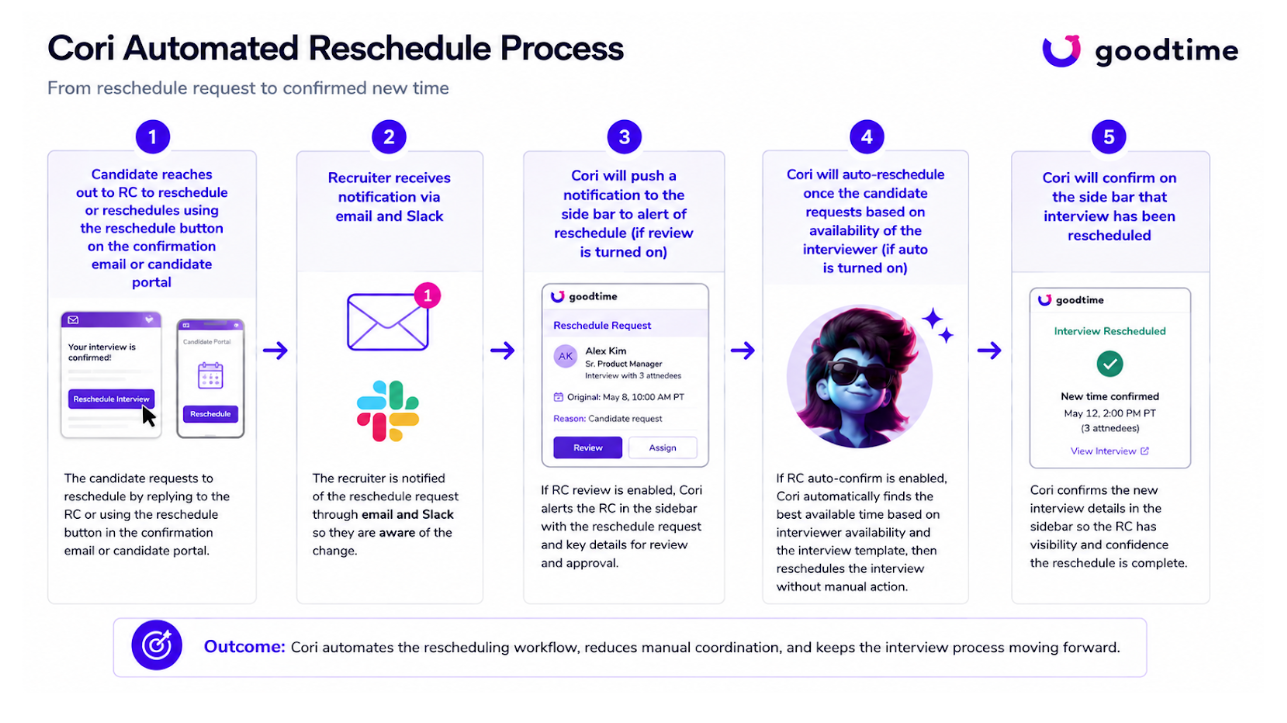
When a candidate requests a new interview time, Cori can identify a new available time, update the interview, and keep the Recruiting Coordinator informed.
Automated Interviewer Replacement
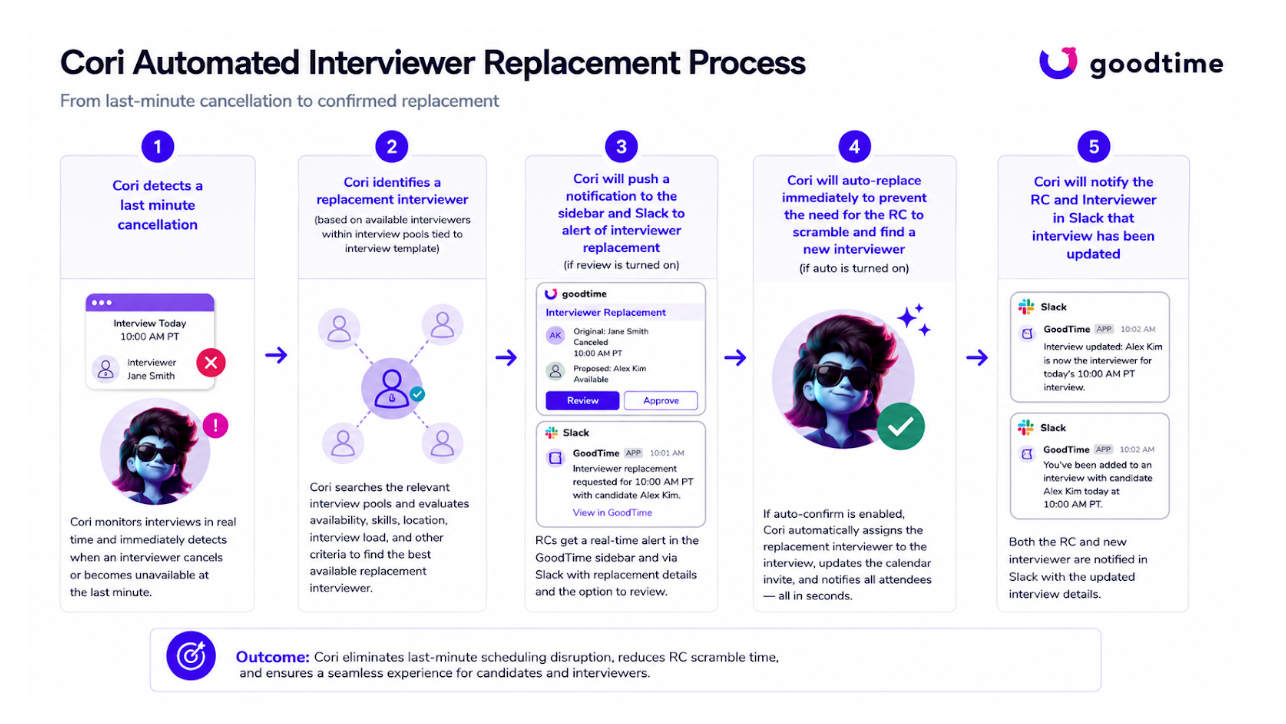
If an interviewer becomes unavailable, Cori can identify an eligible replacement based on interviewer pools, availability, workload, and interview requirements.
How Cori Keeps Your Team in Control
Your organization determines how much autonomy Cori has.
Depending on your configuration, Cori can:
Prepare an action for human review
Automatically complete eligible actions
Surface exceptions when input is required
Notify users through supported GoodTime and communication channels
For configuration details, see Cori Settings - Setup & Configuration.
Where You'll See Cori
Depending on your workflow, you may interact with Cori through:
GoodTime Queue
GoodTime Chrome Extension
Cori Sidebar or Drawer
Supported notifications such as email or Slack
When Cori Needs Human Input
If Cori cannot confidently complete an action using the available information and configuration, she surfaces the issue for review rather than forcing an unsupported outcome.
Examples may include missing information, no valid scheduling options, or situations that require recruiter or coordinator judgment.