Roundup/Debrief Video Links
Last updated: February 26, 2026
TL;DR: When scheduling a Roundup or Debrief it is best practice to always use a unique VCS (Video Collaboration Service) link to support this meeting given the confidential nature of the topics typically discussed (compensation and a candidates skill or suitability for a role). A separate video conferencing link for roundup will eliminate the (albeit slim) chance that a candidate might join a roundup meeting about his/her/their own candidacy.
How to generate a unique video link for Roundups:
In order to create a unique video link for a Roundup you schedule you simply need to use the dedicated $Roundup..Link variable. For example, if Zoom was the Video Collaboration Service you use then you would use the $Roundup.Zoom.Link variable to generate a unique zoom link for your Roundup events.
Where can I use the unique video link for roundups:
The $Roundup..Link can only be used in two specific workflows.
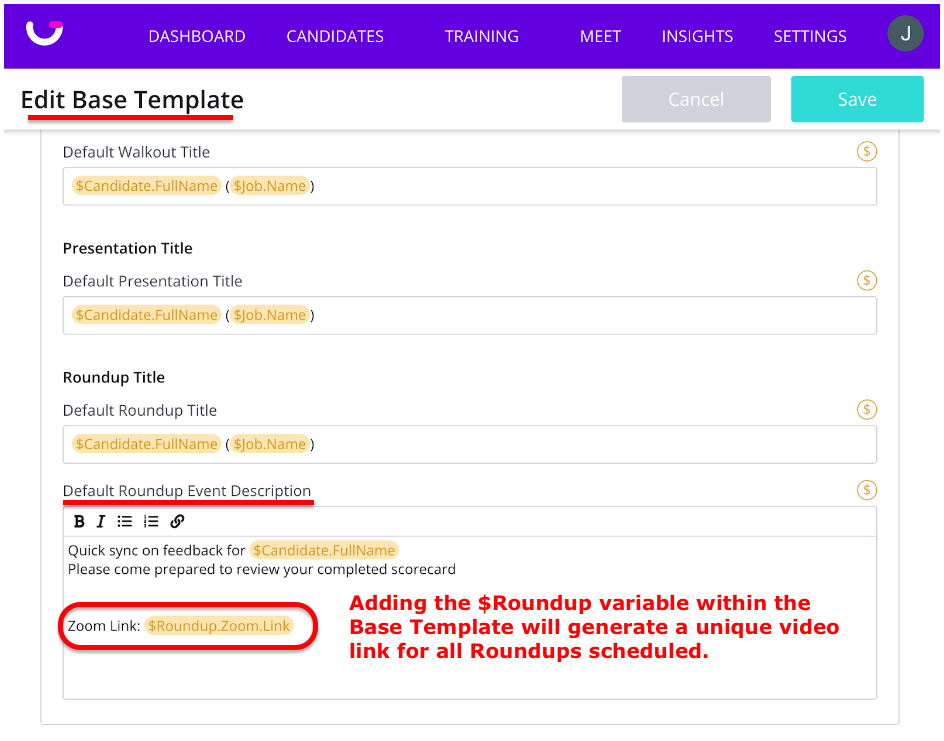
1. Within a Base Template:
A dedicated Roundup video variable can be used inside the “Default Roundup Event Description” section when editing a Base Template.
2. When you Create or Edit a Roundup:
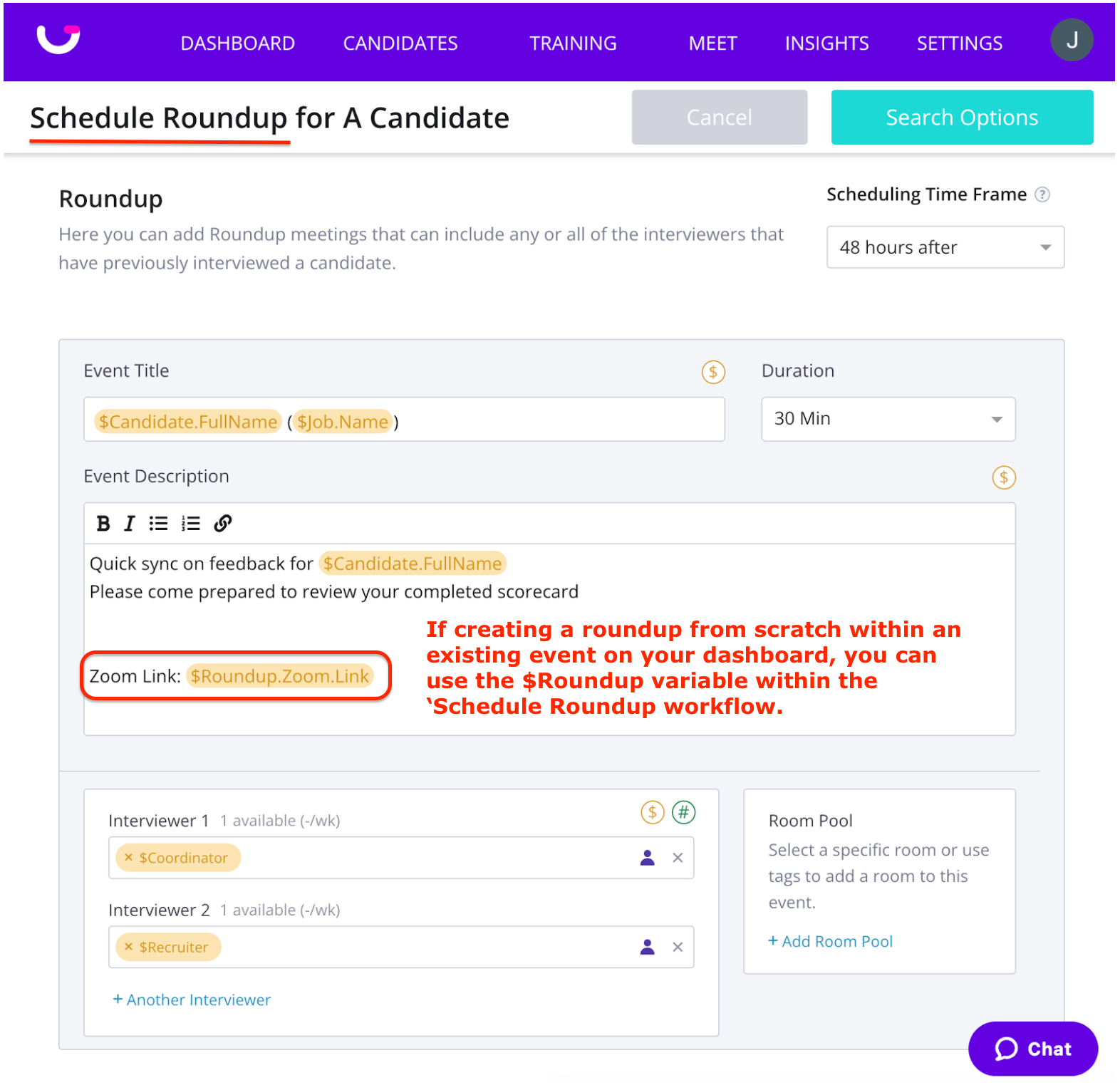
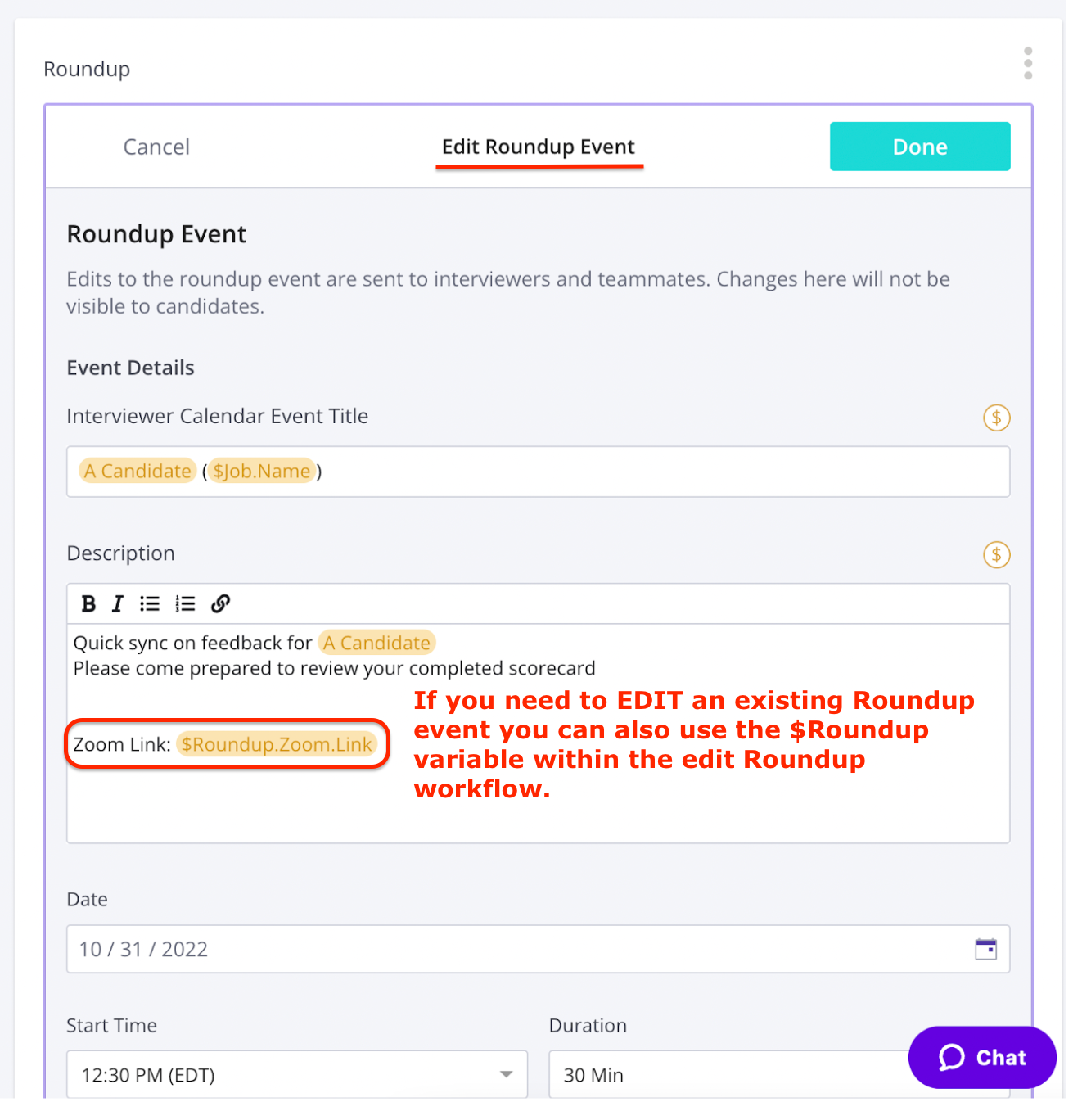
You can also use a dedicated Roundup variable whenever you create a roundup event within the 'Schedule Roundup' workflow or if you edit an existing roundup from the Dashboard.
|
⚠️ NOTE:
|