Internal Candidate Scheduling
Last updated: February 26, 2026
See: Are you overlooking your greatest source of talent?
TL;DR:
GoodTime has dedicated features to assist companies in managing their internal candidates inside of GoodTime alongside their external candidates; all while maintaining candidate privacy and maintaining scheduling efficiency. This article expands upon GoodTime's internal candidate management features.
NOTE: This feature is currently only supported by Workday and Greenhouse ATS.
The following video provides an overview of the new ability for GoodTime to identify Internal candidates:
GoodTime has recently updated its integration with Greenhouse (GH) and Workday (WD) Applicant Tracking Systems (ATS) to allow us to identify within GoodTime when someone marked as an internal employee in your ATS has applied for a role.
For this feature to operate, you need to have marked your candidate within your ATS as being 'Internal'. If your candidate is correctly marked and annotated as being an 'Internal' candidate within your ATS, GoodTime will recognize this annotation and carry it into the GoodTime scheduling process.
Candidates who are marked as 'Internal' within your ATS will also default to being scheduled as a 'private' interview within GoodTime. For Workday customers, GoodTime will also default to pulling the internal candidate's employee email address as opposed to any email associated with their initial hire profile within the ATS.
Internal Candidates in Workday (WD):
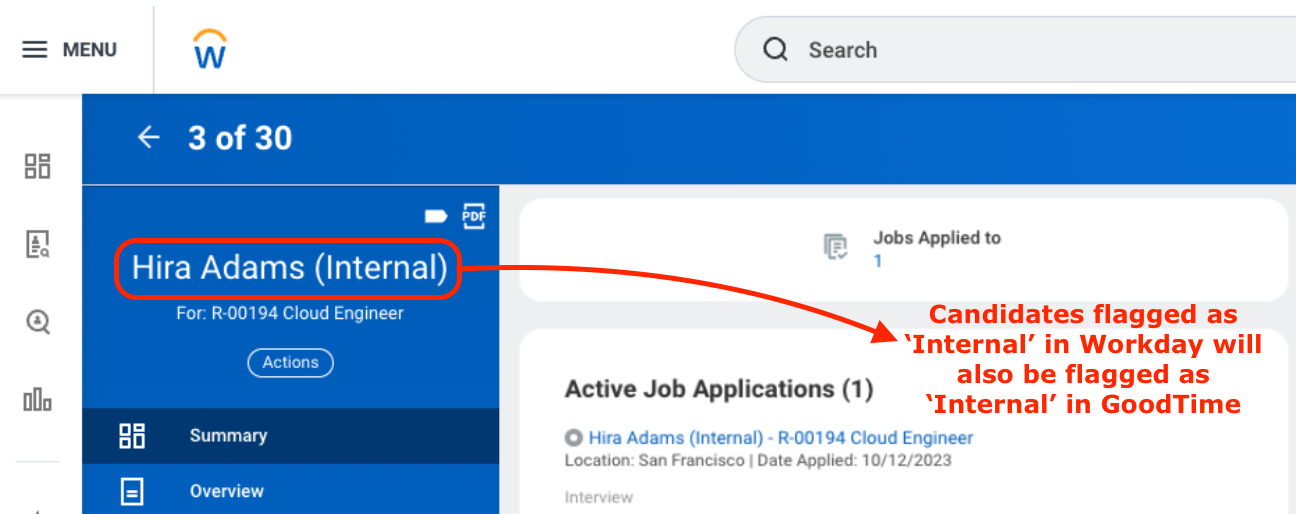
For a candidate to be marked as 'Internal' within WD (and to subsequently be seen as an internal candidate in GoodTime) they will typically have applied for a role from your internal (WD-hosted) job board.
If you are adding a prospect to a posted role and they are an existing employee be sure to create the prospect from your 'existing workers' so they are identified as internal.
Internal Candidates in Greenhouse:
For a candidate to be marked as 'Internal' within Greenhouse (and to subsequently be seen as an internal candidate in GoodTime) they will need to have their 'source' category set to reflect 'Internal'
