Base Templates - Overview
Last updated: August 29, 2026
What are Base Templates?
Base Templates help standardize the calendar event details used throughout your interview scheduling workflows. They provide reusable content for interviewer and candidate calendar events, video conferencing details, event titles, descriptions, and other scheduling information.
Instead of creating the same calendar content repeatedly, you can define it once in a Base Template and reuse it across your Interview Templates.
Tip: Use Base Templates to keep your scheduling experience consistent while reducing repetitive setup.
How Base Templates Fit Together
Base Templates are one part of the GoodTime template framework:
Base Templates → Define reusable calendar event content.
Interview Templates → Use Base Templates to populate interview-specific scheduling details.
Email Templates → Control candidate and interviewer email communications.
For a broader overview of how these template types work together, see Overview - Email, Base and Interview Templates.
What Can You Use Base Templates For?
Base Templates can help standardize:
Candidate calendar events — Candidate-facing event titles, descriptions, and instructions.
Interviewer calendar events — Internal event details and interviewer instructions.
Video interview details — Meeting links and virtual interview information.
Greet / walkout instructions — Details interviewers may need before or after an interview.
Debrief and roundup events — Information used for feedback or post-interview activities.
Reusable scheduling language — Consistent content across multiple Interview Templates.
Base Template Areas at a Glance
Base Template | Purpose |
|---|---|
Candidate Calendar Event | Controls the candidate-facing calendar title and description. |
Interviewer Calendar Event | Provides internal calendar event details and interviewer instructions. |
Debrief / Roundup | Provides information for debrief or roundup events. |
Fast Templates | Helps create reusable and optimized template configurations. |
Building Base Templates
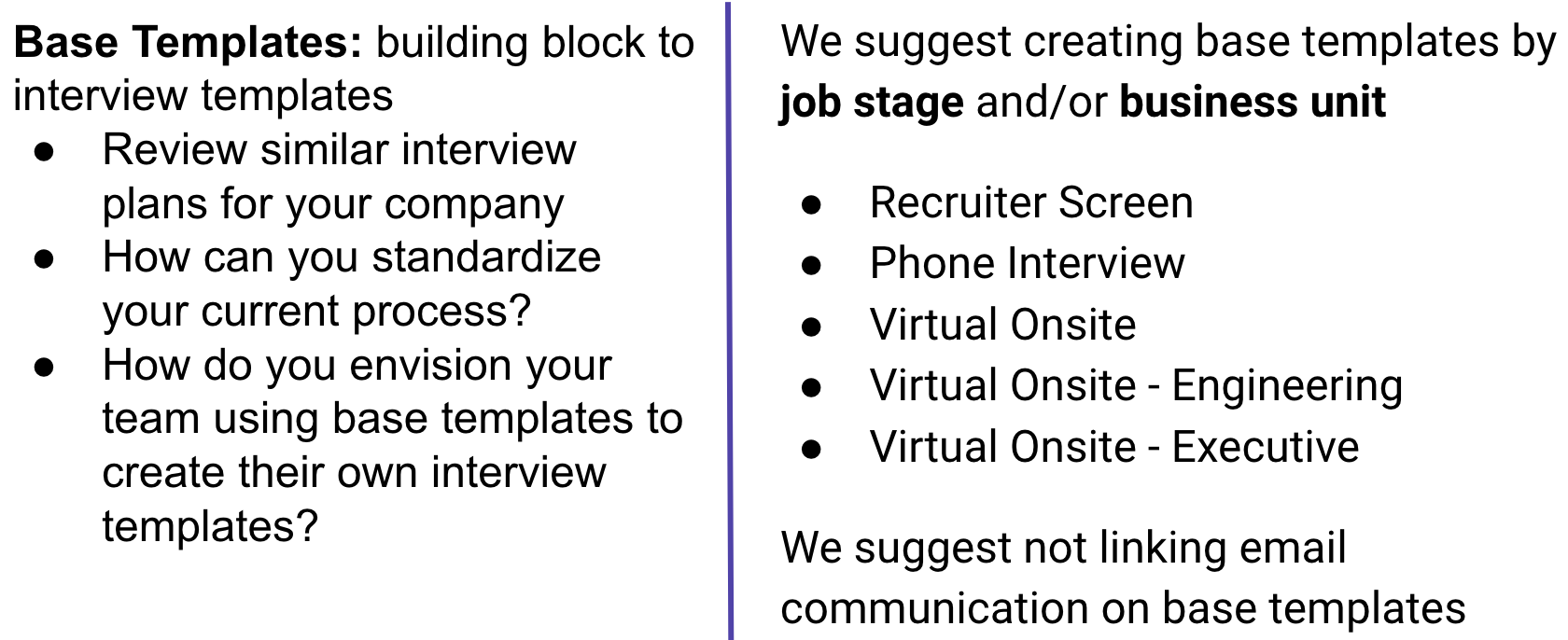
Once you have your Base Templates created, you can go on to the next step of creating your Interview Template. You can select the base template to help populate the information!
Base Template Examples Below:
Best Practice Naming Convention: Interview Format - Interview Stage
Zoom - Hiring Manager/Technical Phone Screen
Panel Default (Interviewer Calendar Event Info) | |
Event Title: | Video Interview - |
Event Description: | Hi
Thank you for taking the time to interview $Candidate.FullName.
Please accept or decline this invite at your earliest convenience to confirm your attendance. Recruiting relies on your confirmation to coordinate a seamless experience for our candidates.
Here is your Zoom link:
If there are any technical difficulties, please call the candidate below.
Candidate Name: Phone Number: Position:
Hiring Team: Hiring Manager: Recruiter: Recruiting Coordinator: |
Candidate Calendar Event | |
Event Title: | Your Video Call with ABC Company |
Event Description: | Hi
We're looking forward to chatting with you! You’re all set. Please join us on Zoom. If there are any connection issues, we will call you at
Here is your Zoom Link:
If you have any questions around scheduling, please reach out to me. Otherwise, for all other questions, please don't hesitate to reach out to |
Email Communications Note: Link your Email templates to Request Availability, Schedule Now, Request Availability (Reschedule) and Schedule Now (Reschedule) | |
Template Settings - ensure to adjust as needed |
Virtual Onsite
Panel Default (Interviewer Calendar Event Info) | |
Event Title: | Virtual Onsite - |
Event Description: | Hi
Thank you for interviewing
Please accept or decline this invite at your earliest convenience to confirm your attendance. Recruiting relies on your confirmation to coordinate a seamless experience for our candidates.
Here is your Zoom link:
If there are any technical difficulties, please call the candidate below.
Candidate Name: Candidate Email: Phone Number: Position:
If you have any questions, please reach out to the Hiring Team: Hiring Manager: Recruiter: Recruiting Coordinator: |
Greet/Walkout | This can be built in. Ex. Greet: |
Roundup | This can be built in. Ex. Debrief - Zoom - |
Roundup Event Description | Quick sync on feedback for Please come prepared to review your completed scorecard
Zoom: |
Candidate Calendar Event | |
Event Title: | Your Virtual Onsite with ABC Company |
Event Description: | Hi
We're looking forward to continuing the conversation with you! Please connect with your Interviewers on Zoom. Ensure you’re in a quiet place with steady internet. If there are any connection issues, we will call you at
Here is your Zoom Link:
Here is more information about ABC Company.
If you have any questions please don't hesitate to reach out to |
Email Communications Note: Link your Email templates to Request Availability, Schedule Now, Request Availability (Reschedule) and Schedule Now (Reschedule) | |
Template Settings - ensure to adjust as needed |
Best Practices
When creating Base Templates:
Use consistent naming conventions so templates are easy to identify and maintain.
Use relevant template variables to dynamically display information such as the candidate name, job name, interviewer names, and meeting link.
Keep candidate-facing content clear and concise.
Make interviewer-facing instructions action-oriented and easy to scan.
Avoid duplicating information that is already communicated through email or other scheduling components.
Test your templates before using them in live scheduling workflows.
Other Related Videos: