Base Templates - Debrief / Roundup Templates
Last updated: February 26, 2026
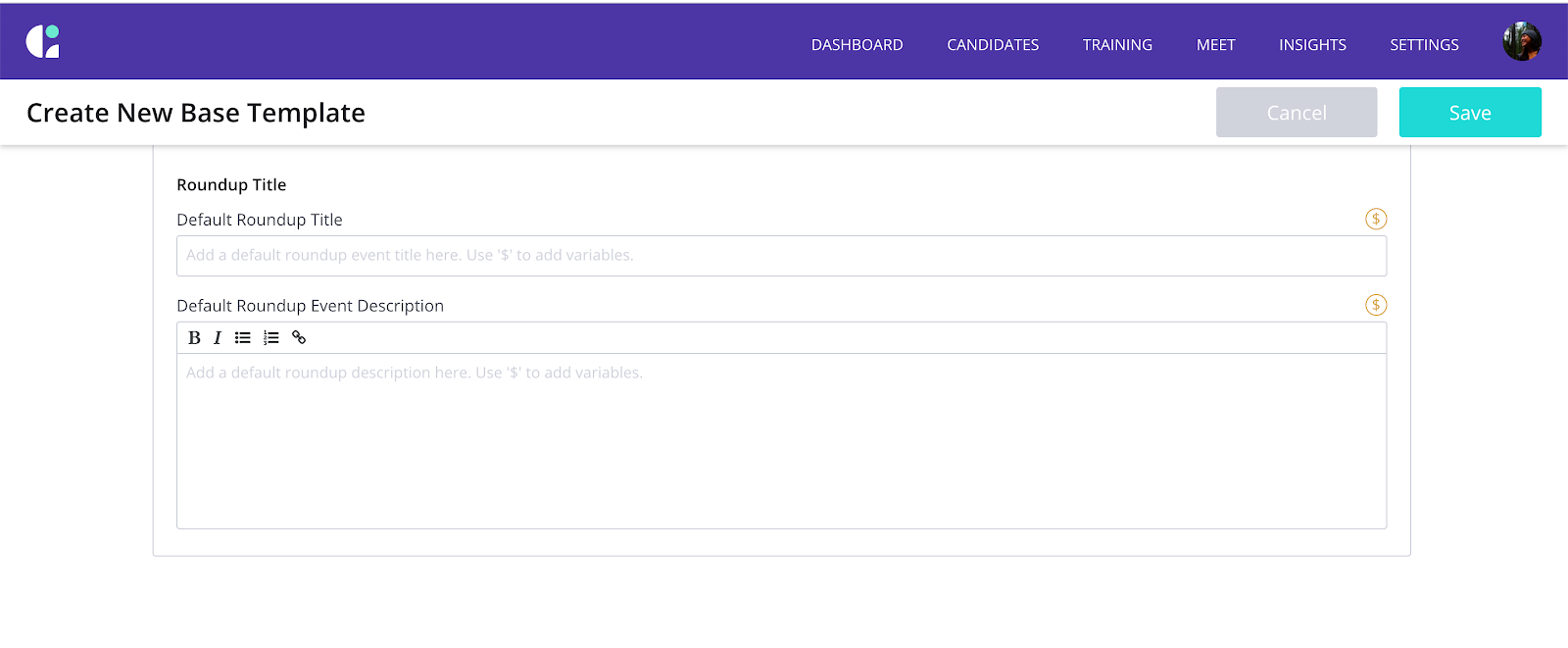
TL;DR: You can create a template for the Roundup calendar event description. The field below will be available on a Base Template level. "Roundups" may also be referred to as "debriefs".
How do I apply this to a template?
You can update any existing Base templates with the Roundup template and it will apply to the interview templates that are linked. When linking a new Base template to an interview template, make sure to select ‘No’ for any fields you do not wish to update.
To update Roundup content:
- Visit Settings -> Templates
- Select "Base Templates"
- Select the template you'd like to update, or, click "New Template"
- In the "Interview Panel" tab of the Base Templates, scroll to the bottom to standardize your Roundup (Debrief) event title and Event Descriptions
- ** At this time, GoodTime will not automate any content (i.e. itinerary, resume link, interview kit) on your behalf.
*Please note, this field will not be accessible on an Interview template level.
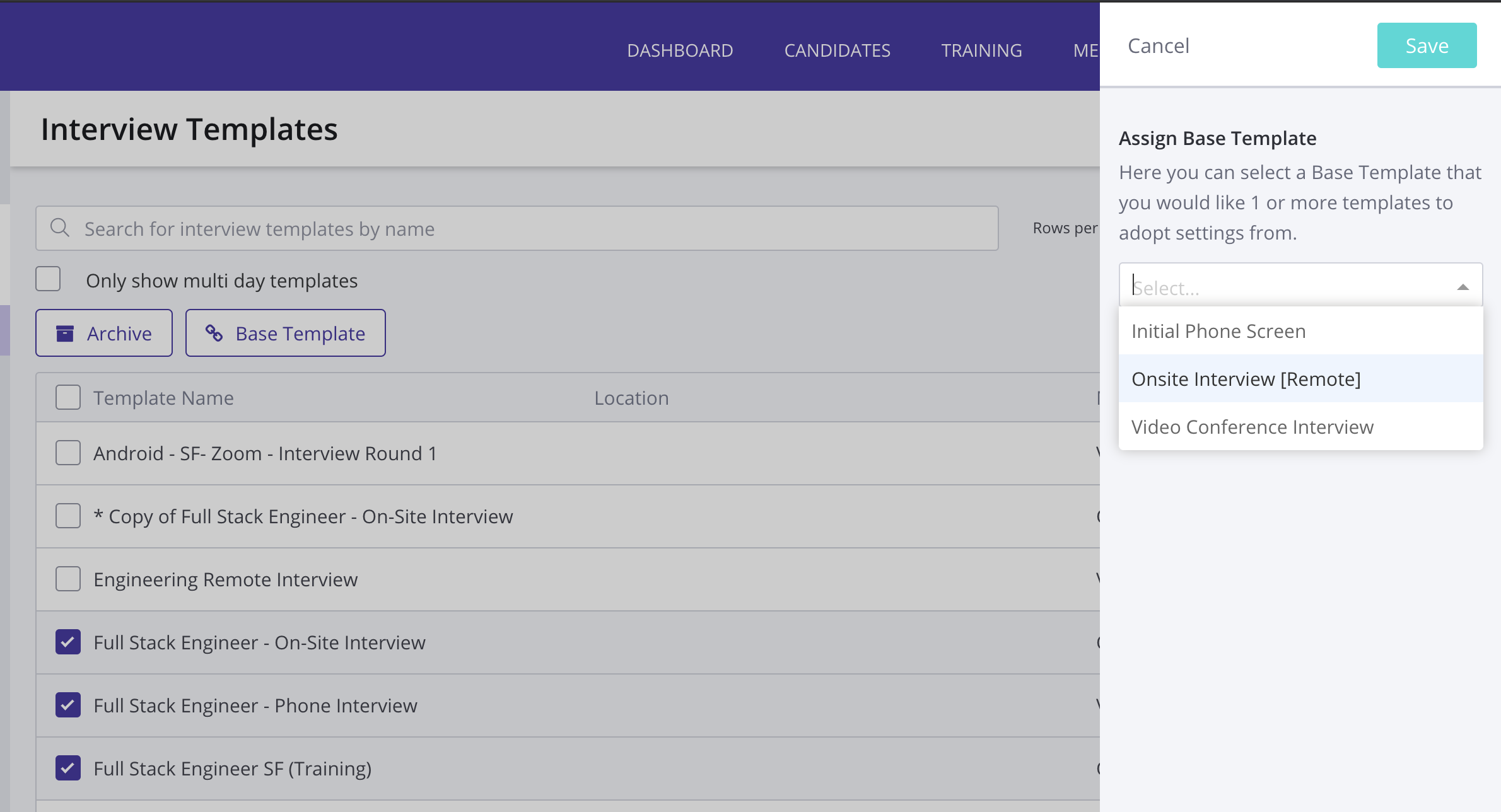
To apply Base Templates to existing Interview templates:
- Visit Settings -> Templates
- Select "Interview Templates"
- Select all templates you'd like to update using your base template
- Click "Base Template"
- Select the appropriate Base Template From the drop down menu
- Click Save
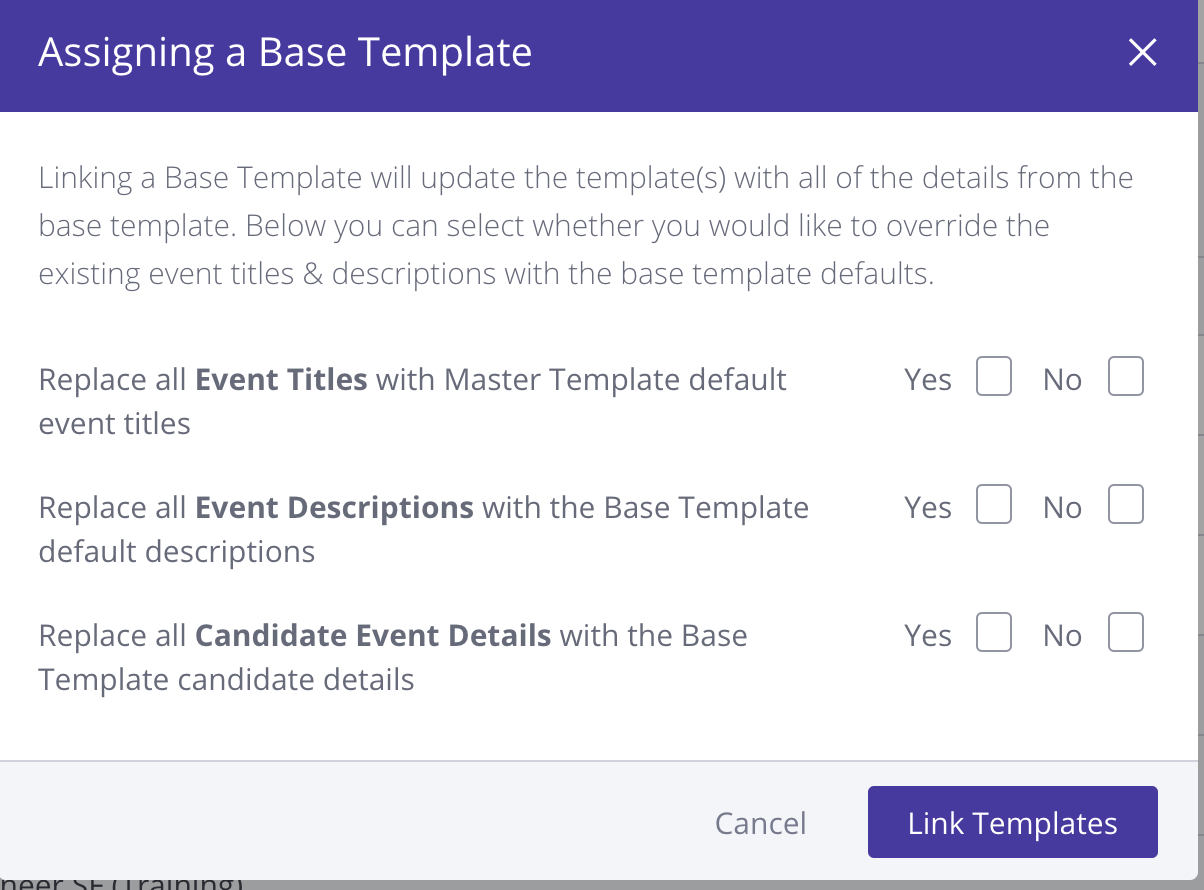
You will receive a popup asking you to choose "Yes" or "No" when assigning your Base Template to Interview Templates which were not previously linked. If you are linking a template for the purpose of Roundup content, only, choose "No" on all three items below: