SmartRecruiters + GoodTime Integration Guide (New OAuth Workflow)
Last updated: May 1, 2026
GoodTime now supports the new OAuth 2.0 Partner Integration workflow from SmartRecruiters. This workflow replaces the previous OAuth integration and is recommended for all customers.
The previous integration had known issues:
Credentials could expire and disconnect the integration
Reauthentication was not always seamless
The new OAuth workflow introduces a more robust integration setup process and improves connection reliability.
Before starting, ensure:
You have Admin (or Super Admin) access in SmartRecruiters
You have access to Company Settings in GoodTime
How to Integrate (or Reintegrate)
Step 1: Start from GoodTime
Go to Company Settings
Click Reintegrate SmartRecruiters
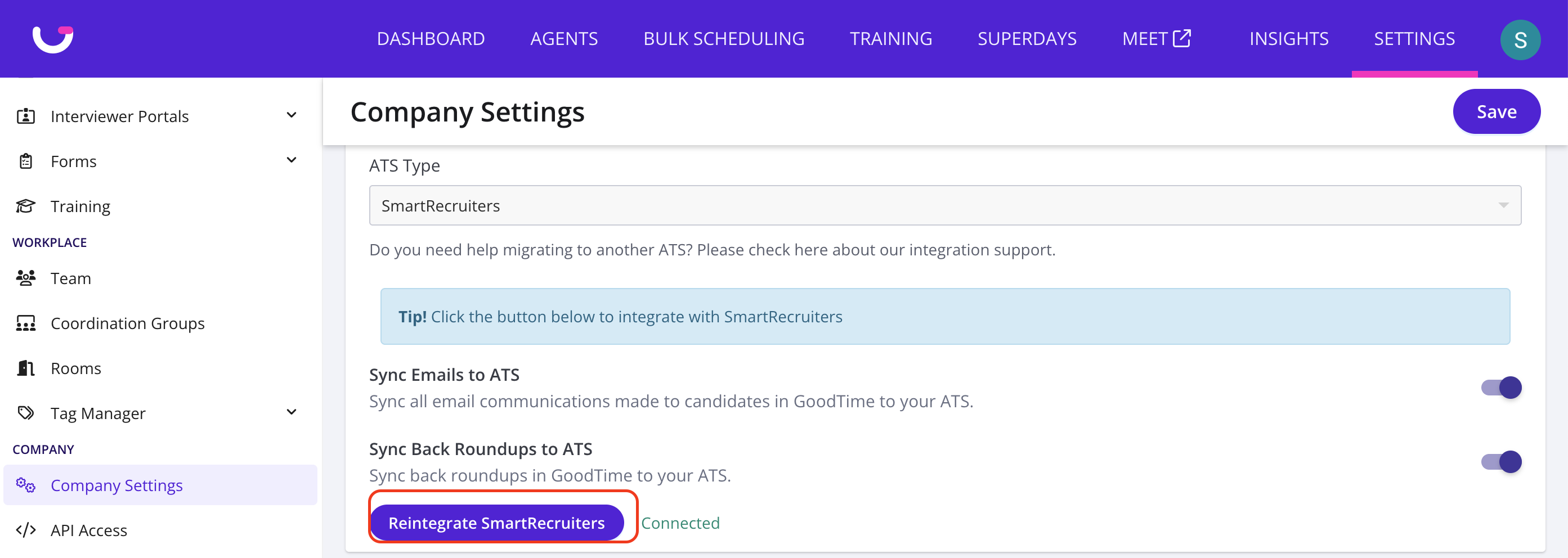
Step 2: Redirect to SmartRecruiters
You will be redirected to the Partner Apps page
Step 3: Connect the App
Locate GoodTime Hire
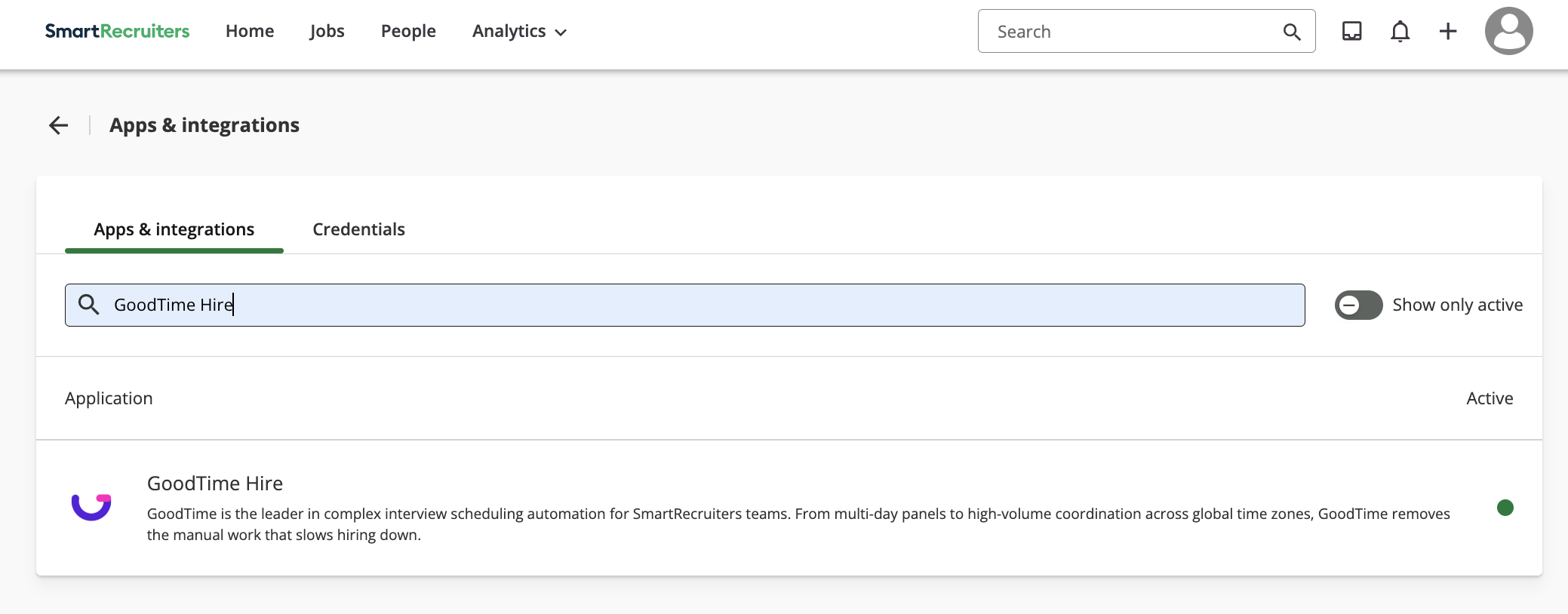
Click Connect
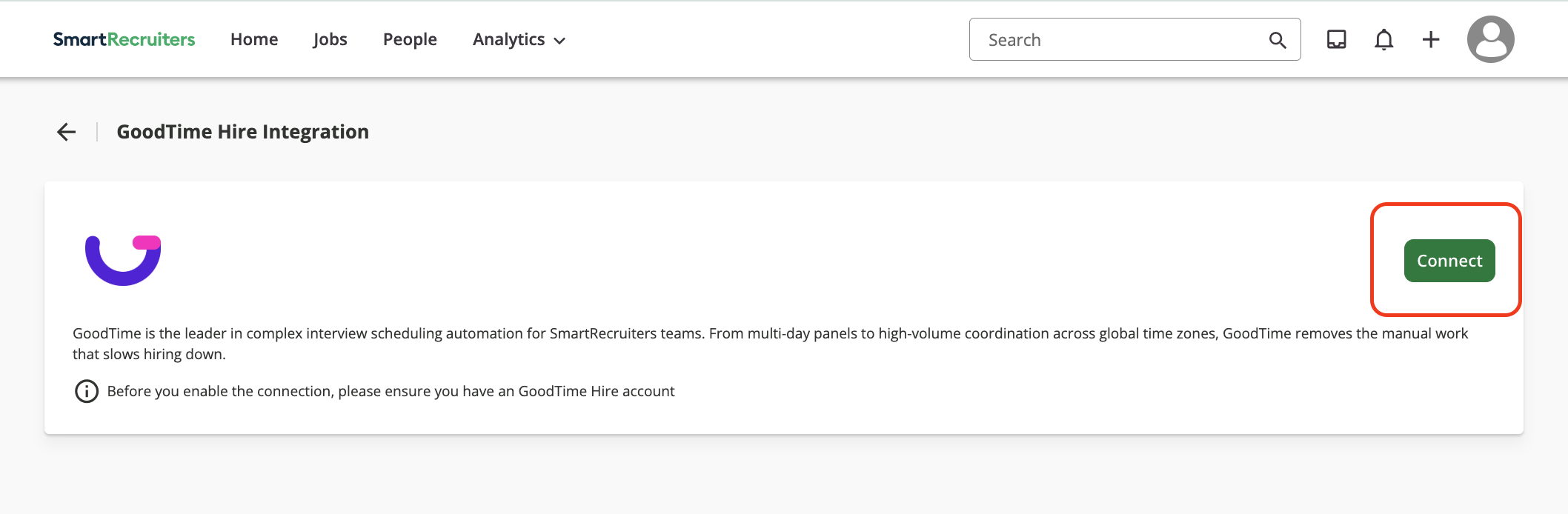
Step 4: Grant Permissions
Review the requested permissions
Click Allow and continue
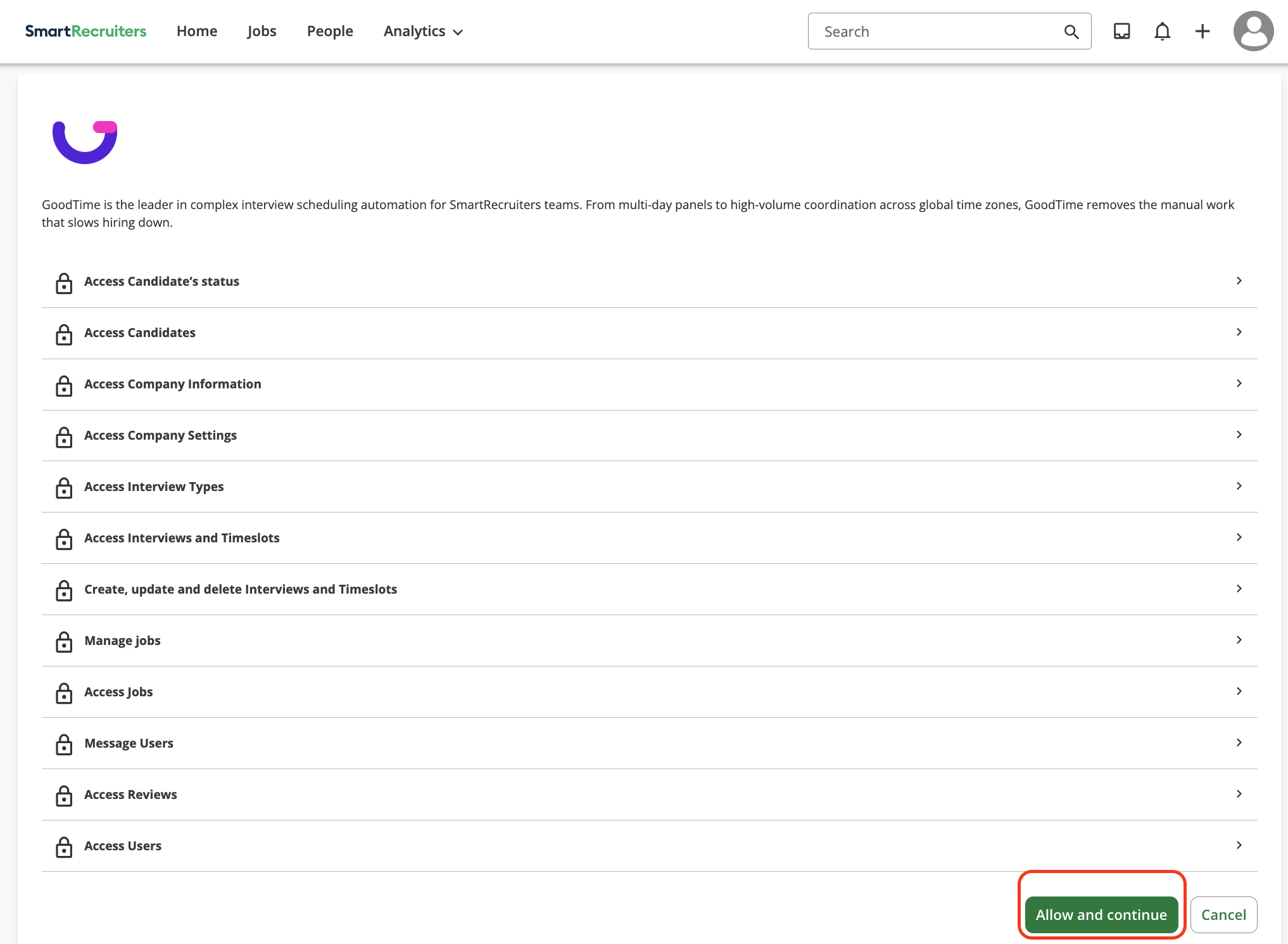
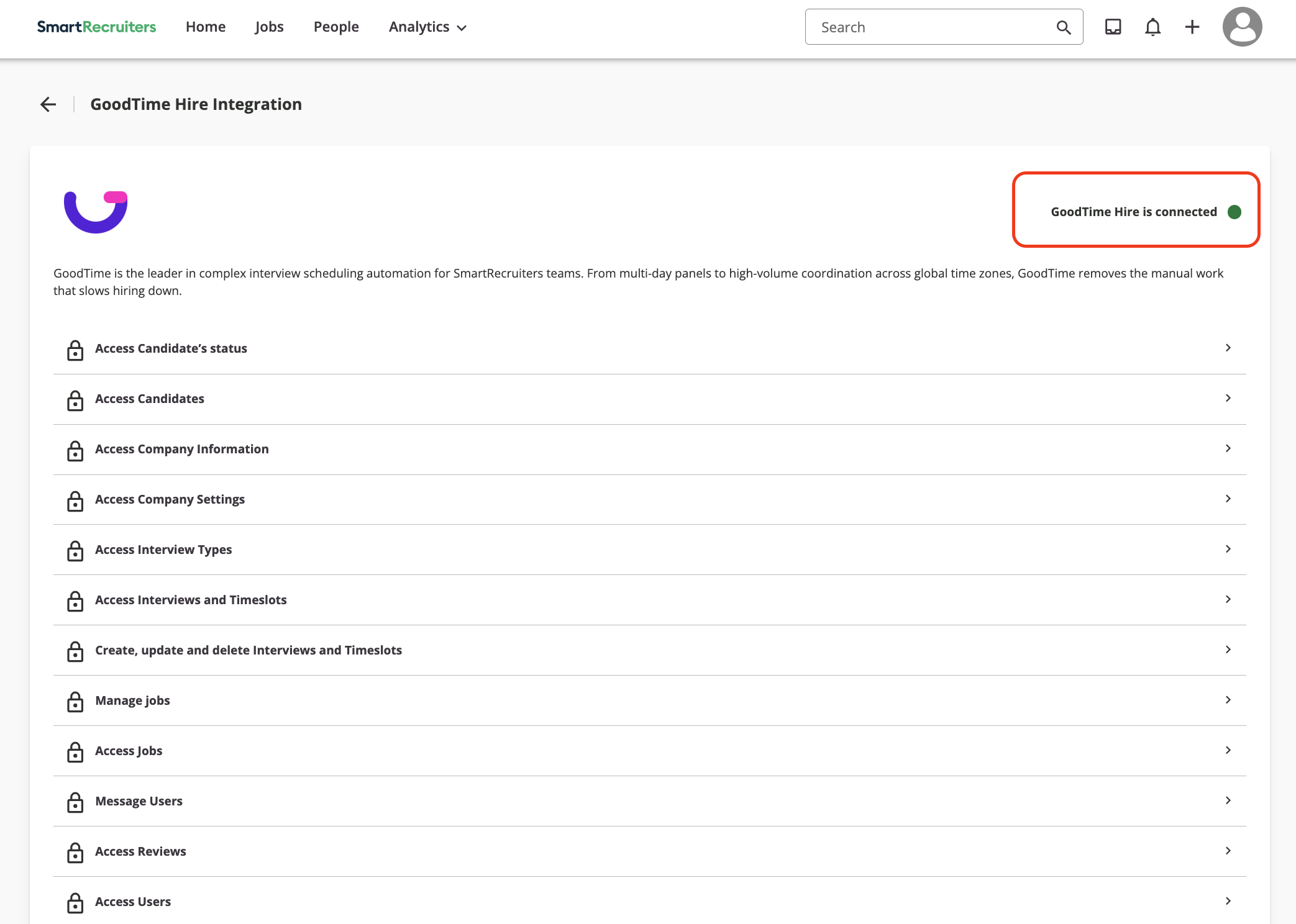
Step 5: Confirm Connection
You should see: GoodTime Hire is connected
How the Integration Works
The integration follows the OAuth 2.0 General Partner Integration model:
SmartRecruiters and GoodTime exchange credentials at two levels:
Partner-level (master) credentials
Customer-level credentials per company
When a customer connects the integration and grants permissions, credentials are exchanged to establish the connection
SmartRecruiters generates customer-specific credentials used to access its APIs on behalf of the customer
This process establishes a connection between SmartRecruiters and GoodTime for that customer.
Verification
After setup:
Confirm SmartRecruiters shows GoodTime Hire is connected
Ensure scheduling workflows in GoodTime are working as expected
Troubleshooting
Cannot connect integration
Ensure you have Admin permissions in SmartRecruiters
Redirect or connection fails
Retry from Company Settings in GoodTime
Ensure browser pop-ups are not blocked
Integration disconnected
Reintegrate SmartRecruiters from Company Settings using the steps above
Resources:
Loom: https://www.loom.com/share/599b60e0278e4027a591a905e419b914
SmartRecruiters Oauth documentation: https://developers.smartrecruiters.com/docs/oauth-20-general-partner-integration