Custom Itinerary
Last updated: February 26, 2026
With the Custom Itinerary feature, you will be able to customize the detailed itinerary shared with candidates and interviewers in candidate/interviewer calendar events and emails.
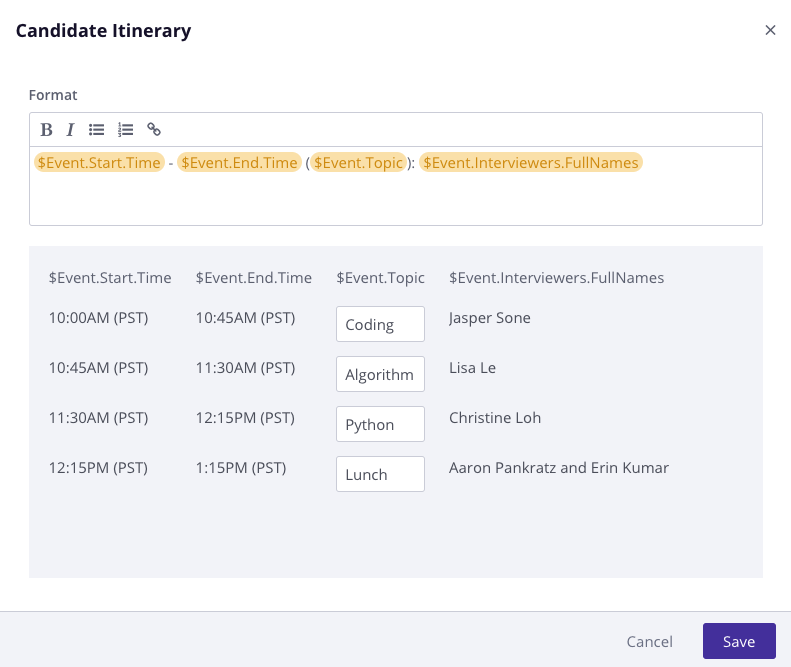
Users can customize the itinerary on an organization level, interview (scheduling) level, or at the template/master template level.
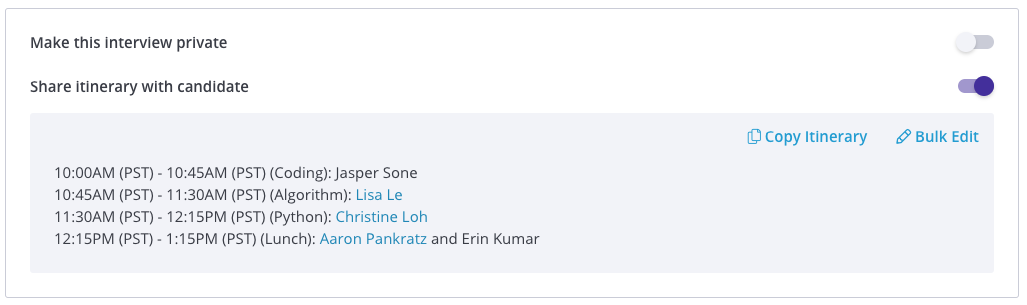
When scheduling, you'll be able to edit the itinerary details from the Confirmation Page:
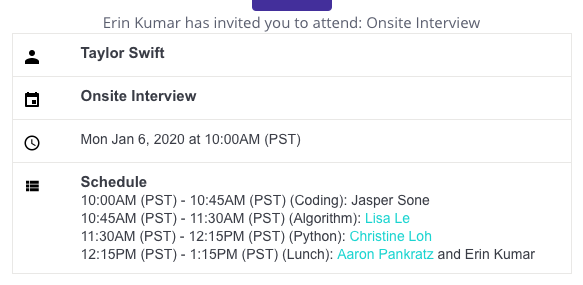
The candidate's view will appear as follows:
-
To edit at the template level:
-
In GoodTime, go to Settings -> Template
-
Select the Template in Question
-
Choose Template Settings
-
Under “share itinerary with candidate” select the pencil icon
-
Update the Open Field for $Event.Topic
-
This will automate all future itineraries created when using this template
-
-
Additional Notes:
- $Event.Topic is a variable specific to custom itinerary. You are able to include this in either the interviewer calendar OR the candidate facing calendar, or both!
- If $Event.Topic is added to both calendar itineraries, the focus area / competency will remain the same. We are not currently able to display and internal event topic and an external event topic.
- You're able to edit a custom itinerary on the fly, from the confirmation page. This can be done under the interview Panel before clicking the final "Request Availability" or "Schedule Now" in your workflow
- Once an itinerary is shared with a candidate / interviewer, we are unable to edit the Focus Area again unless the interview is rescheduled.