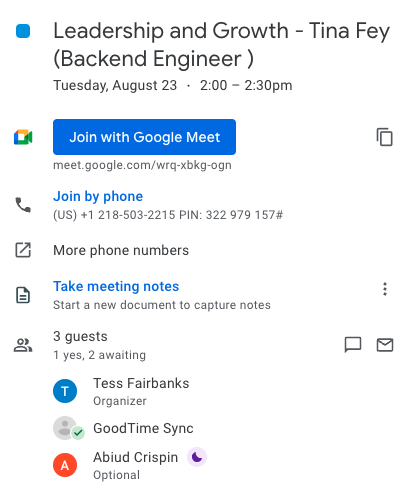
Adding Internal Calendar Event Descriptions
Last updated: February 26, 2026
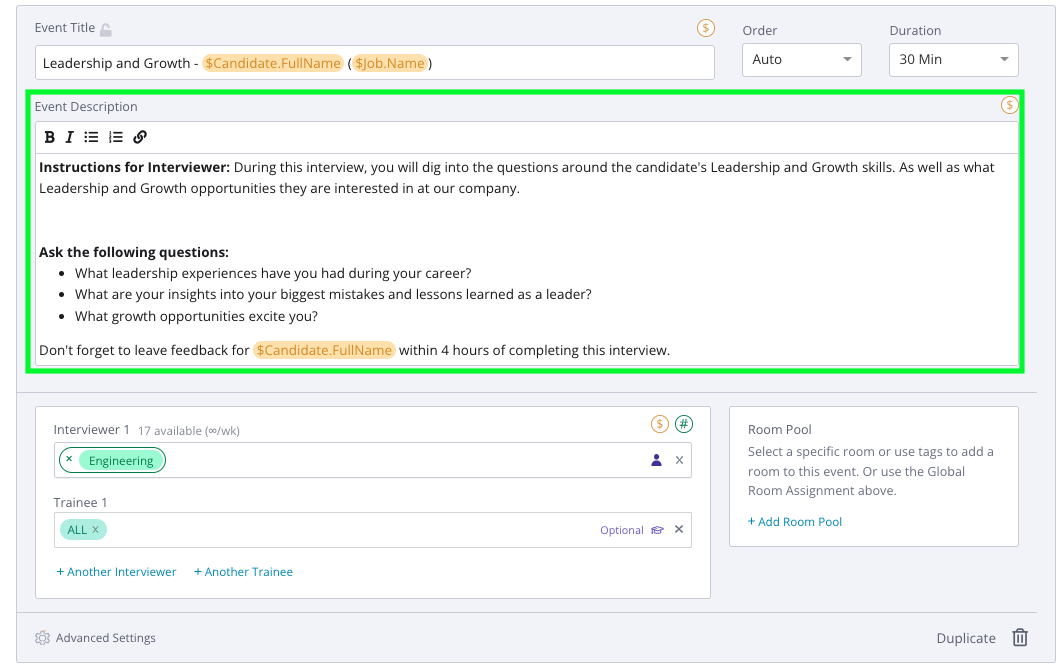
You can add a standard note to internal calendar events in the Interview Template. When you are in a specific Interview Template (GoodTime > Settings > Interview Templates > Select the template), please include the note under "Event Description." This description will appear on all events in that single interview.
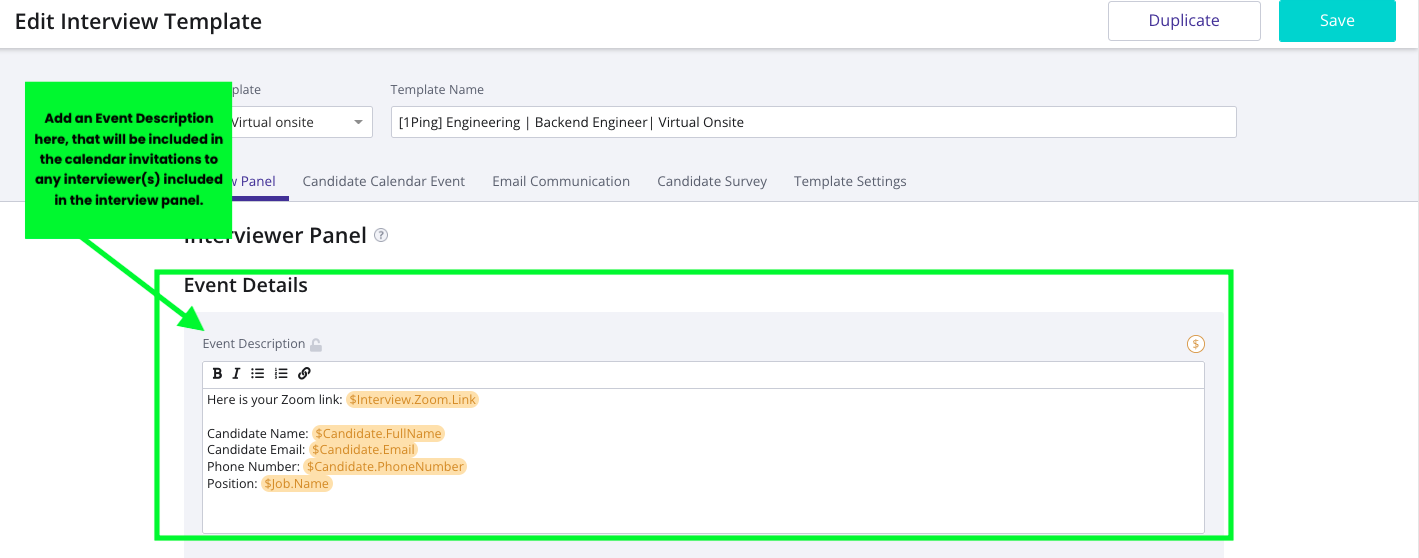
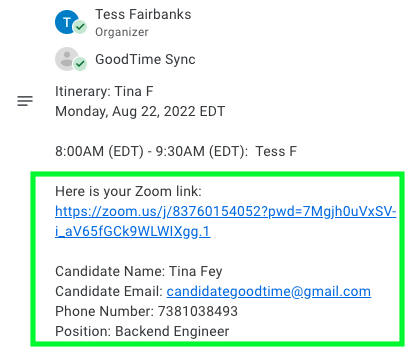
How it's shown in the Calendar event:
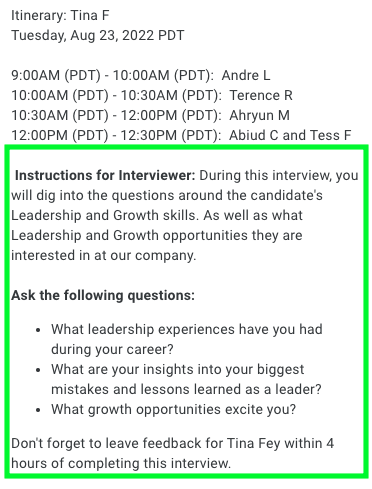
You can also include specific notes for specific events inside a single interview. For example, if my interview has 2 events, and for one of them I want to include a specific note, I'll add it as an Event Description under the Event Title for that event. This note will show up on top of the standard note (from 1) that you've applied to all events in this interview.
How it's shown in the Calendar event: