Experience+ Interviewer Portal
Last updated: July 21, 2026
TL;DR: The Experience+ 'Interviewer Portal' has been designed to streamline the workflows of your interviewing team. You can now help your interviewers prep and take action in seconds:
AI-summarized resumes and job descriptions so they can get up-to-speed quickly
A clear view of the interview context, so interviewers know exactly where they — and the candidate — stand in the process
Quick actions to join a call, open a scorecard, or reschedule from one place
Plus: Interviewer surveys, Interviewer decline data capture, and more
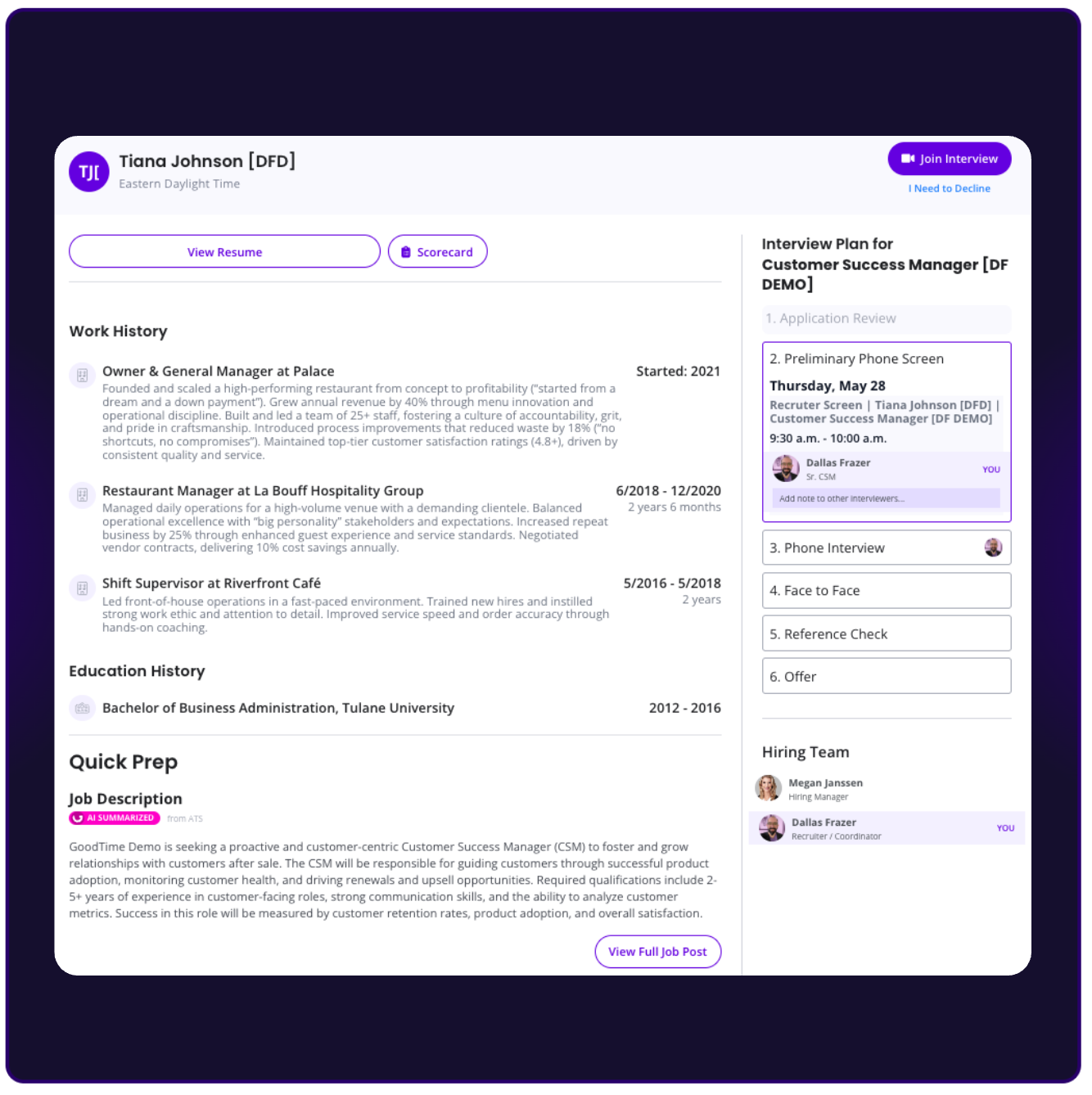
Overview of Features:
The Interviewer Portal leverages AI to help interviewers with busy schedules fully prepare for an upcoming interview.
AI summarized resume (with the option to view the original resume)
AI summarizes job description (with the option to view the original description within your ATS)
Interview history (see all interviews that have taken place and who previous interviewers work)
Ability to join interview directly from the portal
Ability to cancel/decline interview from the portal and provide a cancellation/decline reason
Open scorecard directly from the portal
Interviewer surveys
Setting Up the Interviewer Portal
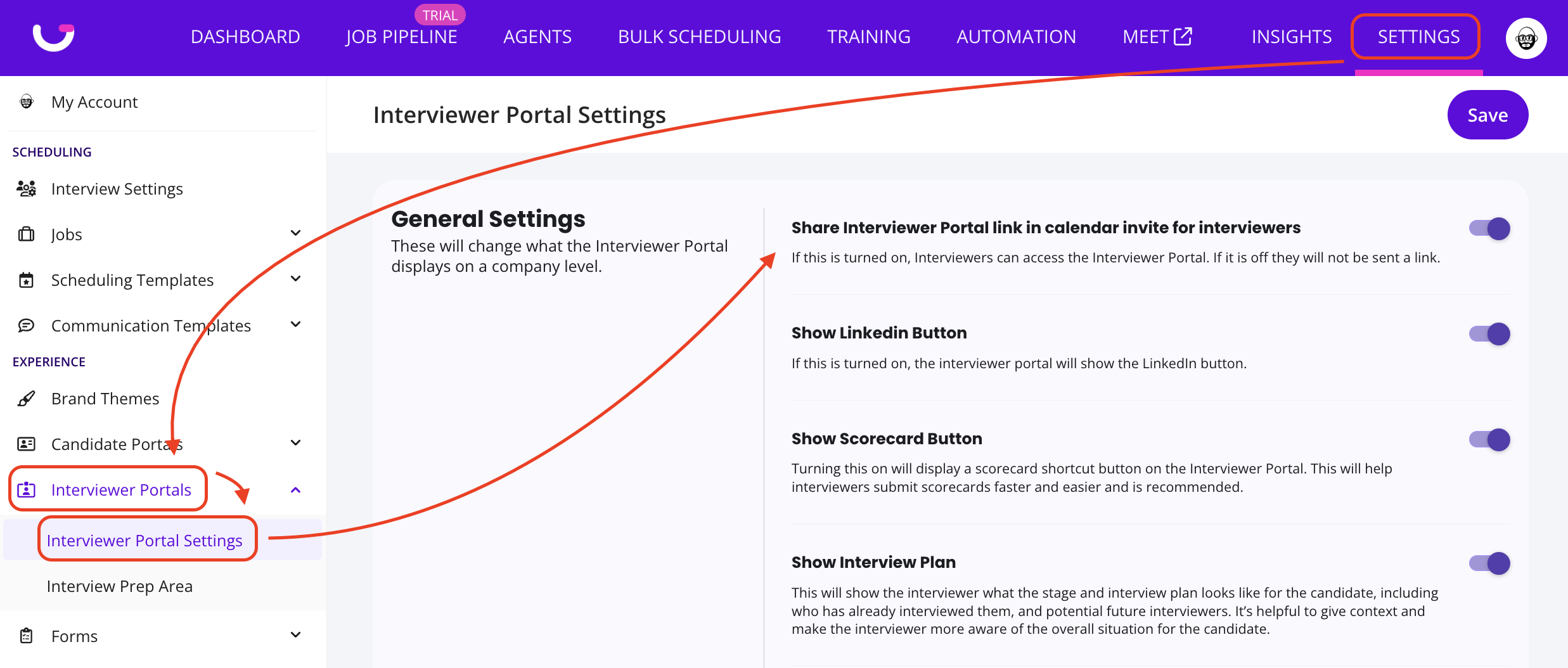
To access the Interviewer Portal, follow these steps:
Login to GoodTime
Click on Settings
On the navigation bar, Select Portal Settings
Select Interviewer Portal Settings
On the Interviewer Portal Settings, you will see options to:
Toggle on/off various features
Choose between AI Summarized or Non-Summarized resumes and job descriptions
Customize portal access link name on the calendar event
How to Access Interviewer Portal:
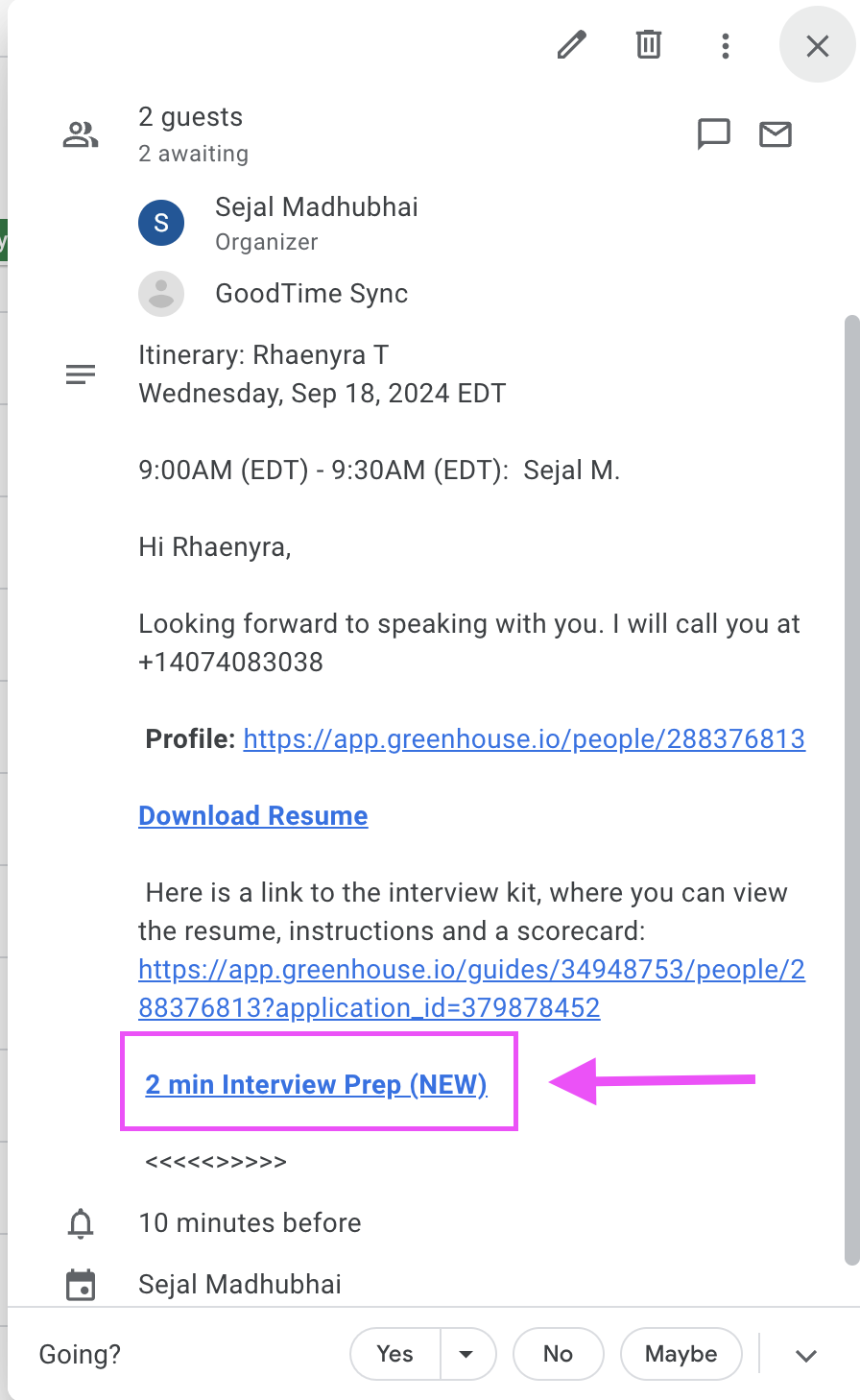
If you have elected to turn on the interviewer portal in your SETTINGS> Interviewer Portals>Interviewer Portal Settings menu then your interviewers will be able to access their interview portal at the link (whose name you may have customized) in their calendar event. The Interviewer Portal will automatically be created and added to the Calendar Event. To access the portal, please use the following steps:
Open the calendar event and click on the Interviewer Portal link
Enter your email if prompted once you open the link
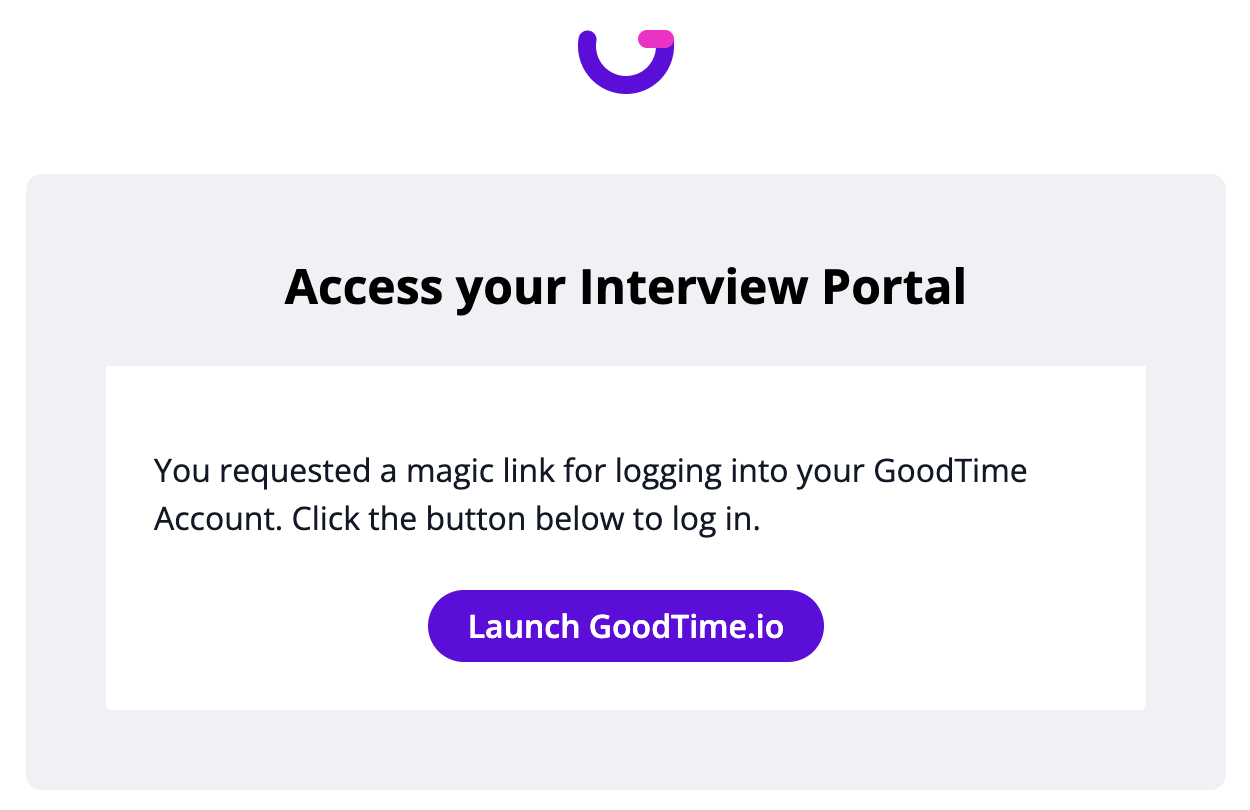
NOTE: Because the Interviewer Portal houses PII (for both interviewers and candidates) we require your interviewers to validate their identity in order to access it. If the interviewer is logged in to GoodTime, they will be taken directly to the portal. If they are not currently logged into GoodTime they will need to share their work email address and a 1-click 'Magic Link' will be emailed to their business email that will direct them to the interviewer portal.
Go to your email and open the secure link sent via GoodTime
Interviewer Prep:
If you have additional materials you would like to provide interviewers or trainees with in the portal, you can also add interviewer prep templates!