Interview Settings - Job Id
Last updated: February 26, 2026
TL;DR: The Job Id setting, when toggled on, will display the Job Id (pulled from your ATS) beside the respective job title in certain GoodTime views. This setting is particularly useful for users who have posted jobs with similar external facing job names as the unique Job Id will allow you easily distinguish between different roles. This setting will also enable you to search by Job Id.
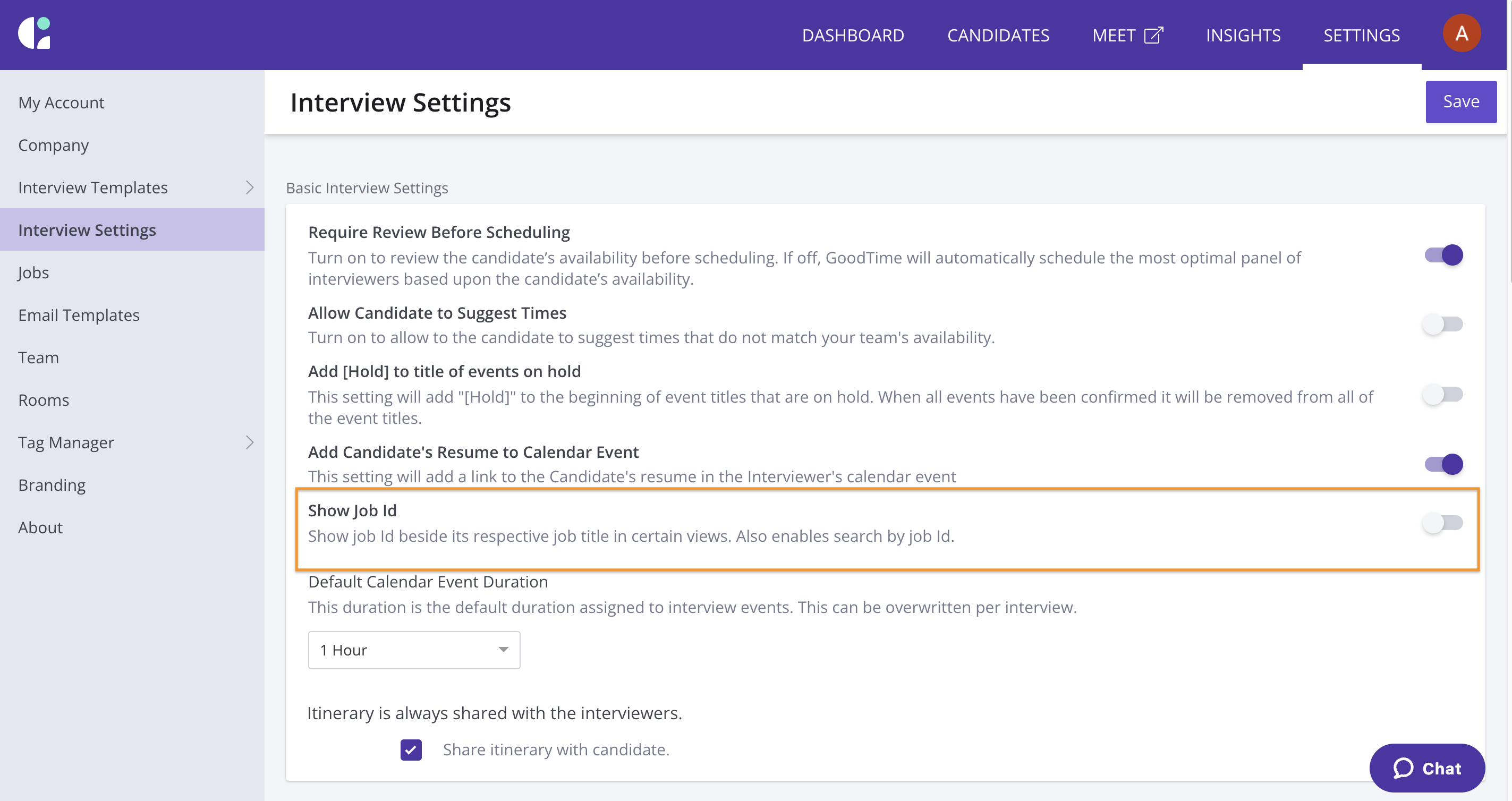
The following image indicates where you will find the toggle to enable the display of Job Id within your GoodTime account:
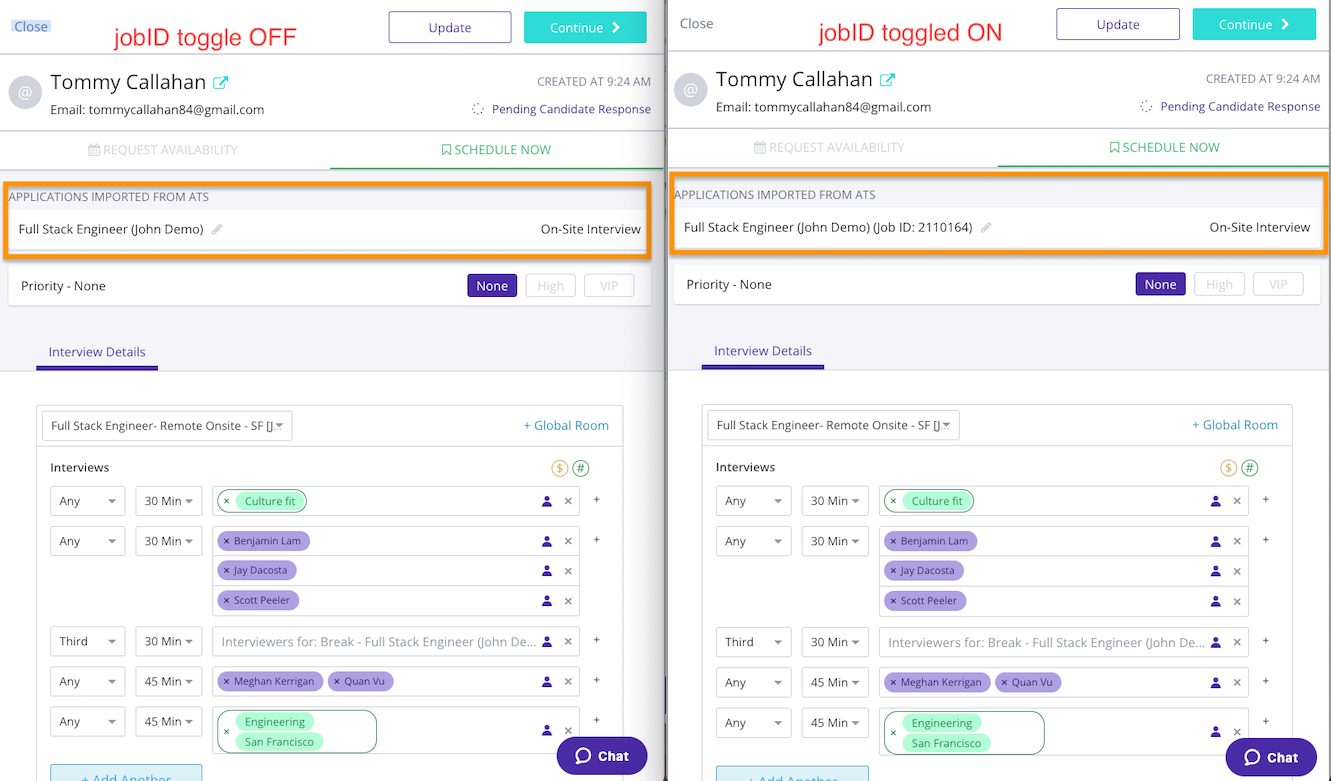
You will know when the Job Id is pulling correctly as you will begin to see the associated Job Id listed beside job titles within your GoodTime account. The image below demonstrates what you can expect to see with 'Show Job Id' enabled:
NOTE! To find your Job ID within your ATS it will be listed within the URL of the role when you have it opened.