Interview Settings - Require Review Automations
Last updated: February 26, 2026
TL;DR: As part of GoodTime's mission to streamline your scheduling processes, we provide you with 4x different Require Review automation options. These different options allow GoodTime to automatically progress your scheduling, as much or as little as you like, once a candidate has relied to your Request Availably invite with dates and times they are available to interview.
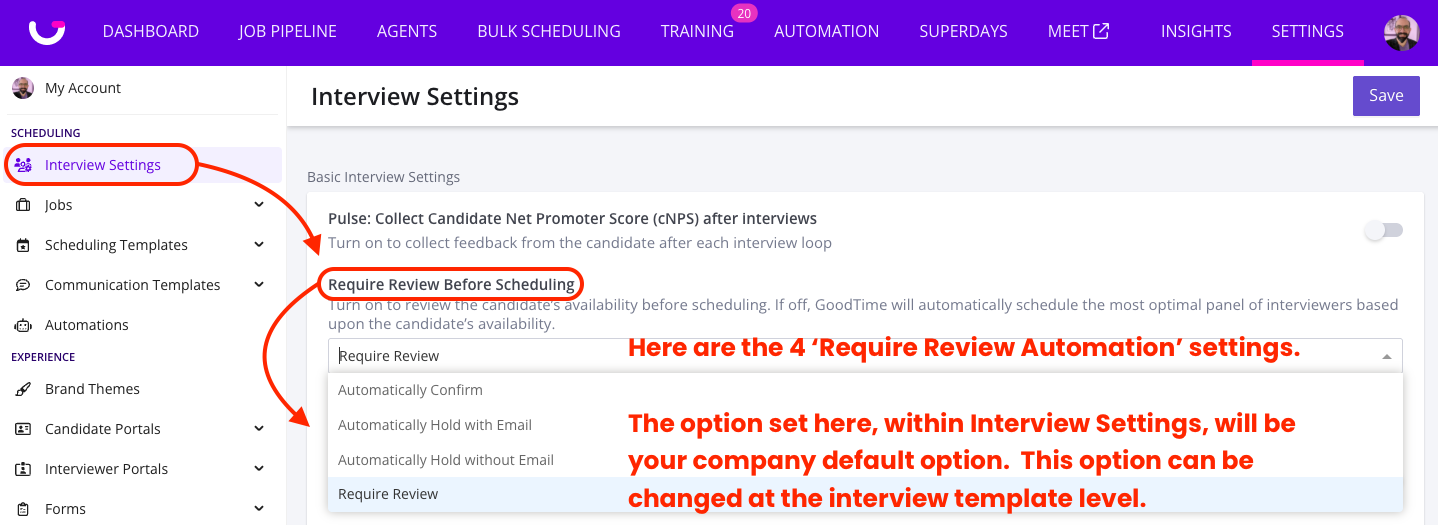
The 4 Require Review Automation options are shown below, and are further explain in the diagrams below:
-
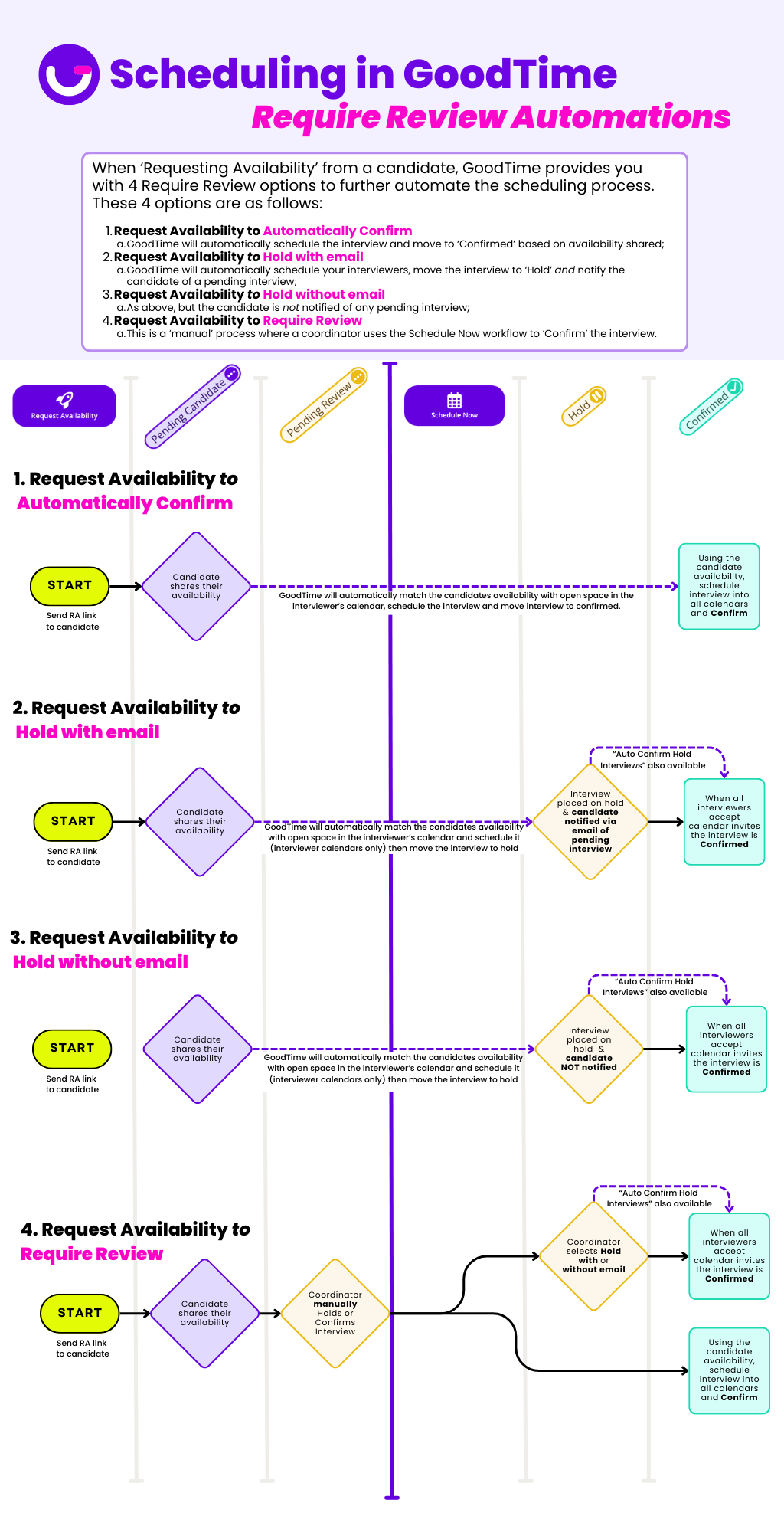
Request Availability to Automatically Confirm:
- GoodTime will automatically schedule the interview and more it to 'Confirmed' based on the candidates availability shared. Interviewers and candidates will all receive calendar events and the candiate will receive a confirmation email.
NOTE: This is identical to the legacy process of Requesting Availability with 'Require Review turned OFF'
-
Request Availability to Hold with Email:
- Based on the candidate availability received, GoodTime will automatically schedule your interviewers, move the interview to the 'Hold' status and notify the candiate via email that their interview schedule is pending.
NOTE: This is identical to the existing process of manually placing an interview on 'Hold with email' via the Schedule Now Workflow.
ALSO NOTE: with GoodTime's "Auto Confirm Hold Interviews" you can also automate the process of sending the candidates calendar event and confirmation email when all invited interviewers accept their calendar event(s).
-
Request Availability to Hold without Email:
- Exactly as option 3. but the candidate is not notified of their pending interview schedule.
NOTE: This is identical to the existing process of manually placing an interview on 'Hold without email' via the Schedule Now Workflow.
ALSO NOTE: with GoodTime's "Auto Confirm Hold Interviews" you can also automate the process of sending the candidates calendar event and confirmation email when all invited interviewers accept their calendar event(s).
-
Request Availability to Require Review:
- This is a 'manual' process where a coordinator uses the Schedule Now workflow to 'Confirm' the interview.
NOTE: This is identical to the legacy option of Requesting Availability with 'Require Review toggled ON'