Sep '25 - GoodTime Product Updates
Last updated: September 8, 2026
TL;DR: Here you will find a capture of all the product updates that the GoodTime product team have delivered this month. This article provides a continual overview of both minor product enhancements and our major product releases which we ship to continuously deliver efficiencies to our users. If you would like additional information on any of the features listed here please feel free to reach out to your Customer Success Manager.
In addition to this page you can learn about future GoodTime product updates via the following resources:
Look in your GoodTime Early Access tab,
Attend GoodTime's monthly Product Webinar, or
Read GoodTime's monthly Product Updates Blog Post!
🎁 24th | Are you looking for a recap of all the things we have been building? Click Here for our GoodTime Sep 2025 Product Webinar Update: |
🎁 24th | GoodTime Insight reports, when downloaded as a .csv, now include details of the associated 'Job ID' to allow for more accurate tracking of roles that may be listed under different external job titles. 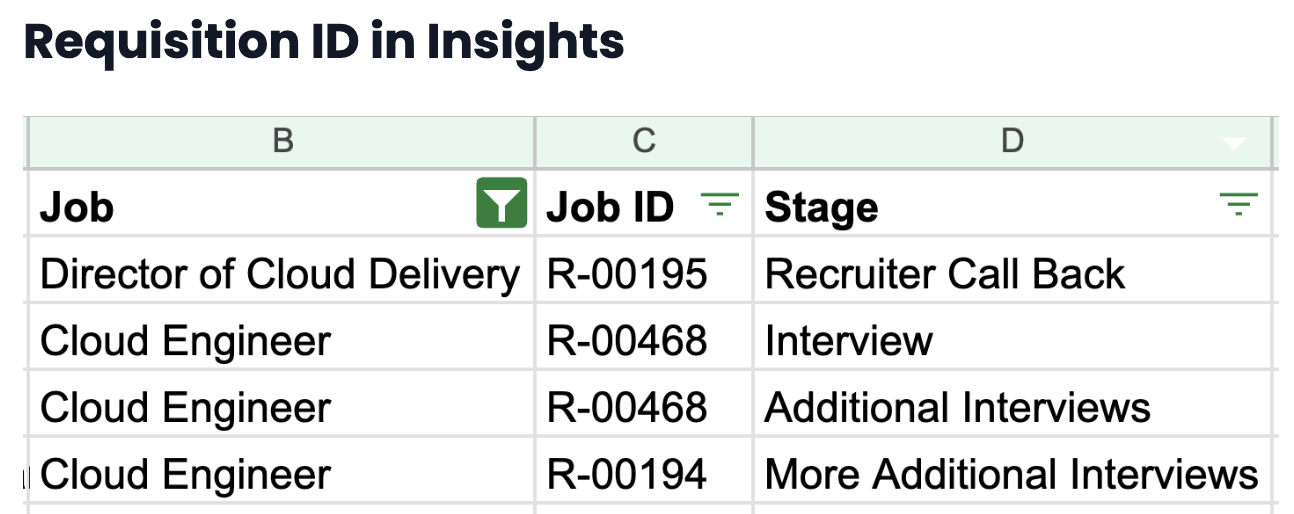 |
🧪 24th | GoodTime Chrome Extension - Request Availability.
You can turn this on by going to Settings → Early Access → Toggle On (for company) or enter user names → Save. Note: In some cases, you may need to unplug and re-install plug-in. General Access (auto-updated for all GT users): December 1st More information on this feature can be found here: GoodTime Chrome Extension - Request Availability 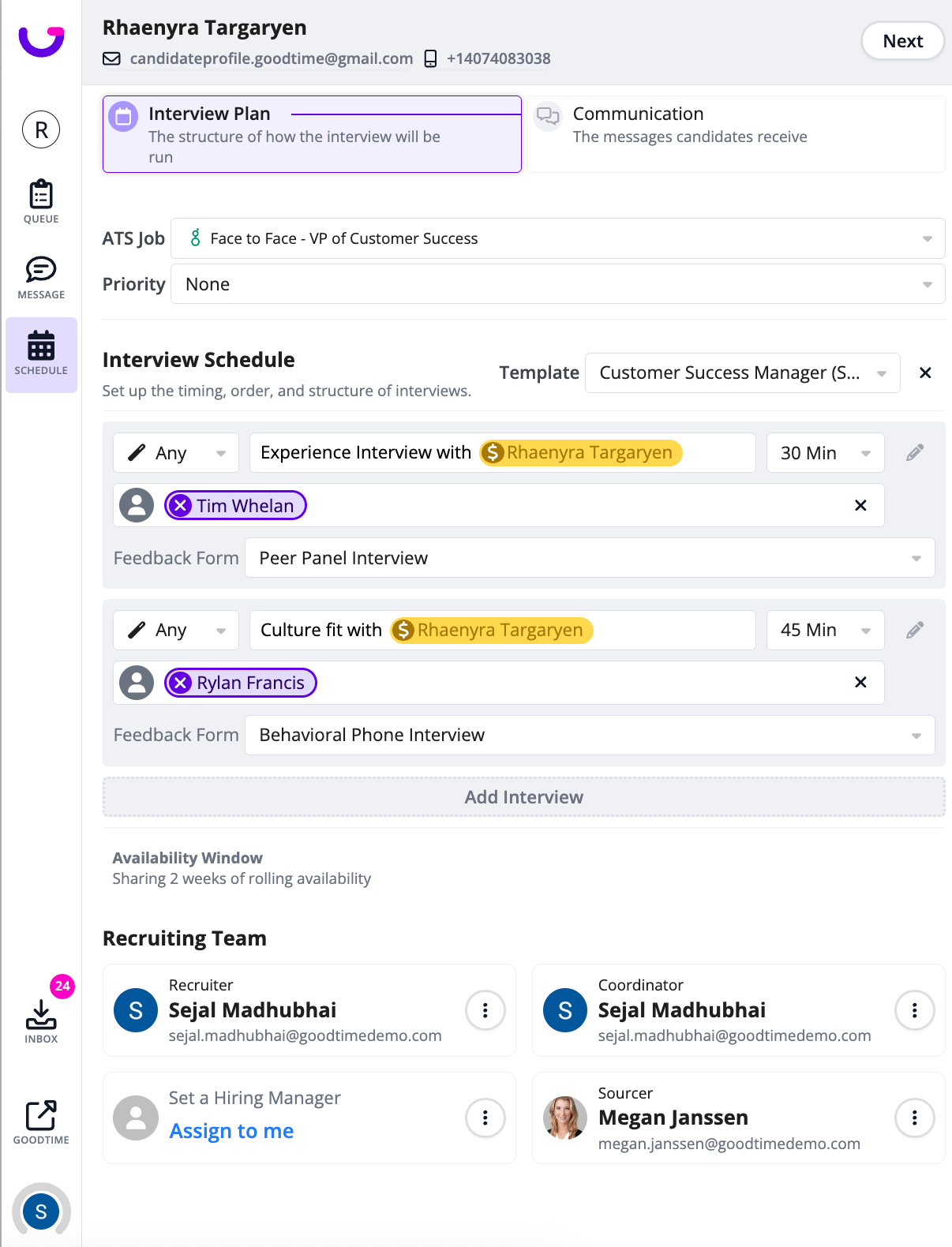 |
🧪 24th | 🎨 Early Access: RTE for Email Templates
|
🔧 19th | Require Review Automations
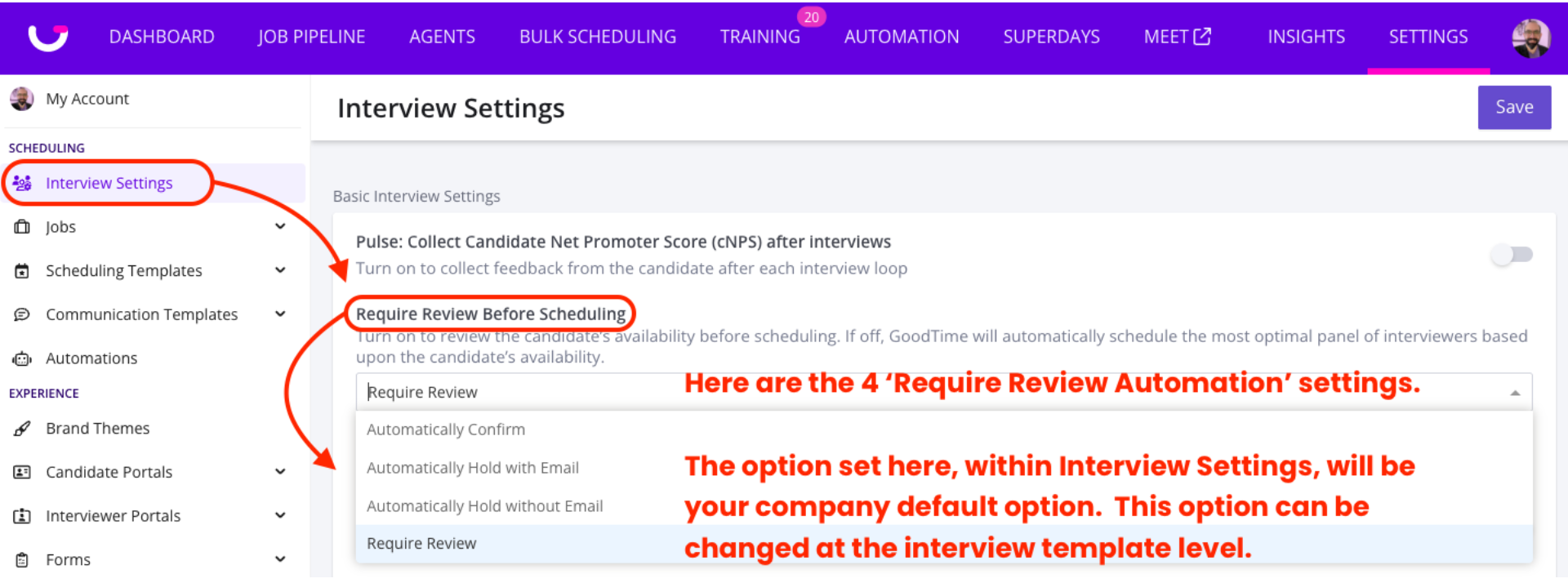 For more information on this feature update see: Interview Settings - Require Review Automations |
🧪 24th | 🍎 Interviewer Training - Enhanced Training Feedback This Interviewer Training update allows for you to sharing Interviewer feedback to the trainee as well as requesting & capture feedback from the Trainee themselves. 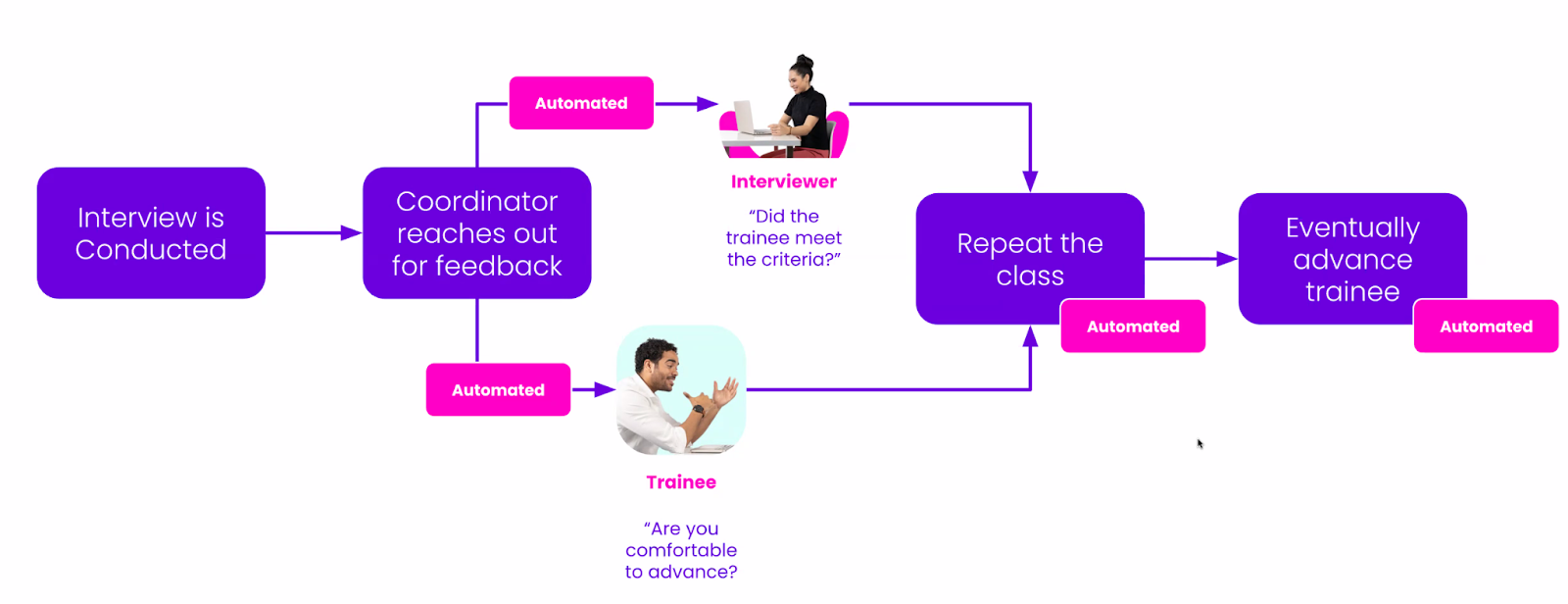 |
Legend:
🎁 - GoodTime product enhancements (both big and small!)
🔧 - Progress upon a soon-to-be-released feature
🧪 - Feature available for Early Access use