Jun '26 - GoodTime Product Updates
Last updated: July 3, 2026
TL;DR: Here you will find a capture of all the product updates that the GoodTime product team have delivered this month. This article provides a continual overview of both minor product enhancements and our major product releases which we ship to continuously deliver efficiencies to our users. If you would like additional information on any of the features listed here please feel free to reach out to your Customer Success Manager.
In addition to this page you can learn about future GoodTime product updates via the following resources:
- 🧪 Look in your GoodTime Early Access tab,
- 💻 Attend GoodTime's monthly Product Webinar, or
- 📰 Read GoodTime's monthly Product Updates Blog Post!
🎥 | Are you looking for a recap of all the things we have been building? |
12th 🎁 | GoodTime Scorecard Export .pdf to ATS: Customers who use GoodTime's Experience+ package, and more specifically the standalone scorecards from within the GoodTime platform, can now take advantage of a feature that automatically pushes back a .pdf version of interviewer feedback collected in GoodTime directly into your ATS as a .pdf (this is currently an early access feature built to support the WD ATS). This feature was intentionally built to support users that prefer the flexibility of designing and collecting scorecards in GoodTime but still require that all feedback is pushed back to their ATS as the system of record for all candidate engagement. If you are on WD and you use GoodTime's Experience+ package and GT scorecards please reach out to your CSM and/or the product team at <early@goodtime.io> in order to test this new feature. |
15th 🧪 | Update: ATS Job Permissions Matching: Now in Early Access for customers on the Greenhouse and Workday ATS, GoodTime is able to accurately MATCH the permission settings in your ATS; this means that is a user in your ATS can only see a limited number of roles, they will only see those same roles within GoodTime. This feature is currently supported in both the GoodTime DASHBOARD and SUPERDAY features (this functionality will roll out to all GoodTime features over the coming months). NOTE: This feature is in Early Access for WD and GH customers and can be activated by speaking to the team at <early@goodtime.io>. |
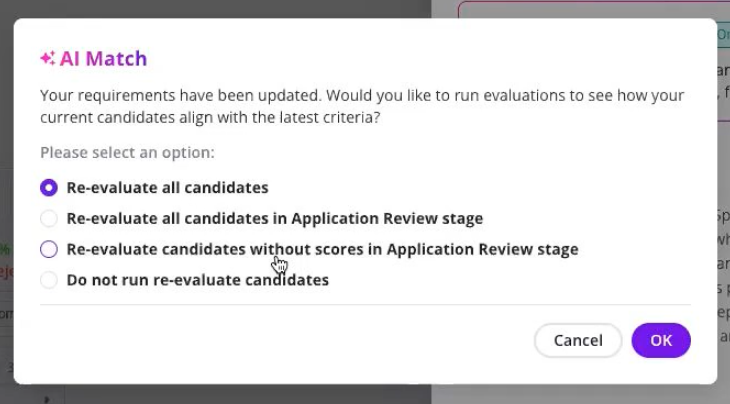
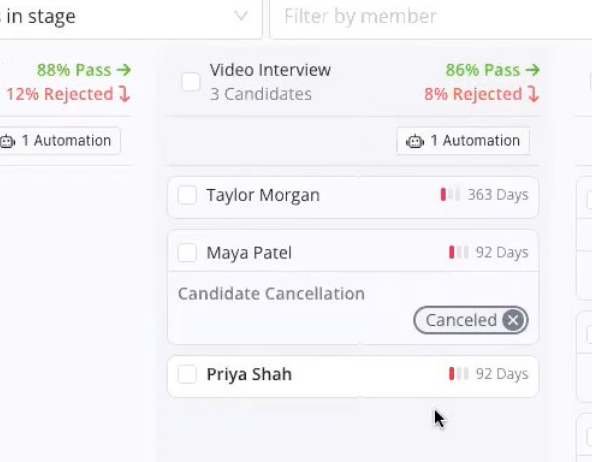
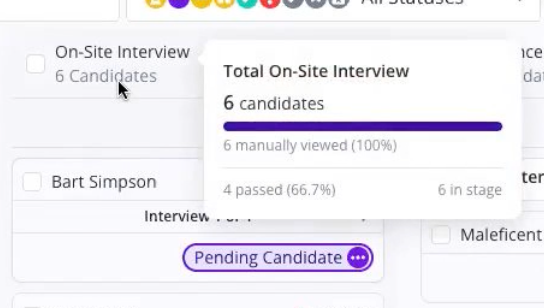
16th 🎁 | Job Pipeline Candidate Management Enhancements: Granular re-evaluation settings:
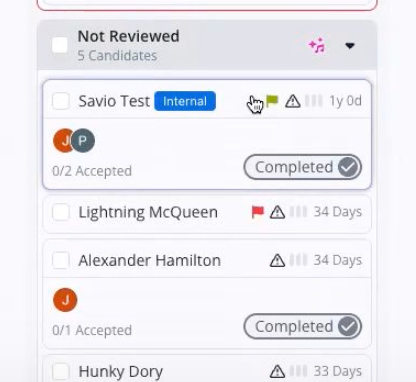
Assign flags to candidates:
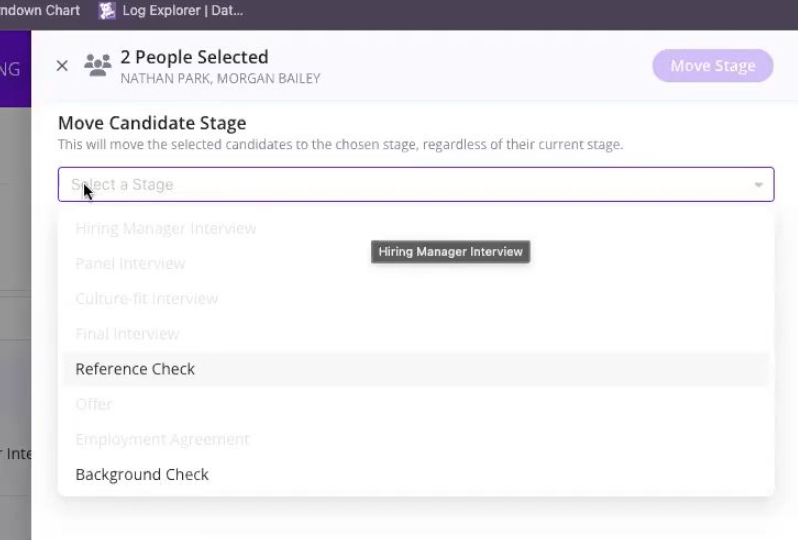
(WD Specific) Move candiate stage:
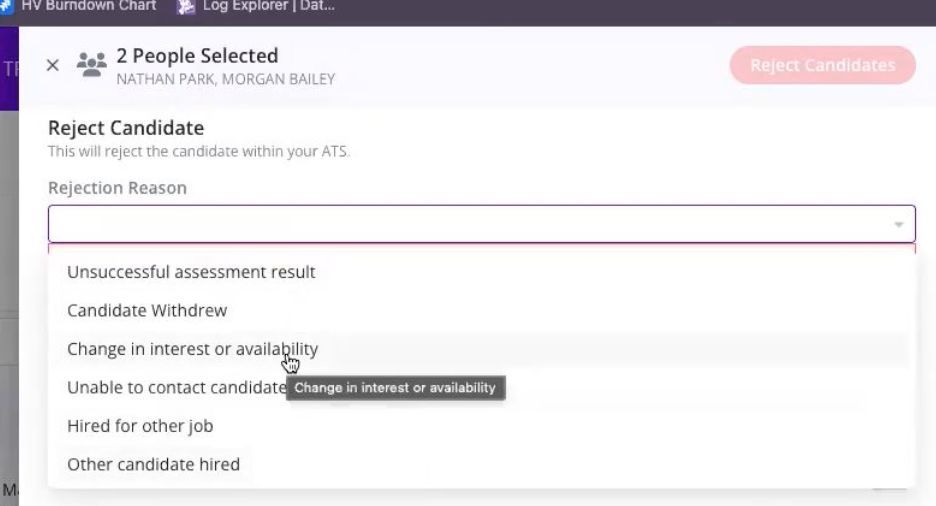
Rejection Reasons form your ATS:
Visual cues for candidates that have been viewed:
|
16th 🎁 | Workday Application Data Import & Automation Grouping: A recent enhancement to GoodTime's Job Pipeline AI Resume Screening process intentionally surfaces additional context directly form the candidates application, not just their Resume. Additionally, to further support the goal of complete transparency in how GT's AI Resume Screening feature is filtering candidates based on your criteria, we now surface the specific context that Cori (our AI Agent) referenced in making each specific decision. To better support the WD pipeline structure where there are often multiple parallel stages a candiate can pass though, GoodTime now intelligently groups your WD stages so that you can build a single automation that will be reflected across all appropriate WD stages (and always in a way that respects your stage transition logic).
|
16th 🎁 | Scorecard Automations: ...If all interviewers offer a 'Strong Hire' rating, automatically invite the candiate to schedule for the next interview round. For Experience+ customers that are using GoodTime scorecards, you are now able to take advantage of workflow automations that are tied directly to scorecard responses directly from your interviewers. |