6. Interviewer Training - FAQs
Last updated: October 16, 2026
TL;DR: This article collects common “how does it work?” questions and operational troubleshooting tips for Interviewer Training. Use it when something feels off or you want quick guidance.
General
Q: What benefit does Interviewer Training provide?
A: It allows you to manage interviewer training from within your existing scheduling workflow, grow your interviewer pool, reduce bottlenecks, expand representation, and standardize how interviewers are prepared to meet candidates. Once trainees graduate and receive tags, they can be used anywhere tags are used in scheduling.
Q: Who can configure Interviewer Training?
A: Super Admins have access to configure training paths, tags, and automations. Coordinators typically manage trainees day-to-day but may not have access to global settings.
Paths & Templates
Q: What’s the best way to name Training Paths?
A: Match path names to the skill/tag they represent. For example: if you have a tag Technical Screen (Frontend), name the path similarly so it’s clear what trainees are graduating into.
Q: How many templates should I link to a path?
A: Link any templates where the trainee should get practice for that interview type – but only toggle on the relevant events (e.g. just the “Java Skills Test” panel). Linking too many unrelated events can cause trainees to be invited to inappropriate interviews.
Scheduling Trainees
Q: What’s the best way to schedule trainees?
A: Use the scheduler whenever possible:
Select a template that’s linked to a path. Click + Trainee. Use Select All Trainees so GoodTime can pick an available trainee closest to completion.
For targeted scheduling (e.g. specific trainee), use Schedule Class from the trainee’s profile.
Q: How does GoodTime decide which trainee to add?
A: GoodTime prioritizes trainees who are:
Available for the time slot, and Closest to completing their training path (higher completion %).
Q: Should trainees be mandatory or optional in the scheduler?
Trainee Management
Q: Can I bulk delete people from a training path?
A: No, bulk deletion is not supported. You must remove trainees individually.
Q: How do I remove one trainee from an entire training path?
A: Go to Training > In Training, open the trainee’s profile, and select Remove Interviewer from Path. Confirm the removal, then verify that the trainee was removed from the entire path. This is different from removing or editing an individual class; class-removal controls do not remove the trainee from the whole path.
Q: How do I give credit for past training?
A: Open the trainee’s profile and:
Mark specific classes as Finished, or Duplicate a class if they need to repeat it.
Feedback & Re-training
Q: How does feedback automation work?
A: When enabled on a class:
Interviewers receive an email asking them to choose Move Forward or Needs Retraining. All evaluators must submit “Move Forward” for the trainee to advance. If any evaluator selects “Needs Retraining,” GoodTime can automatically insert a make-up class.
Q: What happens if evaluators don’t submit feedback?
A: After the configured timeout (e.g. 7 days, up to 30 days), the system will auto-advance the trainee. You can see who didn’t respond and intervene manually if needed.
Emails & Notifications
Q: Can I customize enrollment and graduation emails?
A: Yes. Create templates under Communication > Email Templates, then select them in your path’s Enrollment and Graduation settings so trainees receive tailored messages when they start and finish a path.
Q: What do trainees and evaluators see?
Trainees receive: Enrollment emails with overview and expectations. Graduation emails summarizing completion and next steps. Evaluators receive: Feedback request emails (when Feedback Automation is enabled) prompting “Move Forward / Needs Retraining.”
Data & History
Q: How can I see a trainee’s training history?
A: Open the trainee’s profile in the Training tab and scroll to their History Log. You can see each training entry, including which interviews they shadowed, which paths, and class status.
Q: Where do I find overview data (how many trainees graduated, per path, over time)?
A: Export training data to CSV from within GoodTime. You can also work with your CSM to set up automated daily data exports if needed.
Troubleshooting
Q: Trainees aren’t being added automatically to interviews – what should I check?
Verify:
The training path is linked to the correct template and event. The trainee: Is enrolled in the correct path. Has met any pre-requisites (e.g. reading class). The trainee is available at the time you’re scheduling. The trainee isn’t required when your pool is too small to guarantee availability.
Q: I see “Linked Training Paths” in the scheduler even when I wasn’t expecting it. Why?
A: This indicator appears when the template has a training path link or when on-the-fly linking options are available. If you see it unexpectedly, double-check your path’s linked templates and the On-the-Fly Linking configuration.
What benefit does Interviewer Training provide?
(AKA - Why should we use Interviewer Training?)
Interviewer Training helps you manage training easily from within your existing scheduling workflow without introducing complexity to your already busy recruiting team. Creating training paths helps grow your interviewer pool and addresses scheduling bottlenecks, expands diversity representation in your interview process, and familiarizes interviewers with new tools. Once you graduate newly trained interviewers and award them a tag; that can be leveraged to manage, filter and include them in your future scheduling choices, automatically.
Who has access to Interviewer Training?
Team members in your organization that are Super Admins have access to Interviewer Training.
What are the best practices / recommendations for how to name Interviewer Training Paths?
It all depends on how you set up your interview templates and tags. Each interview template can be tied to a tag group - a naming system that you could utilize for your Interview Training Paths could be tied to a tag name.
For example: The tag "Technical Screen (Frontend)" is tied to 6 different interview templates. So tying a pathway to a tag name should allow for an easier understanding of what that trainee is graduating into.
Is there a recommended number of linked interview templates when creating a pathway?
We recommend that you add Trainees when you schedule interviews. This reduces the chance that you will forget to add a Trainee, and it also reduces the number of steps you need to take (and remember) when scheduling.
When adding Trainees, we recommend you use the ALL trainees "tag" so you don't have to manually select and manage trainees. This allows for more scheduling options to be found. If you use this approach, you should never have to add Trainees, as it will be done for you.
Can I recover a template that was accidentally archived?
Our team can help with that! It is helpful if you know the name of the template that was archived so that we can find the correct template.
What is the best way to schedule trainees?
Please view this video as reference - Interviewer Training: Schedule Class
First go to In Training, and locate the trainee you’d like to schedule. Click their name and find the Training Path you would like to schedule them in.
For each class that is required in the Training Path you’ve chosen, you will see a purple Schedule Class button. Click on this button to see a list of opportunities for training. Find the opportunity and click Schedule, Confirm. Then you will see the Class you chose has been scheduled with the trainee you selected.
What is the recommended best practice between making trainees 'mandatory' vs. 'optional'?
By default trainees will be set as 'optional' when scheduling as GoodTime does not want to delay the scheduling of a candidate with an available interviewer for the sake of finding an available trainee to shadow the event. If you have robust Trainee pools you should feel more confident in using the 'ALL' trainee tag and setting trainees to be as mandatory.
Can I filter using tags in the shadowing function?
You can search for all trainees in a path.
How does GoodTime prioritize trainees?
GoodTime prioritizes trainees based on the completion rate of their pathway along with the candidate's availability. It is more likely to get a trainee added in who is almost done with the path than a new trainee.
Can GoodTime prioritize trainees who have been waiting for training longer than others?
The prioritization ranks higher Trainees who are closer to completion. This would put someone who had been in the path first and completed a course ahead of a new Trainee that has completed no courses.
Should Recruitment Coordinators schedule trainees while scheduling interviews?
While Coordinators can easily add a trainee during the scheduling flow, automation is the most efficient way to go. To automate your ability to add trainees to event you schedule all you need to do is include the '+All' tag in any interview template you have linked to a training path.
This will ensure that GoodTime can automatically add an available trainee from any linked path when you are scheduling with that interview template.
Can I bulk delete people from a training path?
No, bulk deletion is not supported. Remove trainees individually. To remove one trainee from an entire path, go to Training > In Training, open the trainee’s profile, select Remove Interviewer from Path, confirm the removal, and verify that the trainee was removed from the path. Removing or editing an individual class does not remove the trainee from the whole path.
What’s the best way to view trainee history? Including who they shadowed and the candidate name.
You are able to view the training history associated with each of your trainees by clicking into each trainees profile within the training tab and scrolling down to the bottom of their training profile.
Where do I find overview data about how many trainees I have graduated and for which paths?
This data can be downloaded as a .csv directly from within GoodTime. If necessary, you can also request a daily data .csv through your CSM which will email this data to you daily.
If a trainee (shadow) gets scheduled for an interview, and then declines that interview, what happens?
If a trainee declines an interview, they will not receive credit.
If a trainee accepts an interview but DOES NOT attend the interview AND is given credit, how do you remove the credit?
We recommend that you have that trainee duplicate the class. This creates the need to do it again before graduating.
Is there any way to notify Recruitment Coordinators when changes are made on the interviewer training side?
The Recruitment Coordinator will be able to see who has accepted and declined the interview.
If a trainee is selected for an interview via an '+ALL' tag and declines that interview, what happens?
That trainee should be removed as an interviewer when they decline. They will not automatically be replaced. And you should assign a new trainee.
After a trainee has been graduated, is there a way to see exactly which interviews the trainee participated in to be graduated?
You are able to see a list of the entries for each Training Path in the History Log.
Can I customize the 'Enrollment Email' and 'Graduation Email' sent to trainees?
At present, you cannot customize these emails (please submit this as a feature request if you have a strong use case for customizing their emails). At present these emails are intended as simply informational and cannot be customized.
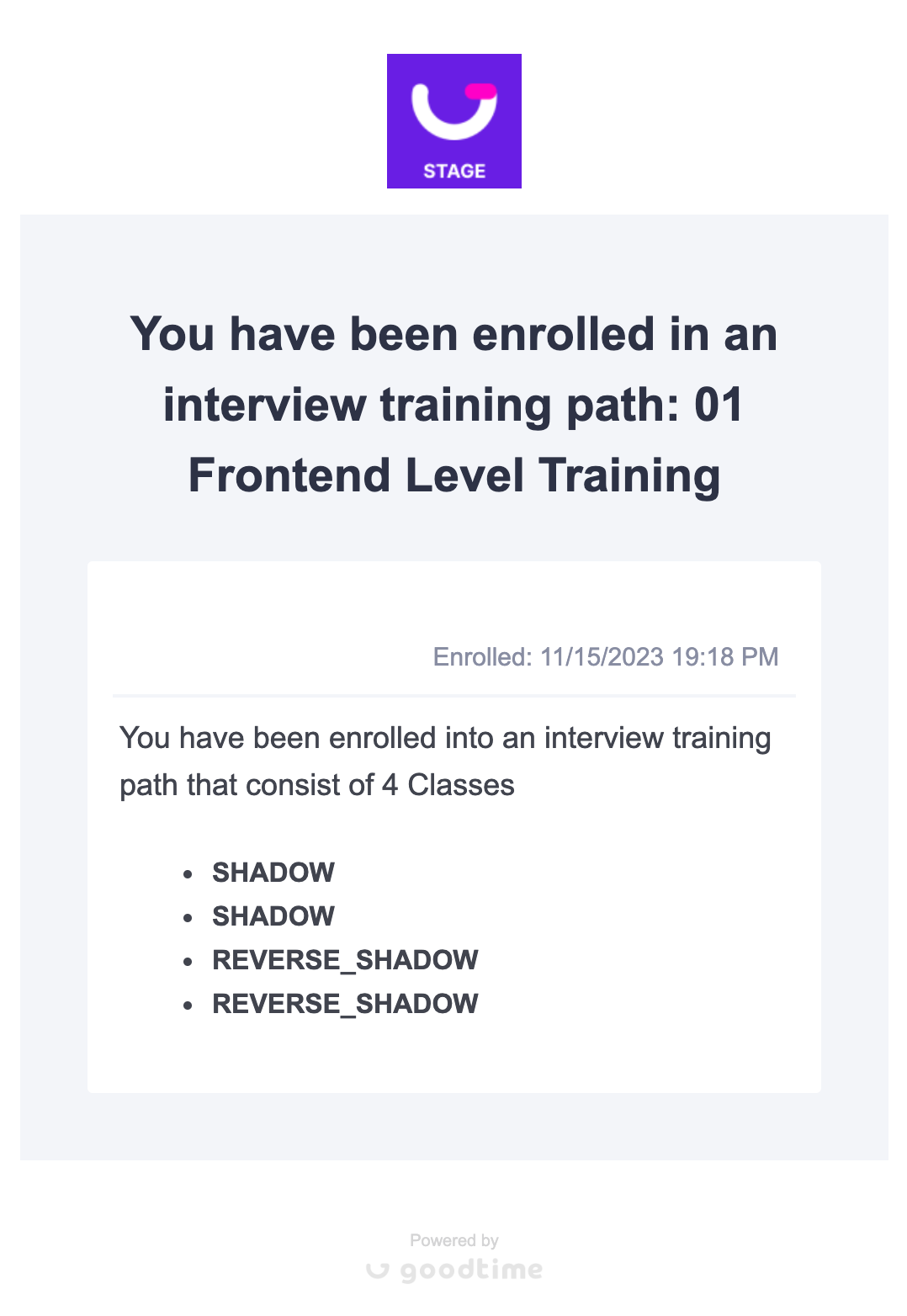
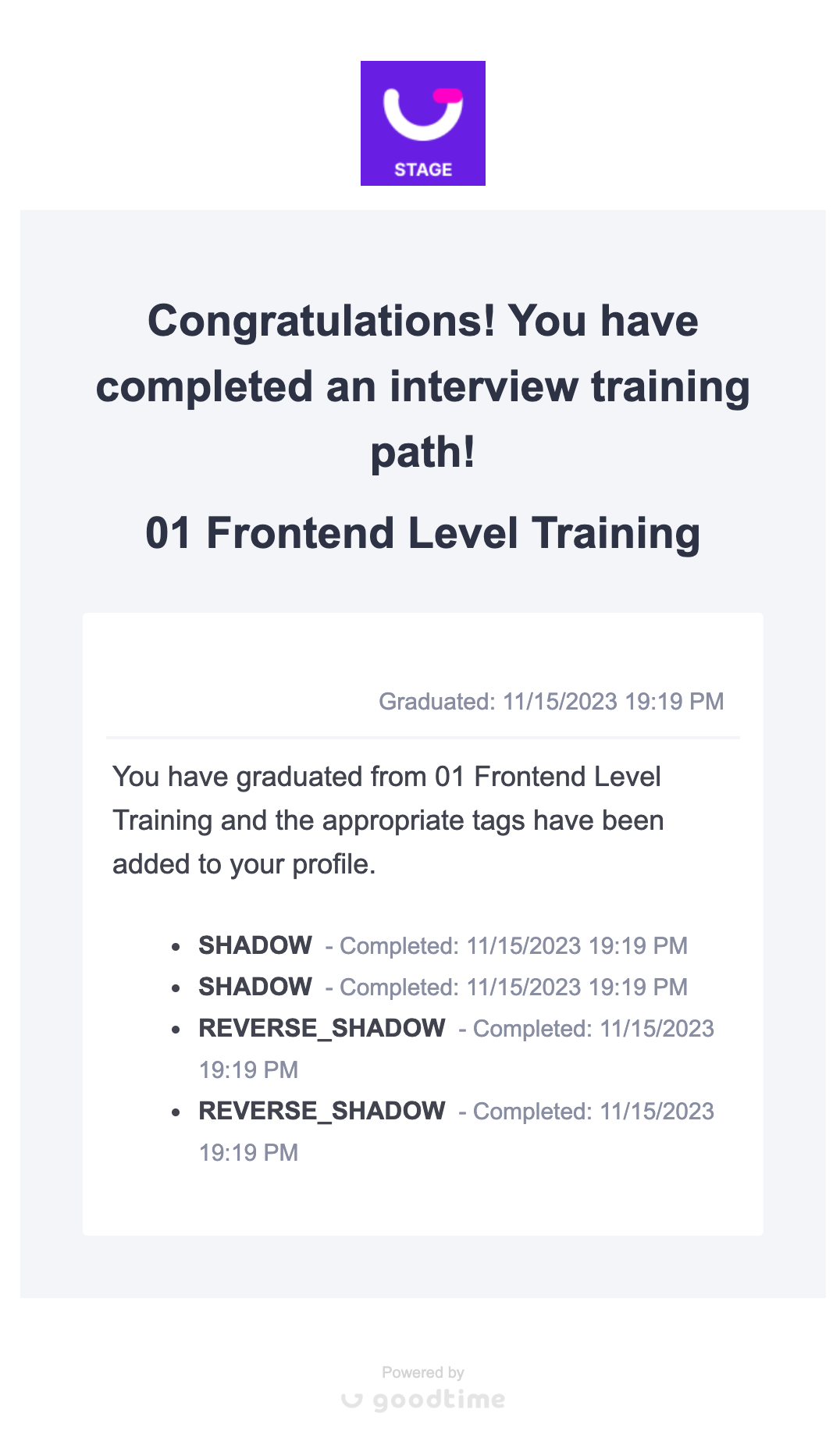
What do the 'Enrollment' and 'Graduation' emails look like?