Executive Assistants: Add an Interviewer's Assistants
Last updated: November 18, 2026
TL;DR: Many interviewers, especially executives, have an assistant who manages their calendar. In GoodTime you can record those assistants on the interviewer's profile. Recruiters and coordinators then see who to contact about that interviewer's schedule right where they're scheduling.
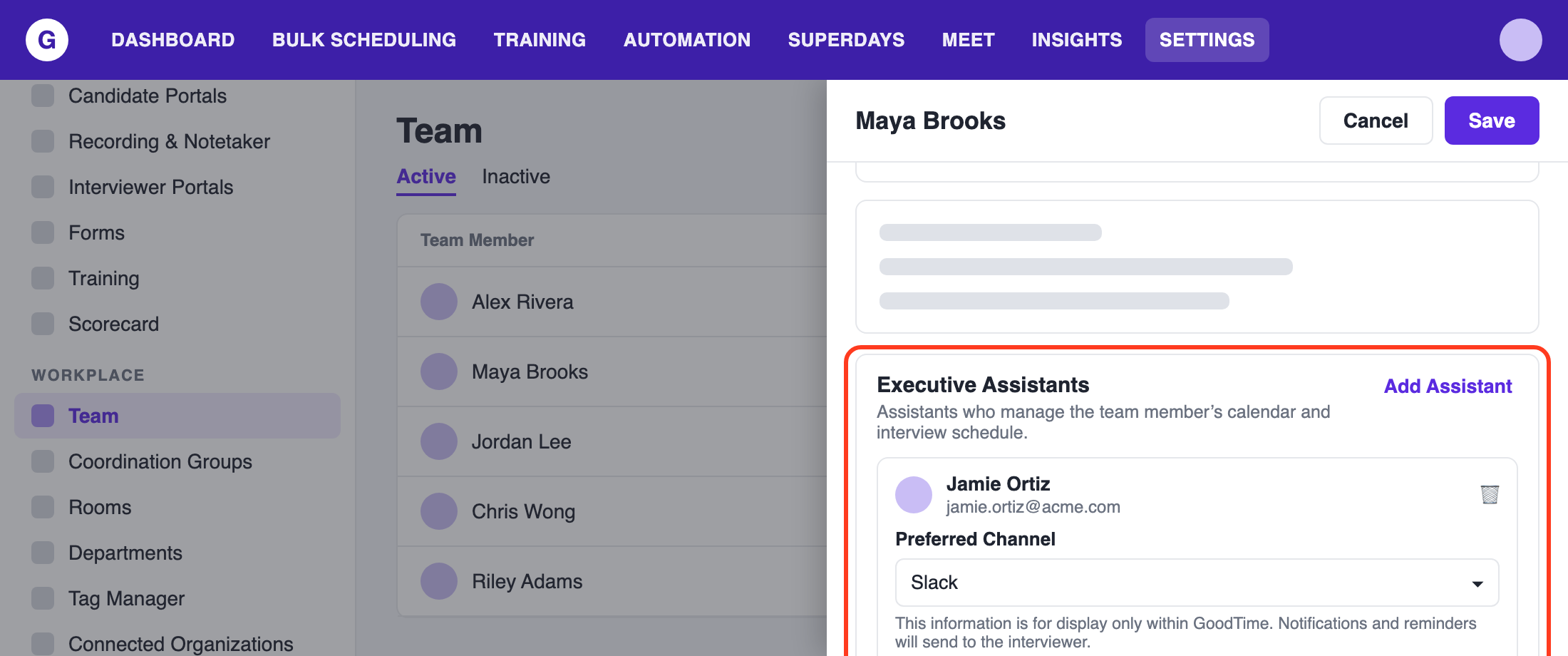
Who can do this
Admins and Super Admins can add, change or remove a team member's assistants.
How to add an assistant
GoodTime supports two ways of adding an Executive Assist: individually or in bulk
Adding Executive Assistants individually:
Click SETTINGS in the top menu
Under Workplace, click Team
Click the team member's name to open their profile
In Executive Assistants, click Add Assistant
Search by name or email and pick the assistant
Choose their Preferred Channel: Email, Slack or Teams
Click Save
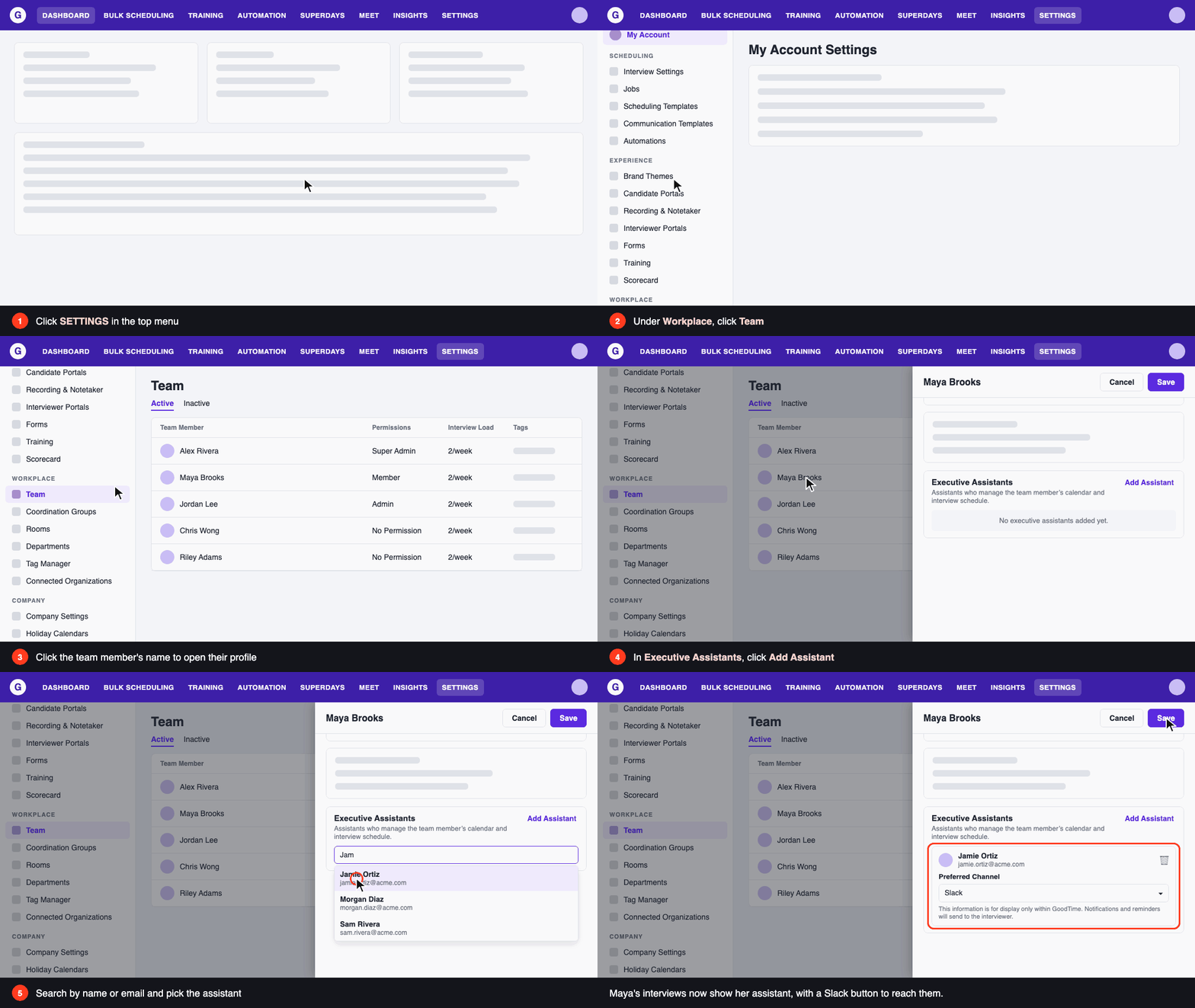
Maya's interviews now show her assistant, with a Slack button to reach them.
You can add more than one assistant. To remove one, click the trash icon on their card, then click Save.
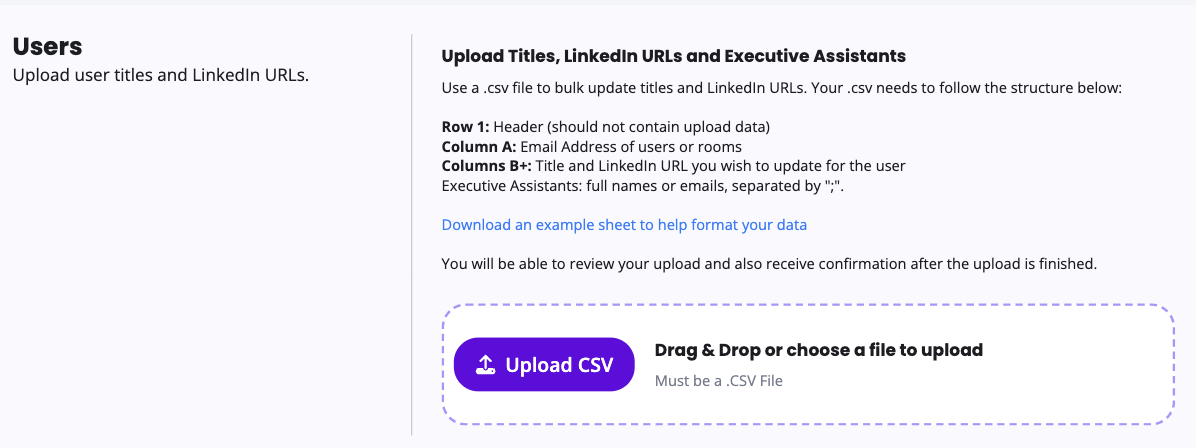
Adding Executive Assistants in Bulk:
To add assistants for many team members at once:
Settings > Others > Bulk Upload > Users/Executive Assistants
Use the Executive Assistants column of the users upload (full names or emails, separated by ";").
Upload csv
Preferred Channel
Each assistant has a Preferred Channel: Email, Slack or Teams. It tells your team how that assistant likes to be contacted. It's for display only within GoodTime. Notifications and reminders still go to the interviewer, not the assistant.
Where assistants show up
Once a team member has an assistant, an executive assistant badge appears next to their name, and hovering over their name shows their assistants. This appears in:
The interview drawer (including its History)
Schedule Now search options and the Confirmation Page
The hiring team and contact cards
If your company has the Slack or Teams integration connected, the hover card also shows Slack and Teams buttons for the interviewer and each assistant. A click opens a chat with that person in the Slack or Teams app. GoodTime doesn't send anything itself.
FAQ
Do assistants get the interviewer's calendar invites or reminders?
No. Adding an assistant doesn't change who gets invites, emails or reminders. It only shows the assistant to your team.Can someone be their own assistant?
No. The search leaves out the team member you're editing and anyone already added.Who can be added?
Any active employee. Search by name or email.Is Teams supported?
Yes