Team - Interview Load Limits (Load Balancing)
Last updated: October 12, 2026
Load Balancing
It's a tool used to best distribute scheduling and interview support across interviewers based on their existing workload and calendar flexibility.
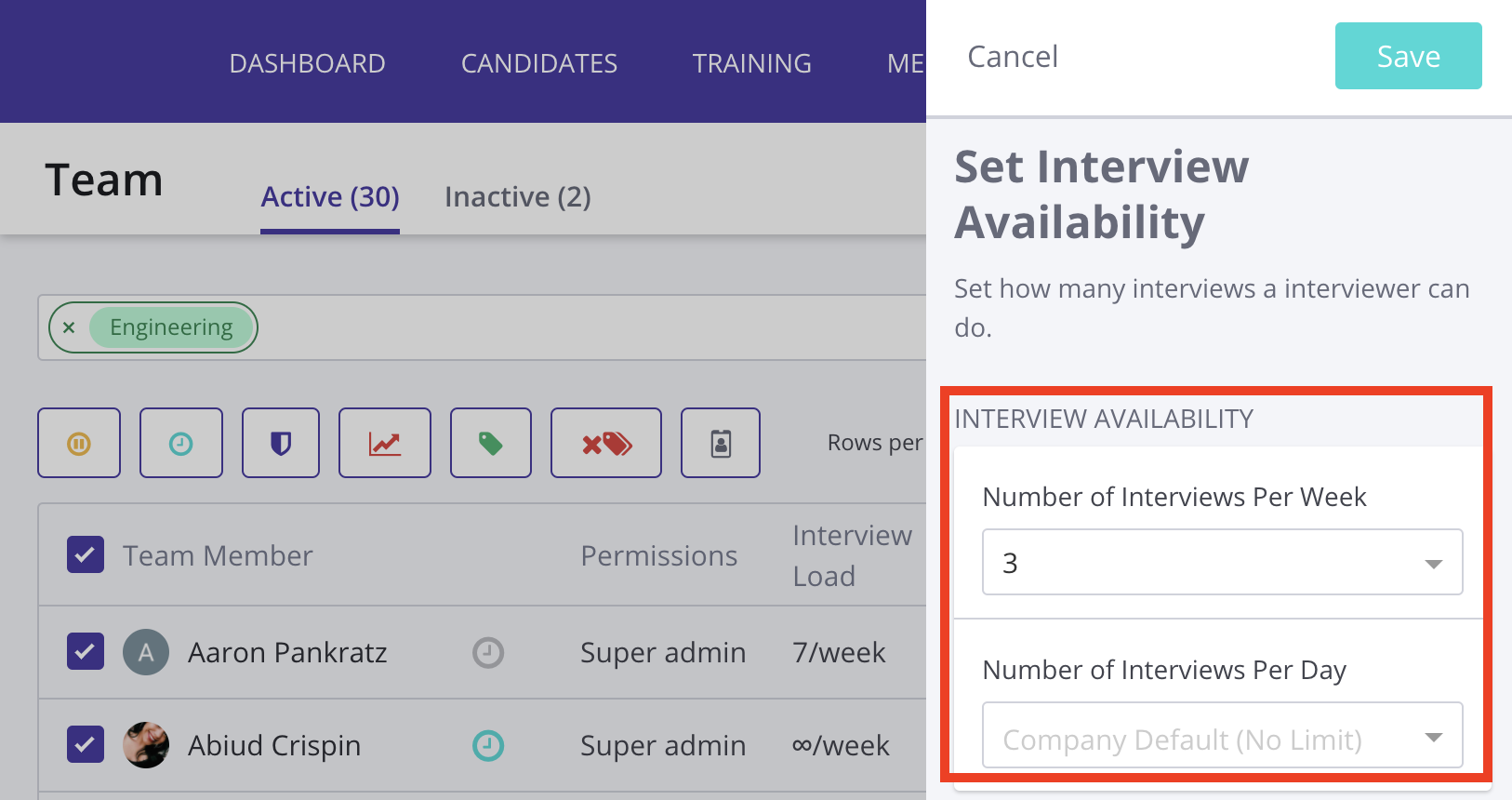
In GoodTime, it is a setting applied to an interviewer or a group of interviewers to cap the total amount of interviews conducted per day / per week. It's commonly referred to as load limits.
Effects of Interview Load Limits on Scheduling
In the Request Availability flow, once the interviewer has hit their limit, GoodTime will not let the candidate choose times for that week/day depending on the setting.
In the Schedule Now flow, once the interviewer has hit their limit, it will show that the interviewer has exceeded their weekly/daily limit. You still have the availability to override this setting, but it will give you a warning.
Both optional and required interviews count towards an interviewer's interview load.
Setting Team Member Load Limits
Log in to https://a.goodtime.io/.
Go to Settings from the top navigation bar.
Select Team from the left sidebar.
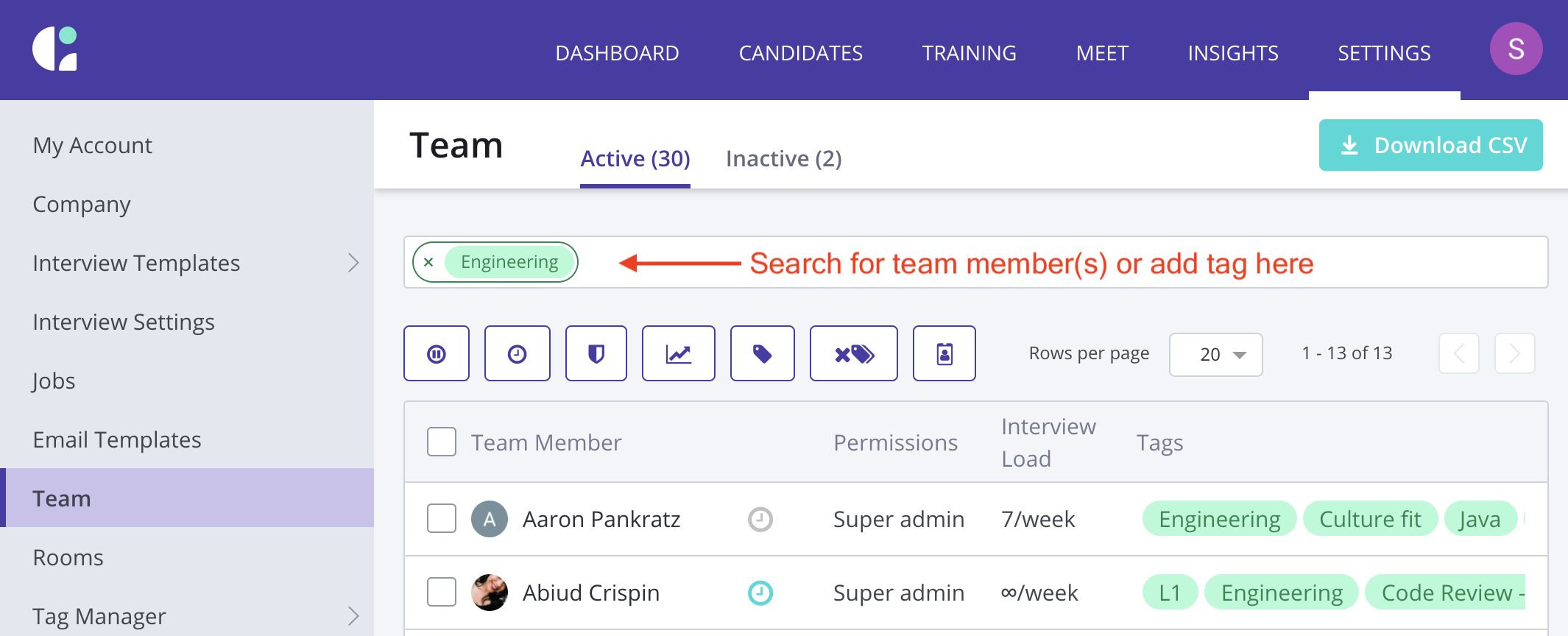
Search for the team member(s) or tag you’d like to update.
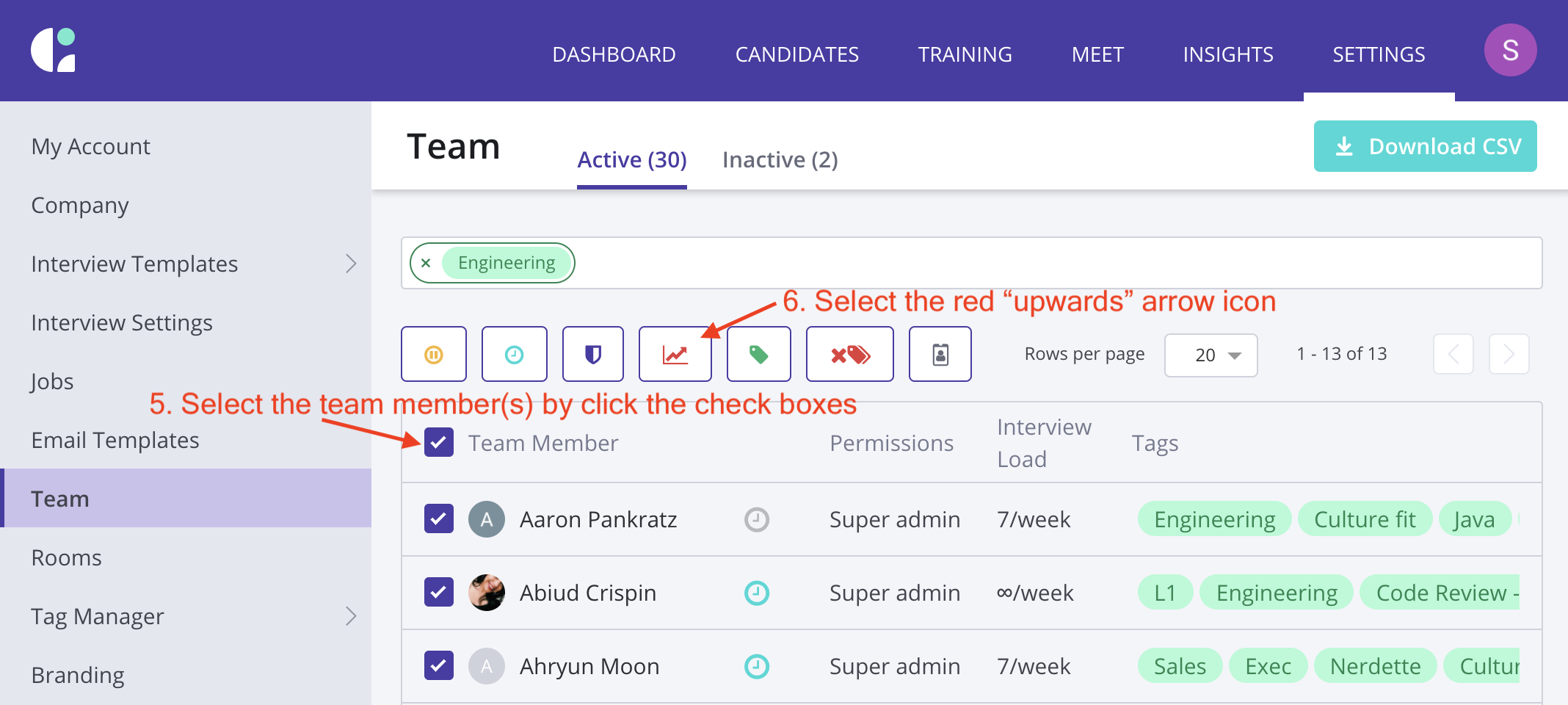
Select the team member(s) by ticking the checkbox(es) to the left of their name.
Select the red icon showing an upward trend graph.
Set a limit per day / per week.