CodeSignal + GoodTime Integration Guide
Last updated: October 12, 2026

TL;DR: This is a step-by-step guide for integrating CodeSignal with GoodTime. With this integration, you can easily create and add CodeSignal interview session links while scheduling your interviews in GoodTime.
First, make sure you have the following permissions:
Your organization must have the APIs & Webhooks enabled on CodeSignal
You must have the admin role in CodeSignal
You must have super admin access in GoodTime
In this guide, you will learn how to:
Set up the CodeSignal > GoodTime integration
Insert a CodeSignal live interview URL in GoodTime
Set Up CodeSignal Integration in GoodTime
Follow the steps to complete the set up for the CodeSignal and GoodTime Integration
From your CodeSignal client dashboard, navigate to the API Keys page (Integrations > API Keys). Click the ADD A KEY button.
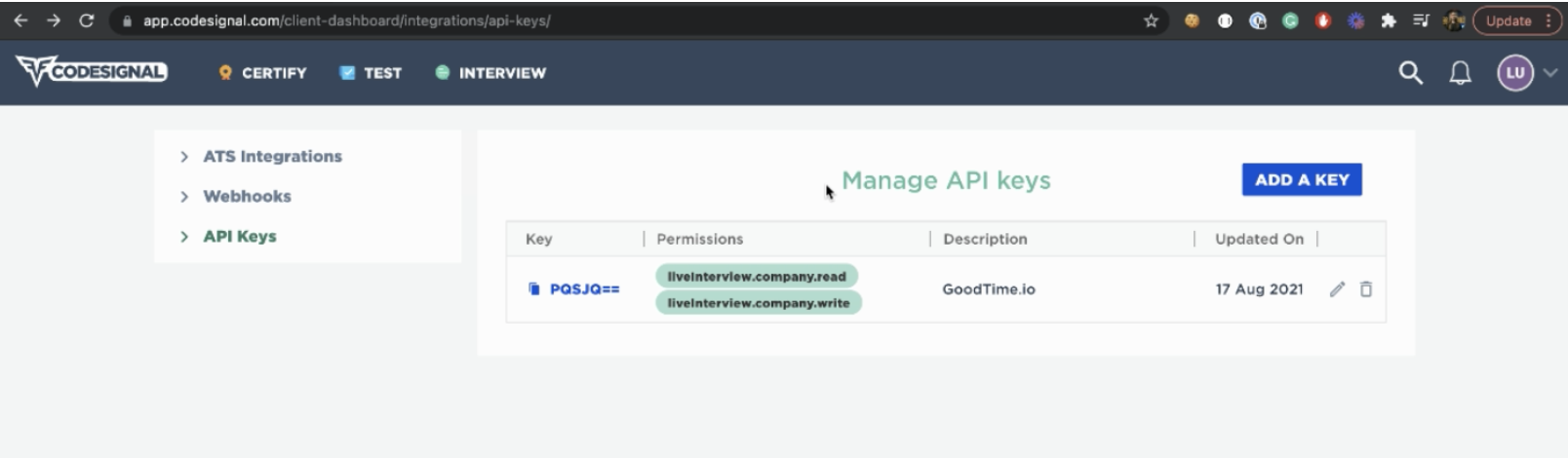
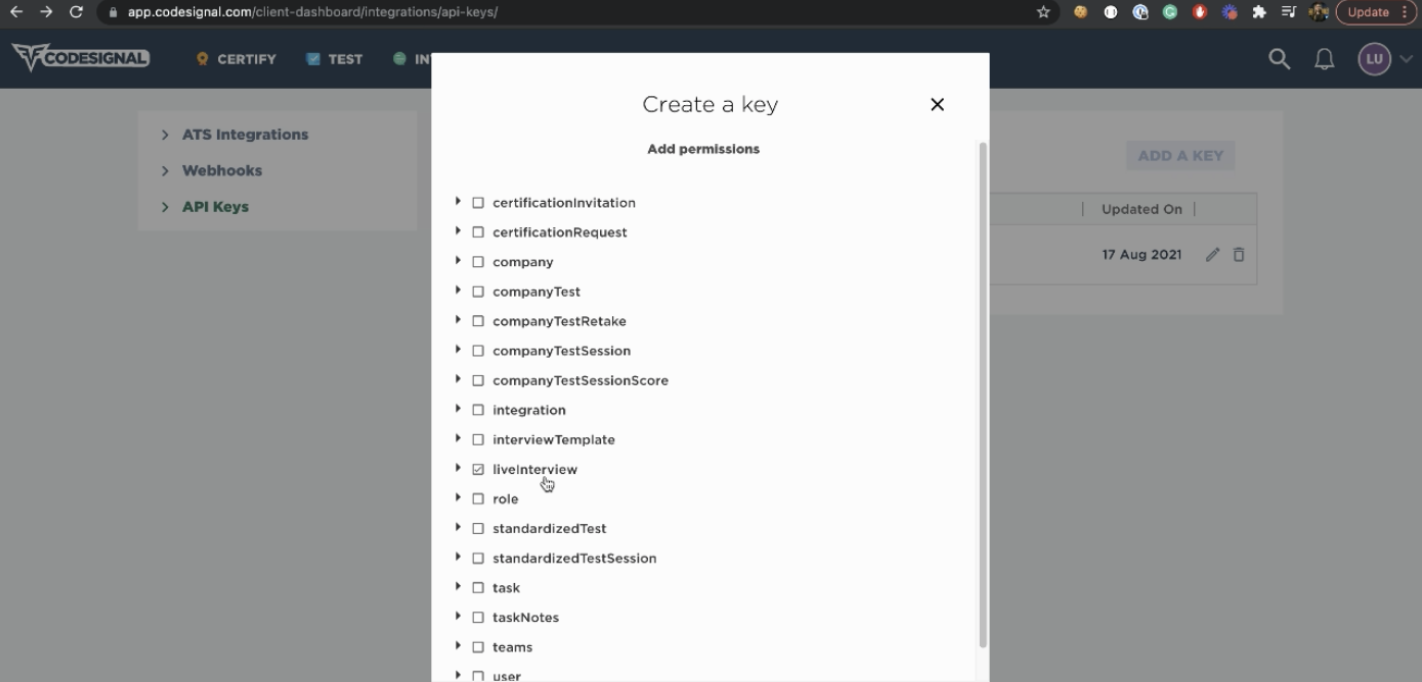
Use the “Add A Key” workflow, make sure LiveInterview permission is selected.
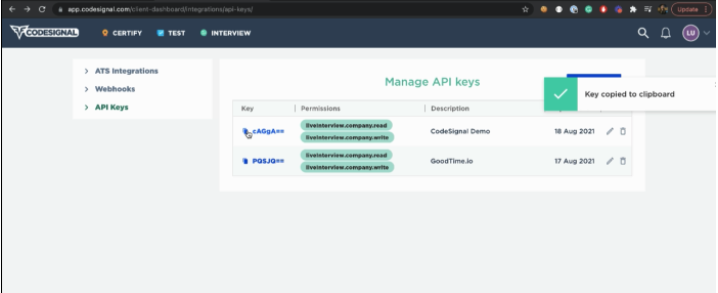
3. Copy the API key from CodeSignal by clicking on the key (in blue text).
Log into GoodTime and Navigate to GoodTime > Settings > Company. Scroll down to Collaborative Coding section and select CodeSignal.
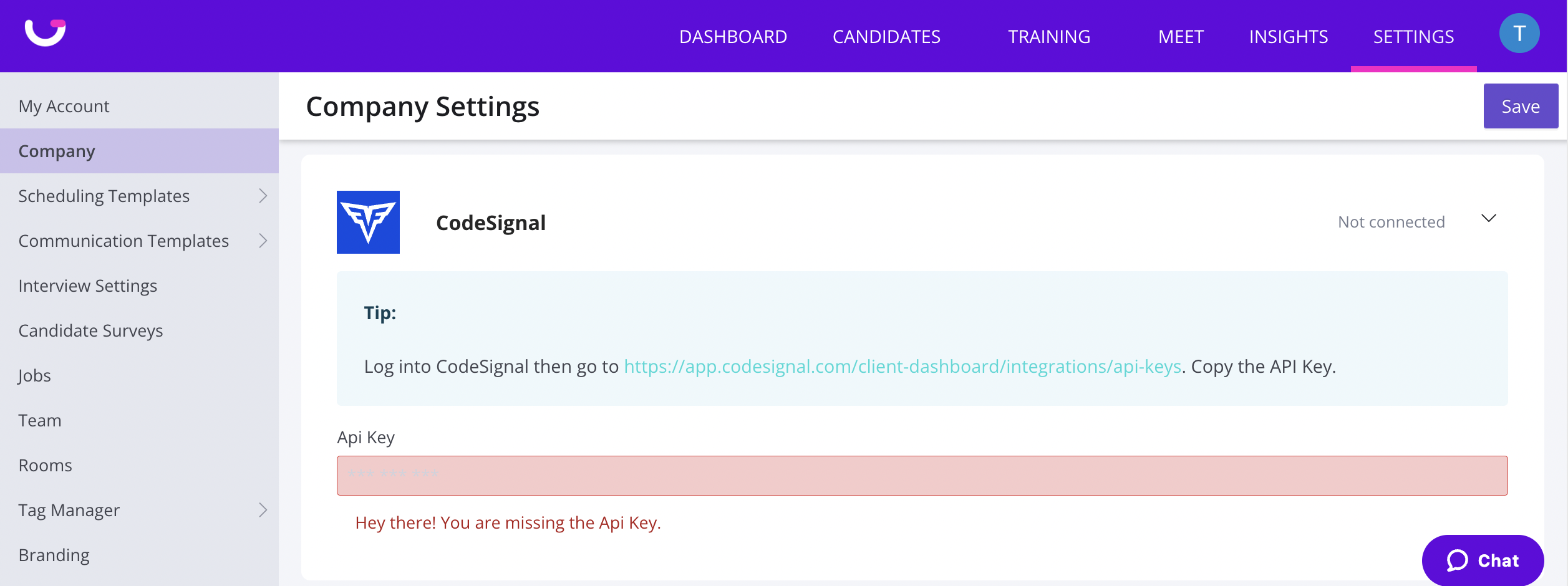
Paste your CodeSignal API key in the input area.
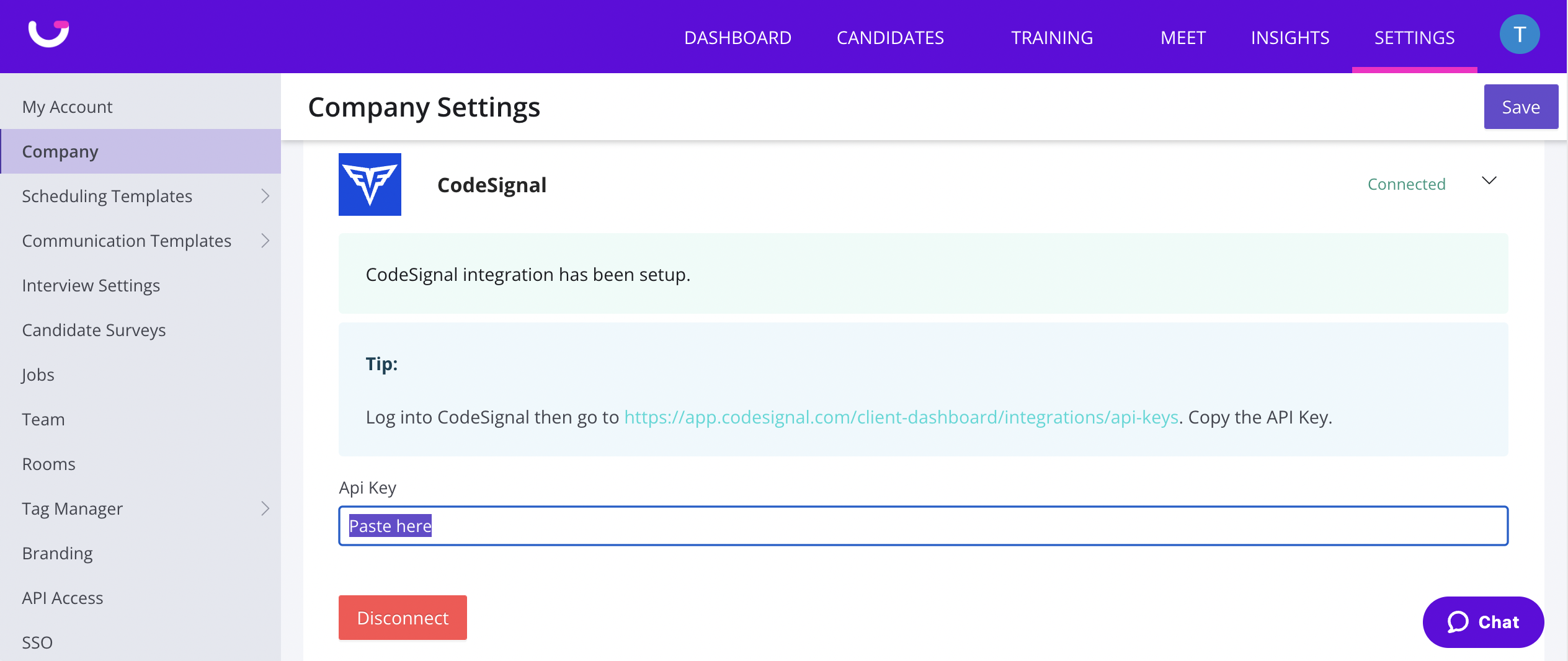
7. Click Save and the integration set up is complete!
Inserting a CodeSignal Live Interview URL in GoodTime
In GoodTime’s scheduling workflow, a user can insert variable tokens into the Calendar Invitation body text area.
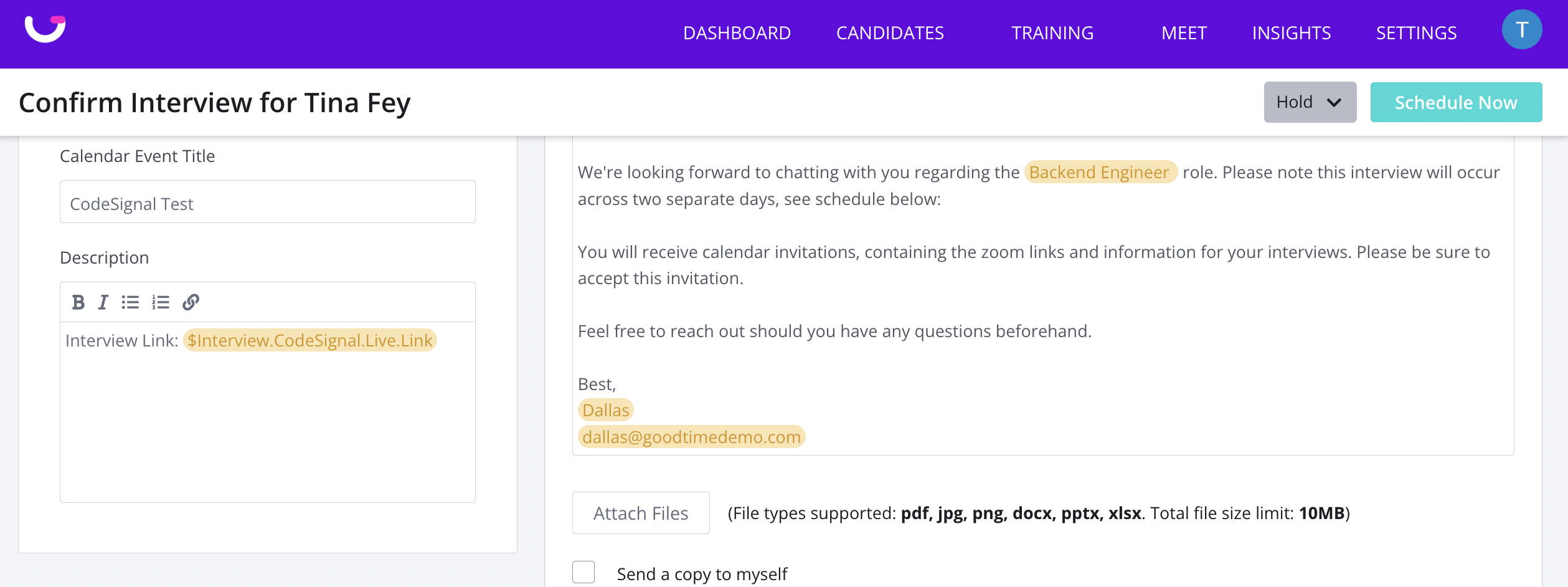
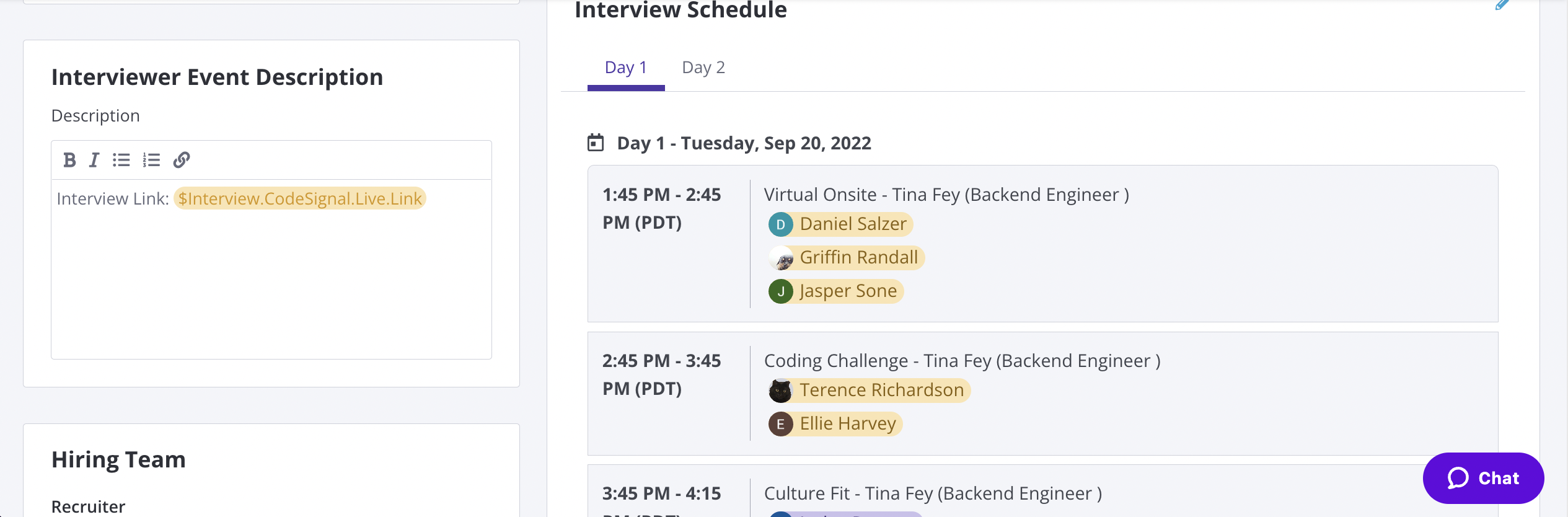
Variables supported are:
$Interview.CodeSignal.Live.Link - for single session Live Interview
$Event.CodeSignal.Live.Link - for Panel interview with multiple Interviewers sessions and each session need its own unique Livex Interview URL
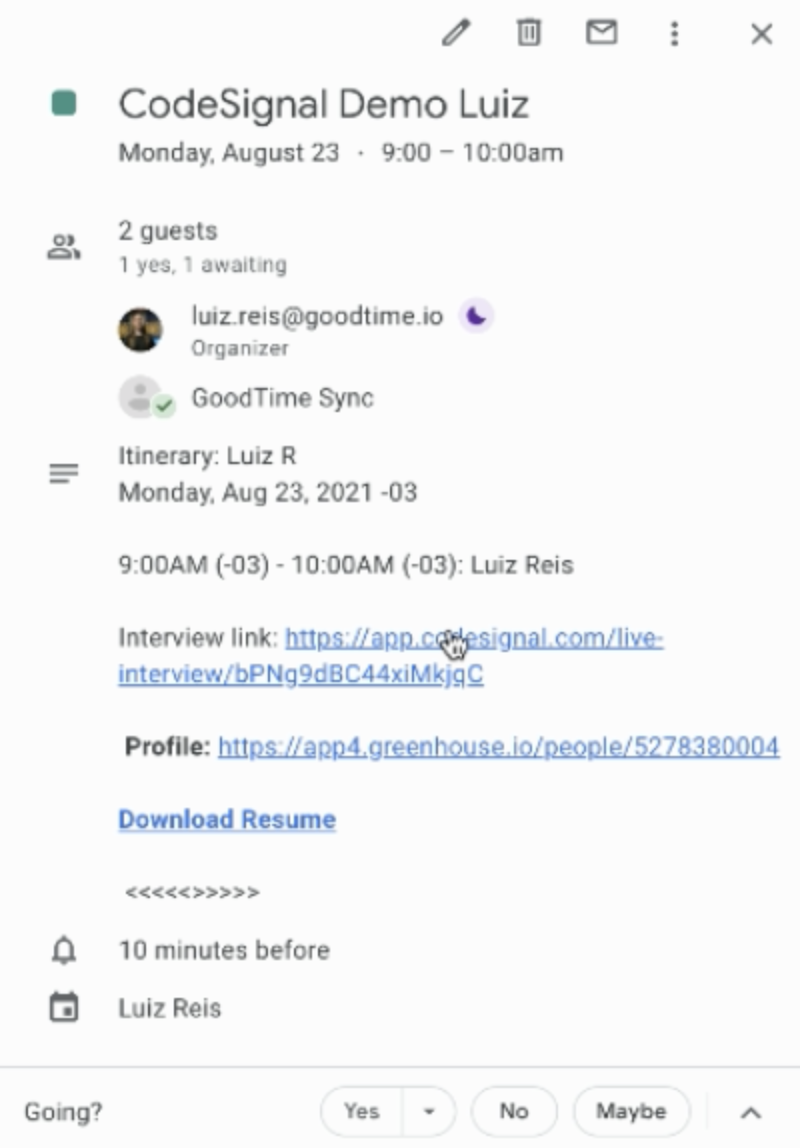
When the interview is scheduled, the variable tokens will be resolved into an actual CodeSignal URL.
Using a CodeSignal Template when scheduling in GoodTime
GoodTime's CodeSignal integration makes it easy to include pre-templates CodeSignal coding assessments directly within your interview templates. Using GoodTime’s variable mechanism, you can now insert a CodeSignal Template variable into any interview template and select the associated assessment from your CodeSignal account. Once scheduled, both the interviewer and the candidate receive a resolved link to the coding exam in their respective calendar invites, ensuring they can join the assessment seamlessly at the scheduled time. This enhancement aligns with our ongoing efforts to improve coding assessment integrations.
Please review to demo video below to see how you are able to dynamically select a code signal template form your codeSignal account as part of your scheduling workflow in GoodTime.
Attachments:
Screen_Shot_2022-09-12_at_5.41.24_PM.png