Collaborative Coding - Generating Multiple Collaborative Coding Links
Last updated: February 26, 2026
Heads Up! This article will be using CoderPad links in order to provide instructions and screenshots. If you are using a different collaborative coding system, simply replace "CoderPad" with your respective CCS while generating variables in GoodTime.
----
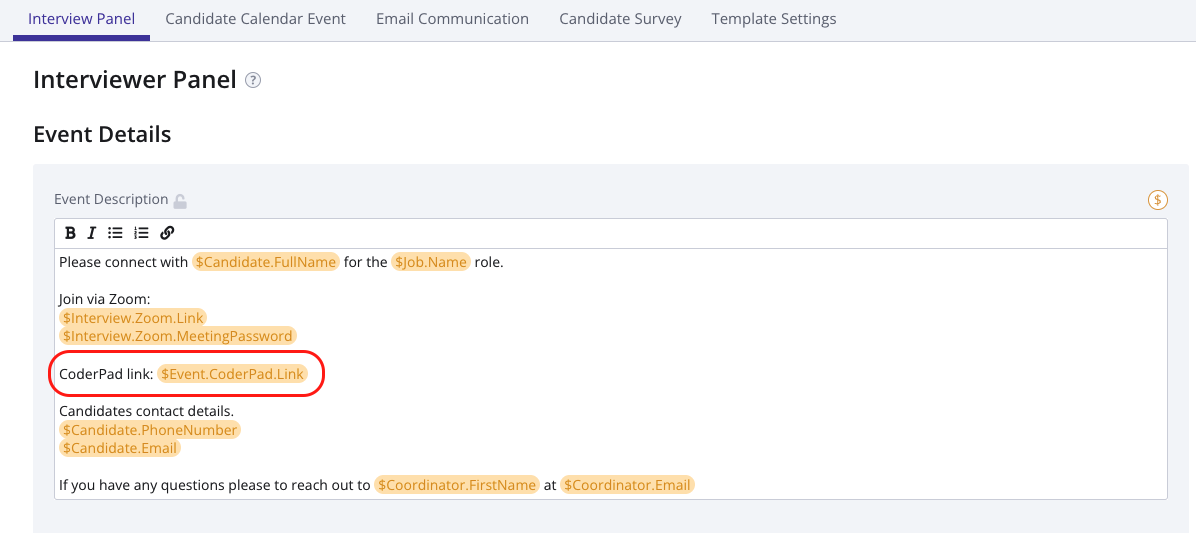
Option #1 - If you would like a unique CoderPad link to be generated for each interviewer on a panel, please enter $Event.CoderPad.Link in the Event Description at the top of the Interview Panel page:
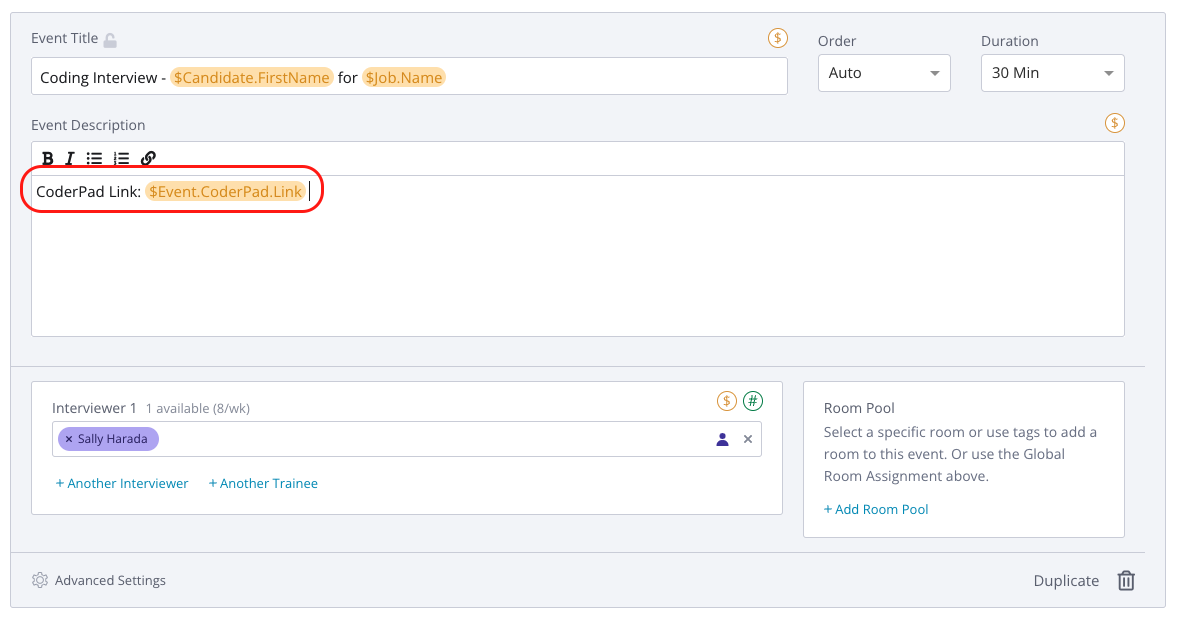
Option #2 - If you would only like to include a unique CoderPad link in the invitations of specific interviewers (as opposed to everyone on the panel), please enter $Event.CoderPad.Link in the individual event descriptions to generate unique CoderPad links for the interview events of your choice:
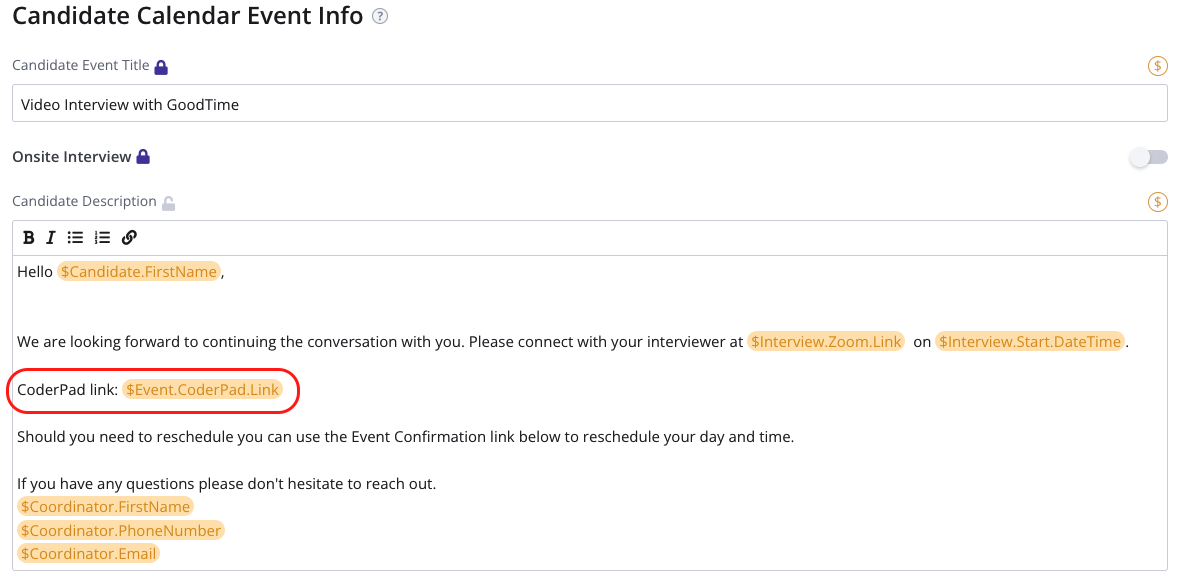
After inputting the $Event.CoderPad.Link variable in the invitation(s) of your interviewers, be sure to add it to the candidate's calendar event as well:
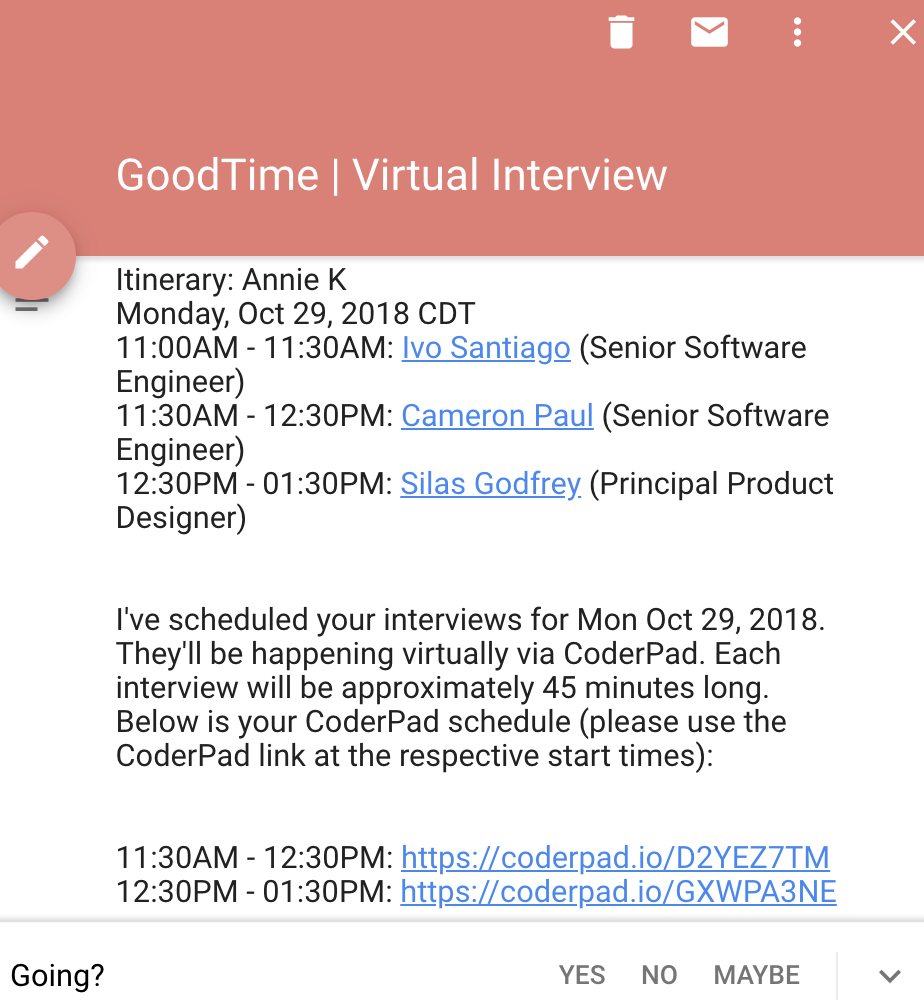
Result: When Option #1 is used, each interviewer will receive a unique CoderPad link in their calendar event. When Option #2 is used, only the interviewer’s with the $Event.CoderPad.Link in their event description will receive the link. Either way, the candidate will receive the multiple links with their respective start times in their calendar event description.
Example (below) - The $Event.CoderPad.Link in the event description is only necessary for CoderPad 1 and CoderPad 2 interviews (Executive Interview does not need a CoderPad link).
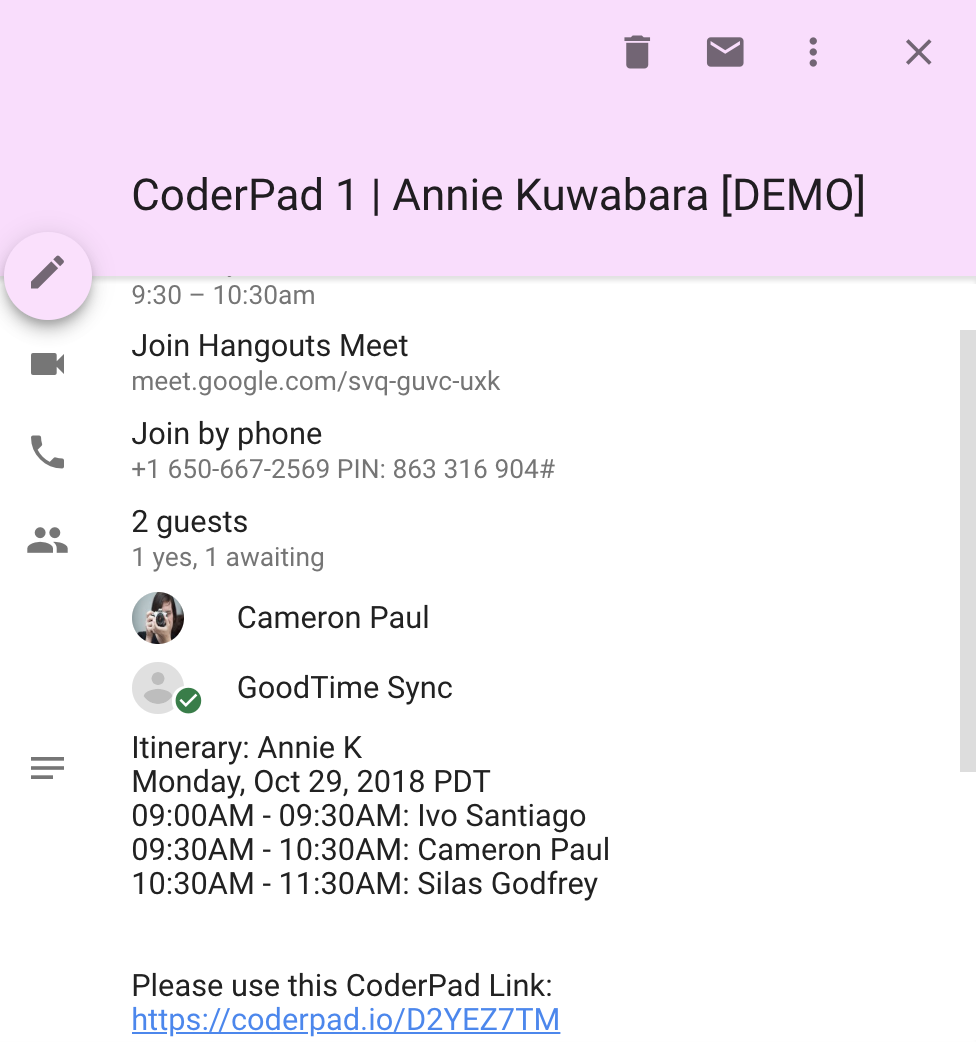
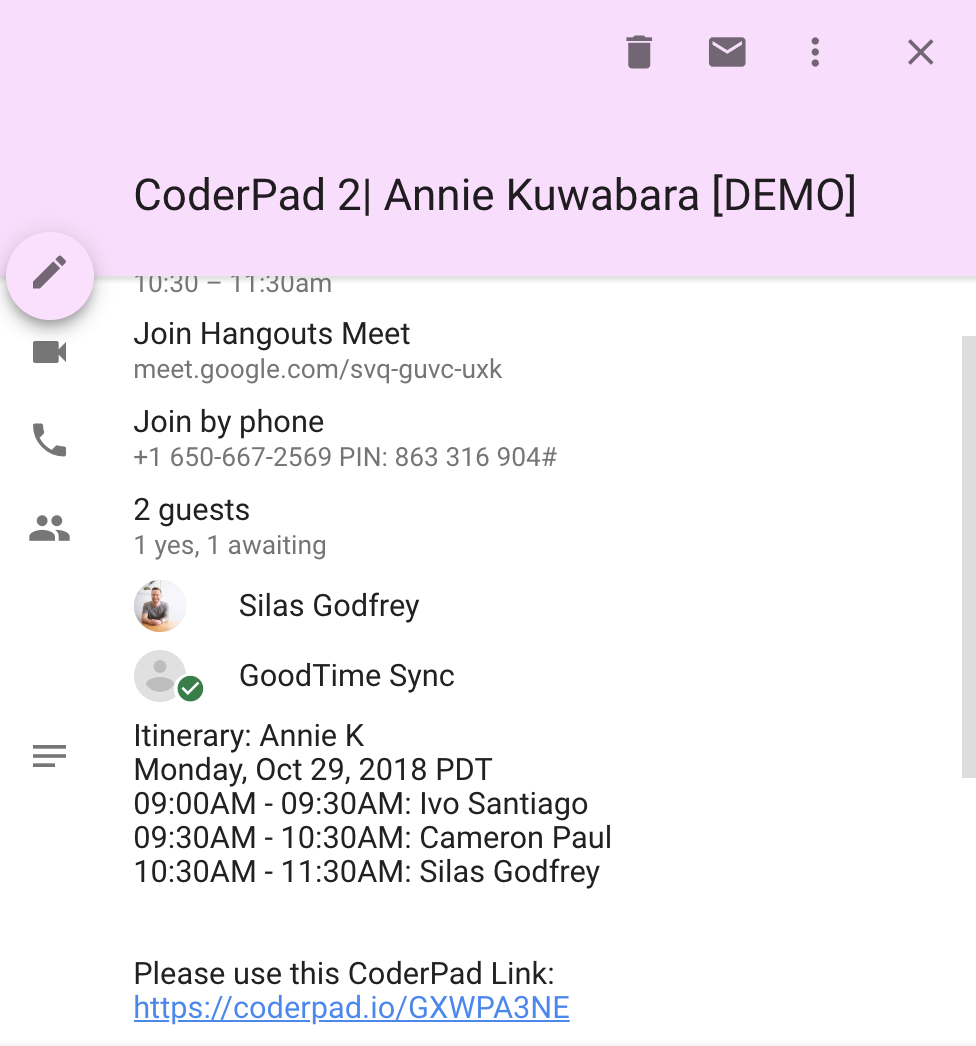
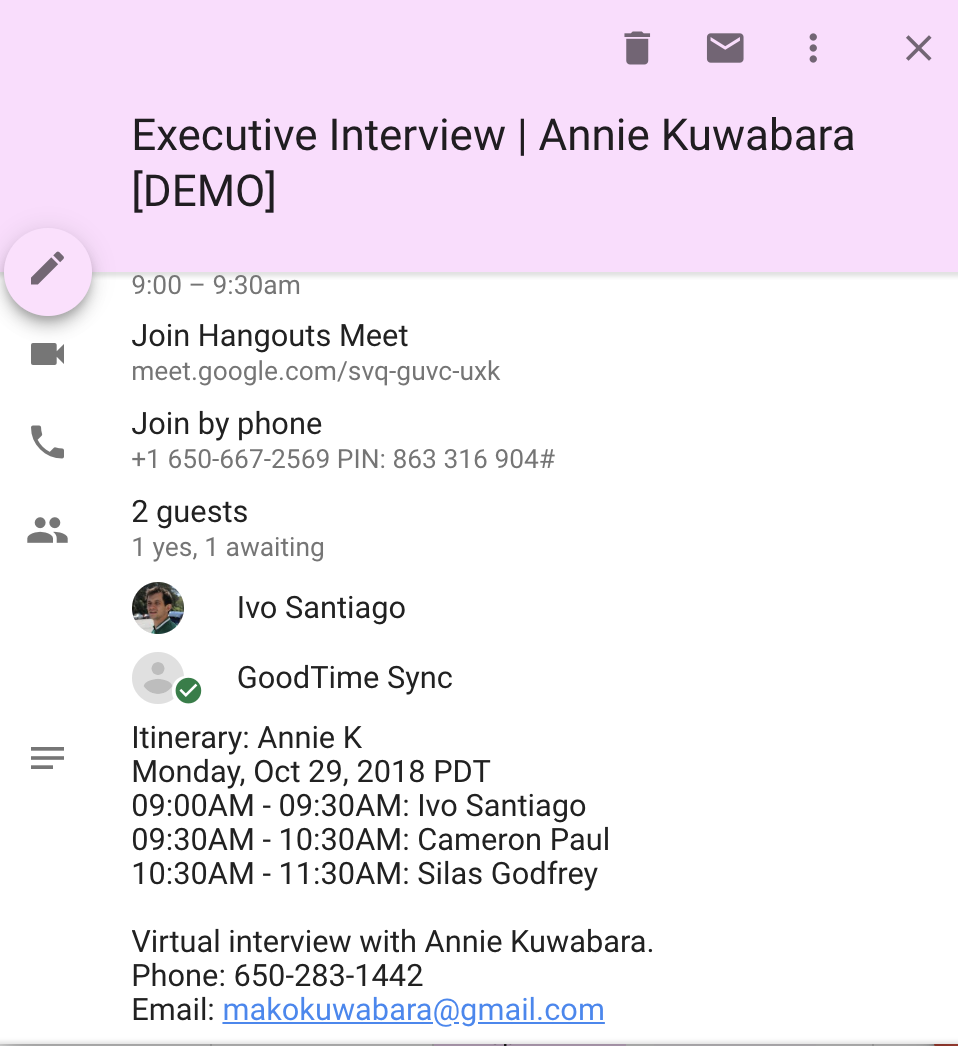
In the candidate's calendar event, they can see the unique CoderPad link that needs to be used at the specific interview start times (see below).