Rescheduling an Interview
Last updated: October 12, 2026
This video will show you how to reschedule an interview to a new date and/or time.
1- First, go to your confirmed interview
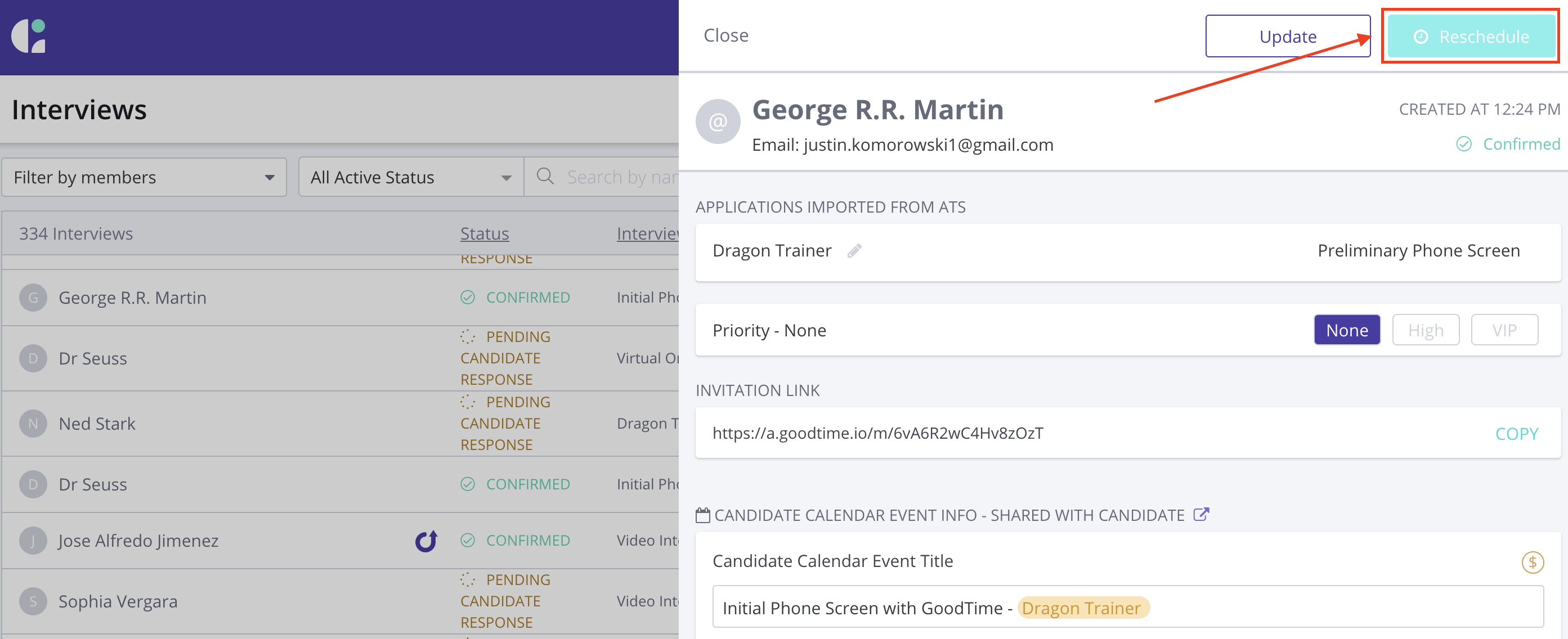
2- There’s a reschedule button at the top right hand side of the screen
3- You have the option to either go through the Request Availability or Schedule Now workflow
Click Request Availability: If you need to send a brand new request availability email and need to collect times from the candidate, you can go through the Request Availability workflow.
Click Schedule Now: If you have times that work for the candidate and you just need to modify the date and/or time of the interview.
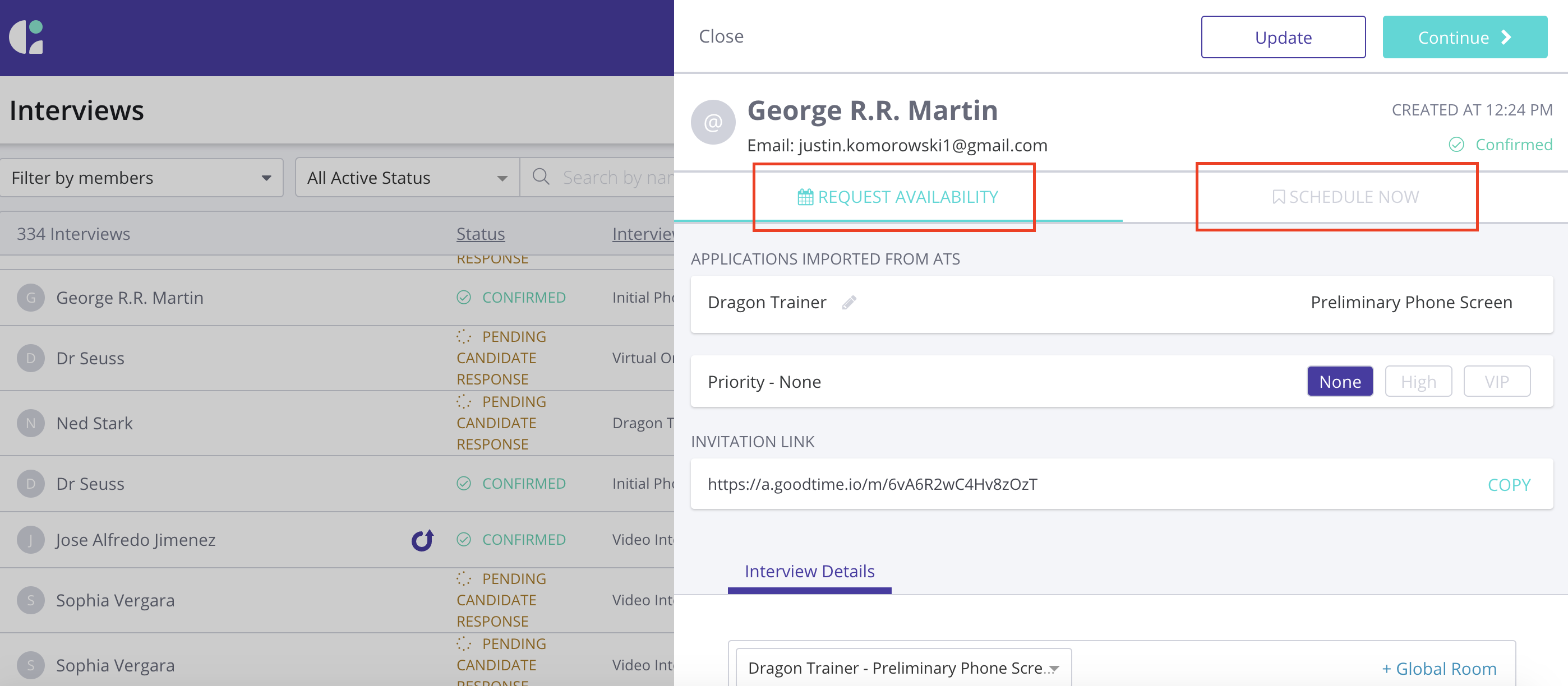
4- If you Click Request Availability
This will remove the previously scheduled interview from the candidate and interviewer’s calendar
And it’ll send the candidate a brand new request availability email so they can fill out new times for this interview
PLEASE NOTE: |
TL;DR: There may be times when you need to reschedule a previously confirmed interview to a new date and/or time. The following video demonstrates the GoodTime reschedule process.
Step-by-Step Reschedule Instructions:
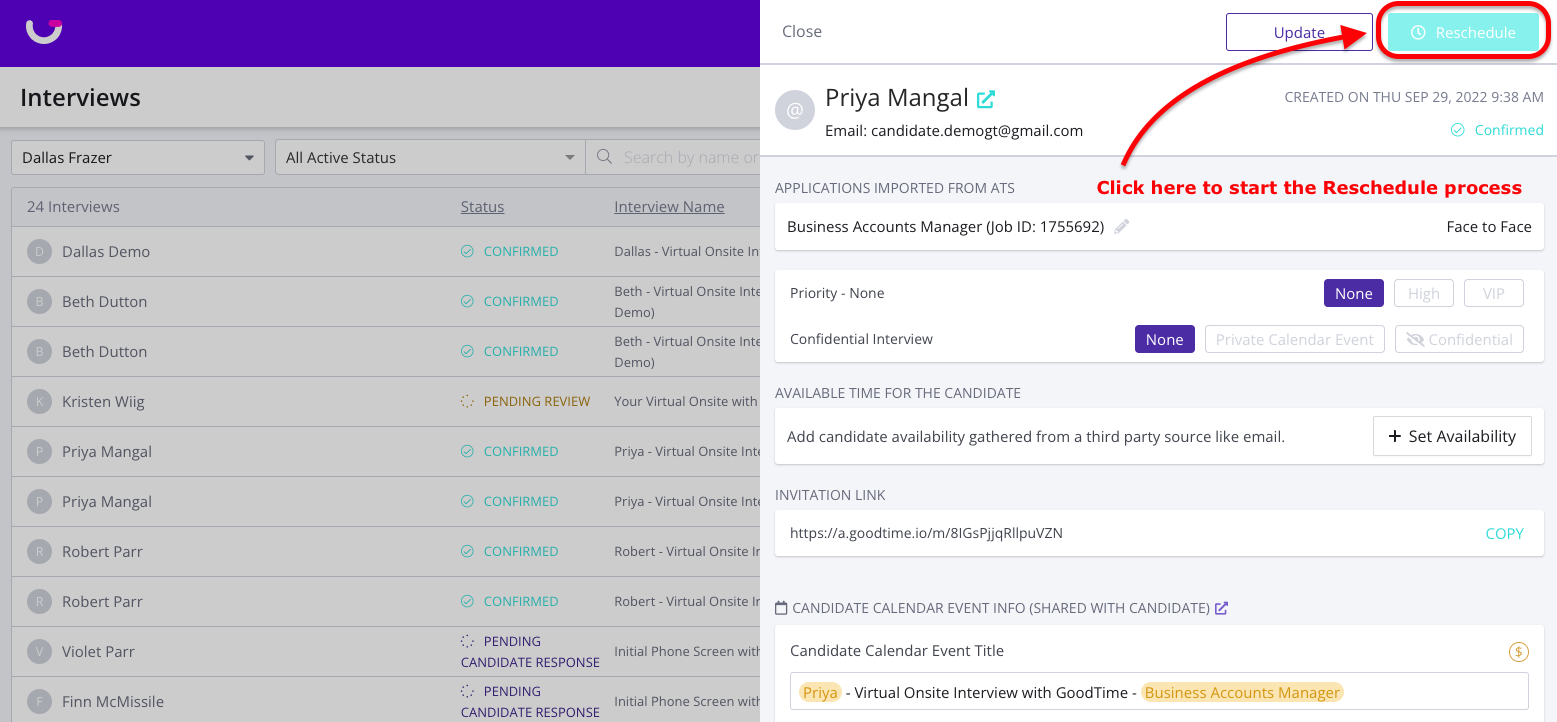
Locate and open your confirmed interview from the GoodTime Dashboard.
You will see a 'Reschedule' button at the top right hand side of the screen.
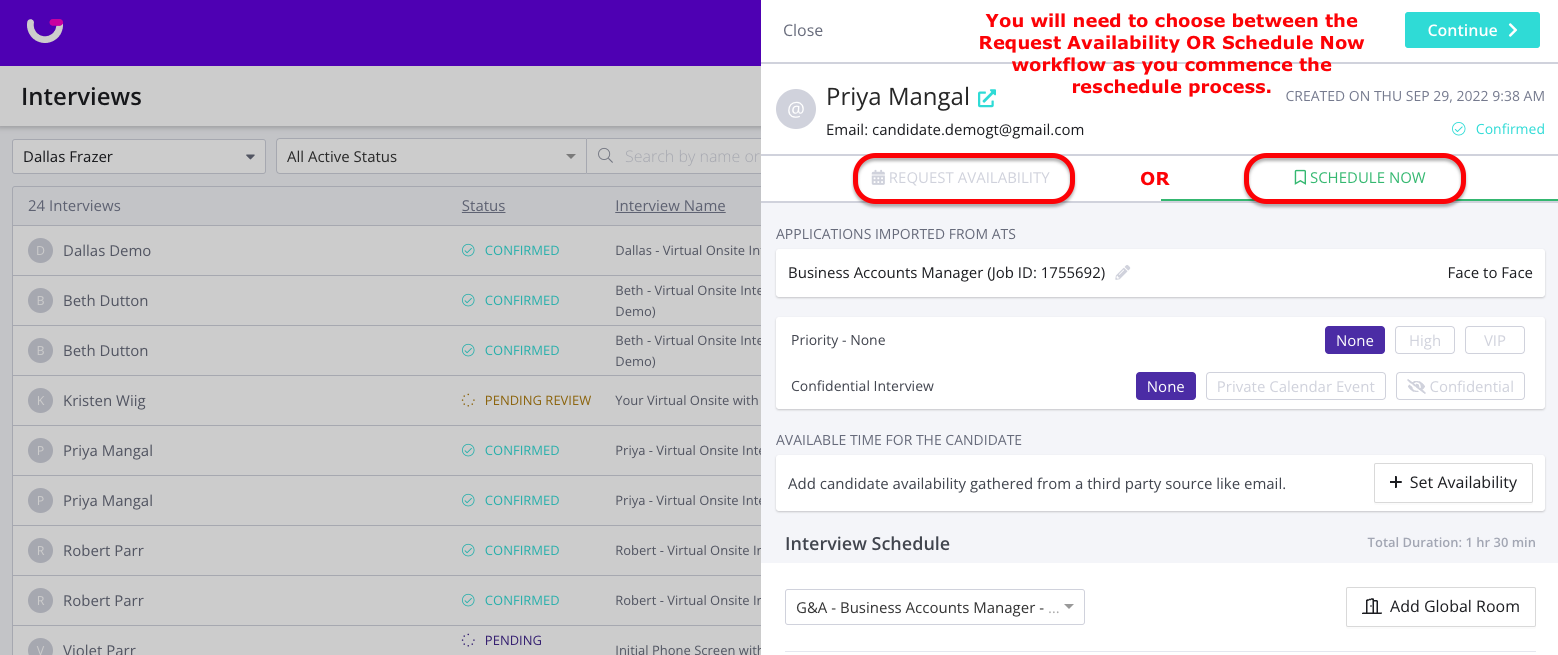
You have the option to either go through the Request Availability or Schedule Now workflows
Click Request Availability: If you need to collect new dates and times the candidate is available you should go through the Request Availability workflow.
Click Schedule Now: If you already have times that work for the candidate and you just need to modify the date and/or time of the interview use the Schedule Now workflow.
If you click Request Availability
This will remove the previously scheduled interview from the candidate and interviewer’s calendar
And it’ll send the candidate a brand new request availability email so they can fill out new times for this interview
If you click Schedule Now
GoodTime will surface any dates and times the candidate previously shared as availability so that you can reschedule the interview based on your interviewers’ availability.
If the candidate did not provide any alternate dates and times of availability you will be prompted as the coordinator to select some dates and times to search
Once rescheduled the candidate will receive an updated calendar event indicating the new dates and times for their interview.