Interview Settings - Keyword Settings
Last updated: September 3, 2026
TL;DR: Keyword Settings will tell GoodTime how to read public calendars so if your organization utilizes private calendars, this article would not apply. Keyword Settings allows GoodTime to find more open space on your interviewers’ calendars. Here we differentiate between Transparent vs Soft Conflict Keywords and provide further examples of how events appear on the interviewers’ calendar, for the candidate and for the scheduler. Utilizing keywords and communicating this down to the rest of your organization help to increase your efficiency during your hiring process.
The following video provides an overview of how the Keyword Settings can be used:
Note:
Keywords are a company level setting so we can’t set this on an individual level or a department level
Keywords are NOT case sensitive but they are space sensitive and special character sensitive
Soft conflict keywords will override transparent keywords
Transparent Keywords
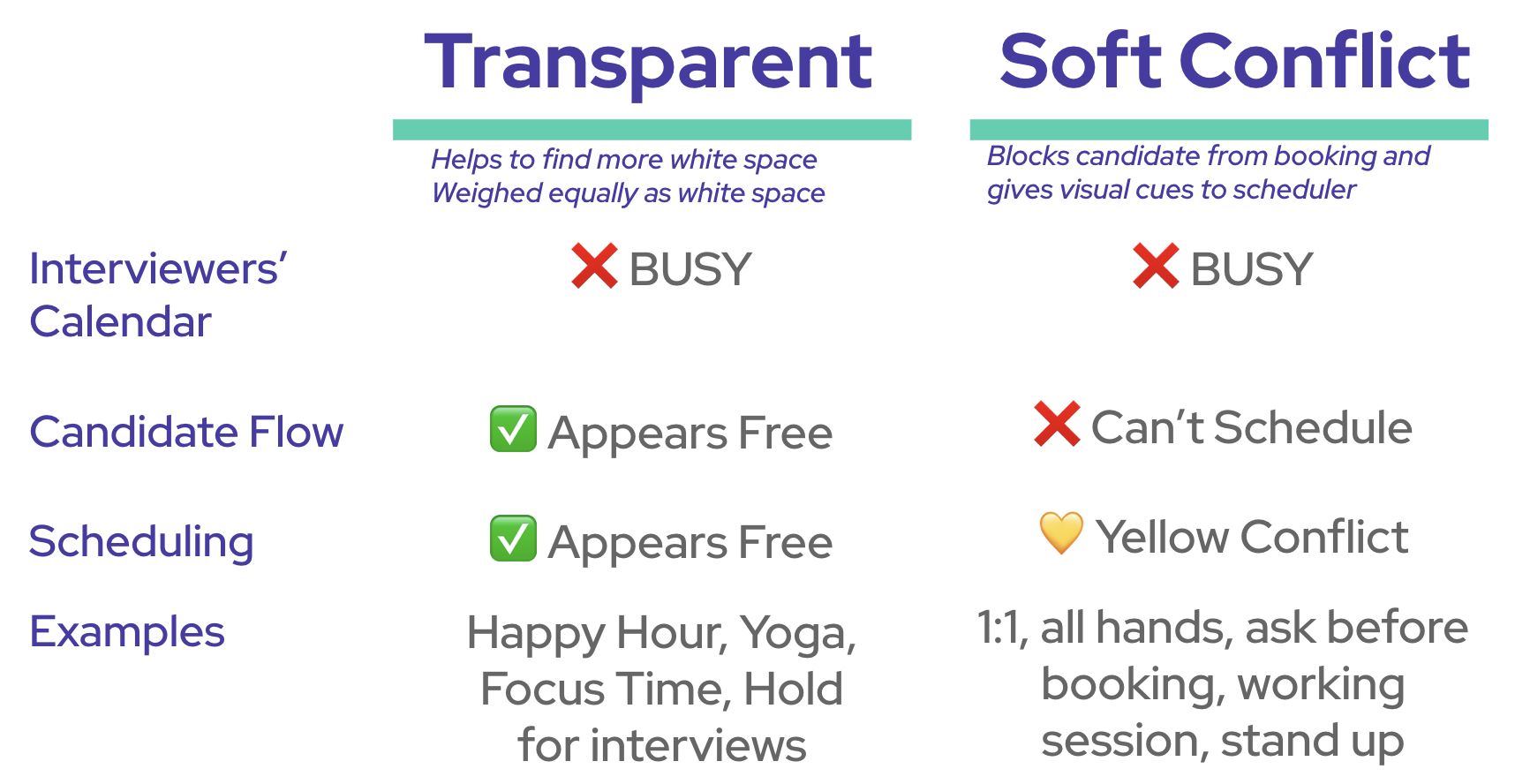
These keywords help GoodTime identify 'busy' calendar event as open space on an interviewer’s calendar on the candidate flow.
These are events that are “busy” on your interviewers’ calendars and you want them to appear as free when your candidates are actually submitting time.
Examples of Transparent Keywords: Happy hour, yoga, lunch, focus time
NOTE: We always recommend using unique transparent keywords that are unlikely to be mistaken for an event that should not be overwritten. For example: "OPNEngInt" is a unique keyword and is unlikely to be mistaken for another event. "Interview Availability" as a keyword can be easily mistaken for any event starting with the word "Interview".
Other Use Cases:
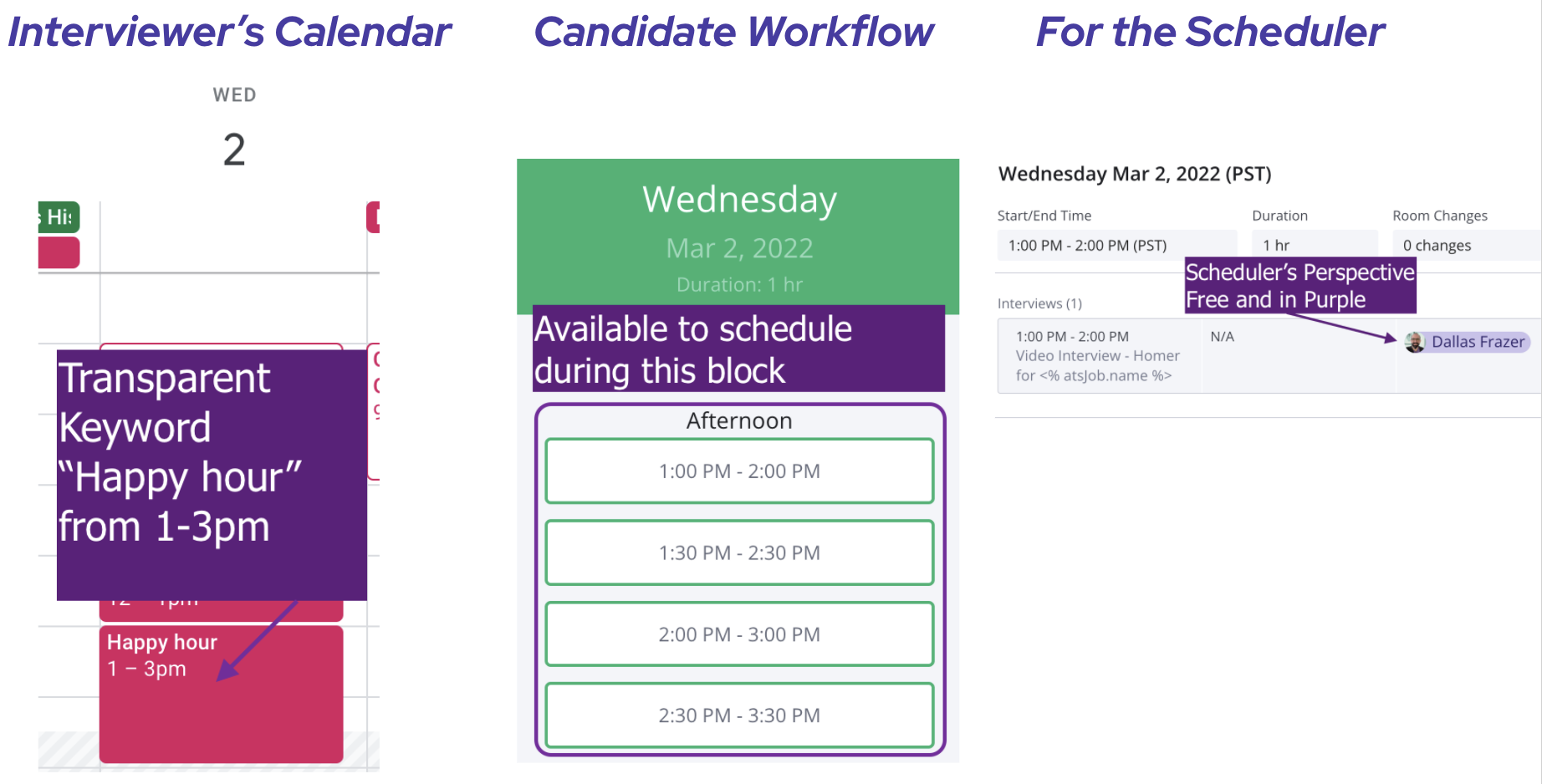
Interview Blocks: Hiring managers and interviewers will often block out time for Interviews so designate a company wide keyword for that
How it looks on the interviewers’ calendar vs candidate workflow vs scheduler
Soft Conflict Keywords
These events are “busy” for your interviewers and will NOT show as available in the candidate flow.
Additionally, these keywords will help us to give visual cues - yellow conflict - in the scheduling process when you’re confirming the interview.
Examples of Soft Conflict Keywords: 1:1, all hands, ask before booking, working session, stand up
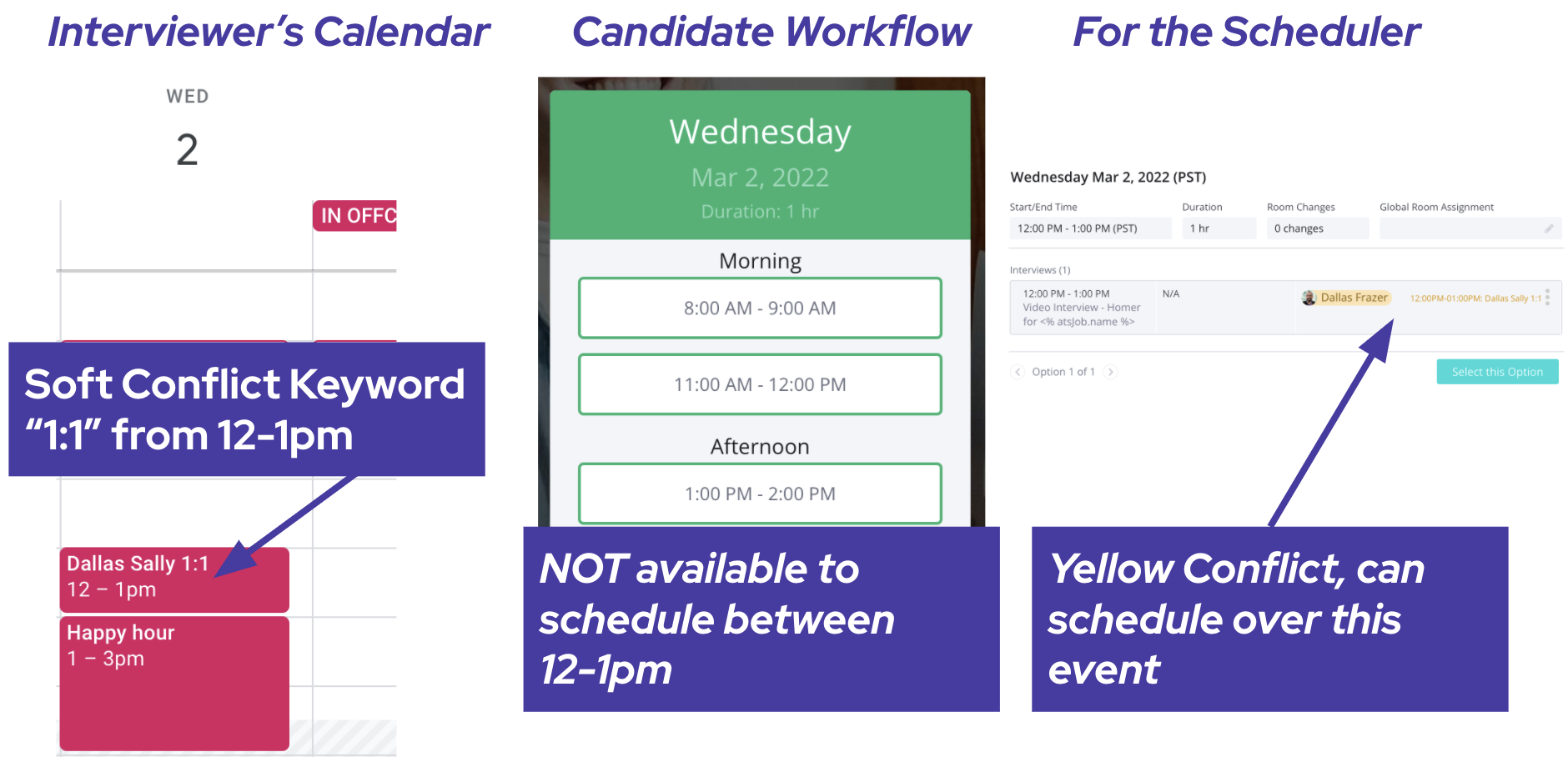
Soft Conflict Keywords will override any Transparent Keywords if there is overlap
How it looks on the interviewers’ calendar vs candidate workflow vs scheduler
FAQ
How is whitespace and transparent keywords weighed?
They are weighed equally. Even if an interviewer has a "hold for interviews" transparent keyword block AND white space, from the candidate's perspective they can schedule at either times equally.
What if a soft conflict keyword overlaps with a transparent keyword?
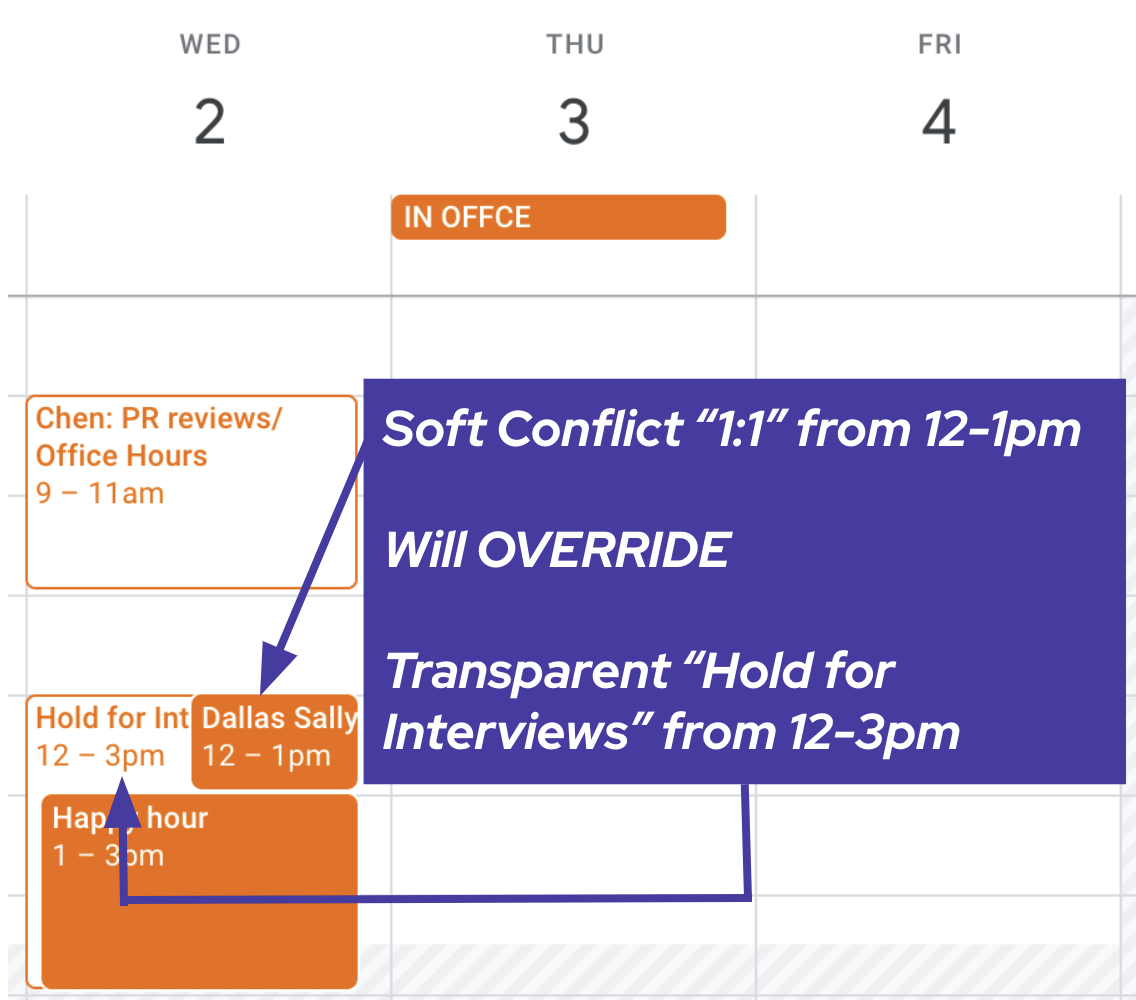
Soft Conflict keywords will override the Transparent keyword. In the example below the candidate will not be able to see availability from 12-1pm because there is a Soft Conflict "1:1" that overlaps with the Transparent Keyword "Hold for Interviews"
Can I use 'Soft Conflict' and 'Transparent' keywords in the same event title?
Best practice is to not do this.
Why are my keywords in red?
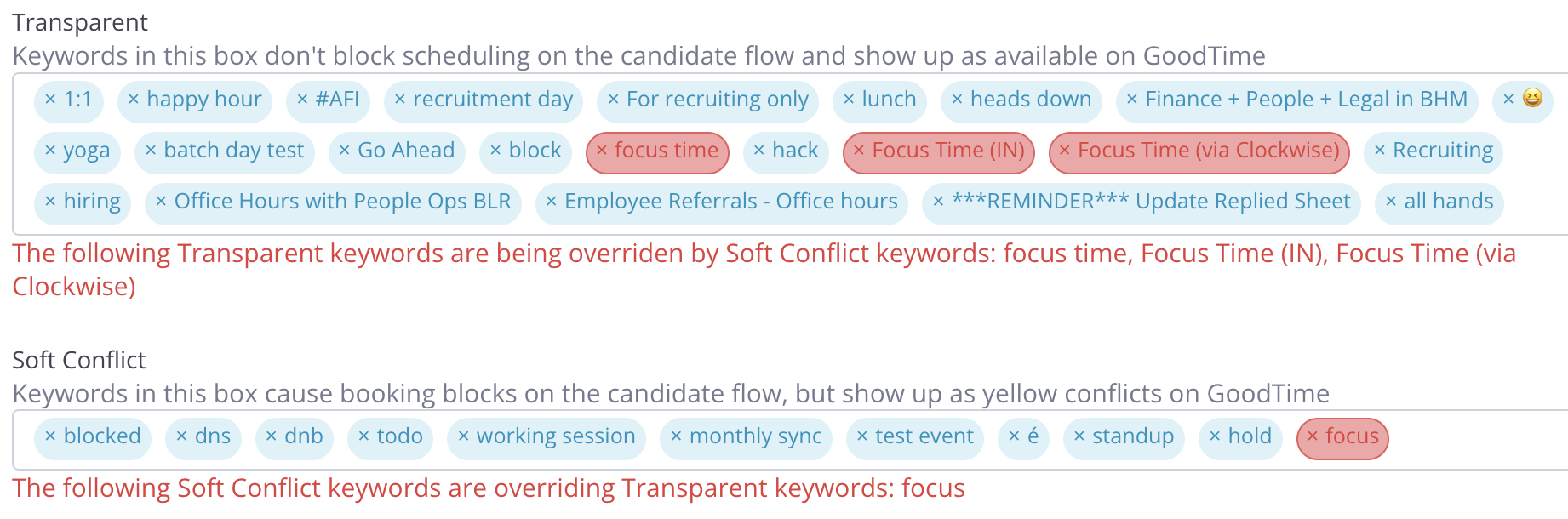
This occurs when a word (or partial word) is found in both lists. The system has to prioritize one and will prioritize the Soft Conflicts
In the example below, because "focus" is set as a soft conflict keyword, it would override all the transparent keywords that have the word "focus" in it (ex. focus time, Focus Time (IN), Focus Time (via Clockwise))