Declines and Cancellations in GoodTime
Last updated: November 14, 2026
This guide explains what happens across GoodTime, your calendar, and your ATS when a confirmed interview is later declined or cancelled. Every scenario below starts from an interview that is already Confirmed in GoodTime. (Calendar examples reference Google Calendar; exact wording may vary slightly by calendar provider.)
At a glance
Action | GoodTime status becomes | Calendar event removed? | Shown in your ATS? |
|---|---|---|---|
Candidate declines the calendar invite | Conflict | No — stays on the calendar, marked declined for candidate only | No — candidate declines aren't reflected in the ATS |
Interviewer declines the calendar invite | Conflict | No — stays on the calendar, marked declined for interviewer only | Greenhouse: Yes — shows the interviewer declined; interview still scheduled Workday: No iCIMS: No Lever: No SmartRecruiters: No Jobvite: Yes |
Interview cancelled in GoodTime | Cancelled | Yes — removed from all calendars | Yes — the interview is removed from the candidate and stage |
Candidate rejected in your ATS only | Stays Confirmed (with a “Rejected” flag) | No | Candidate marked Rejected; interview shows unscheduled |
Most important thing to know: Rejecting a candidate in your ATS does not cancel the interview in GoodTime. To fully cancel an interview, cancel it in GoodTime — otherwise it stays live and will still take place.
Reading status on the dashboard
Candidate icon (left of the candidate): grey = no response yet, green = accepted, red = declined.
Status (right side): green when Confirmed, red when in Conflict. Hover over the status to see which interviewer declined and their reason.
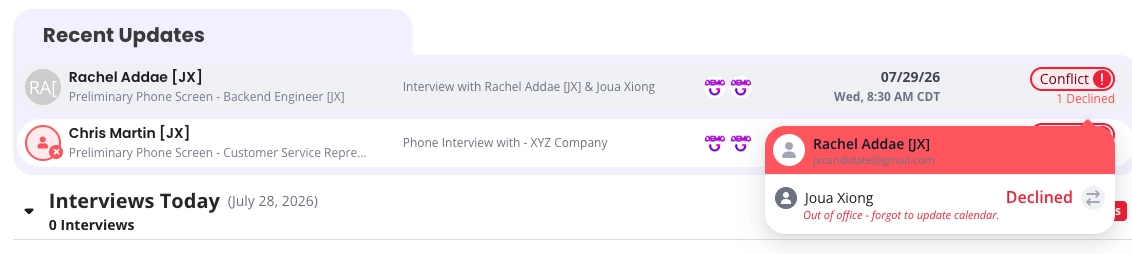
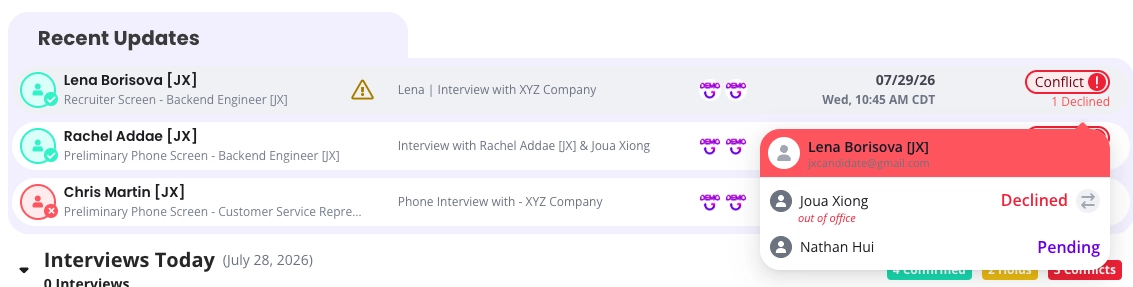
Scenario 1 — A candidate declines the calendar invite
GoodTime status: changes to Conflict.
Candidate's calendar: the event stays on their calendar but is marked as declined — it is not removed.
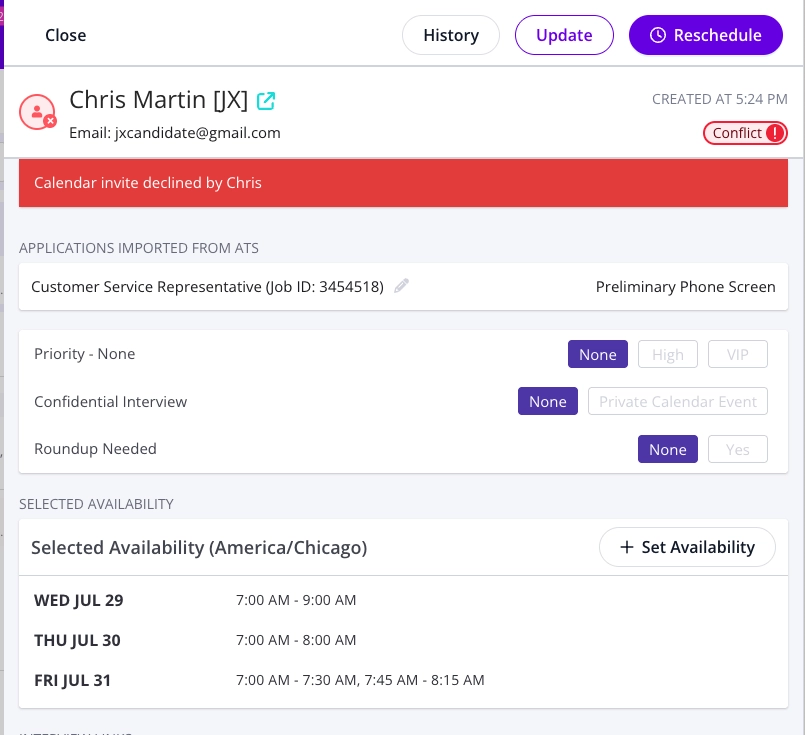
In GoodTime: the candidate icon turns red, and the interview details show a red banner: “Calendar invite declined by [candidate].”
Your ATS: candidate declines are not reflected in the ATS.
Result: the interview is not cancelled. It stays in Conflict until it is rescheduled or cancelled.
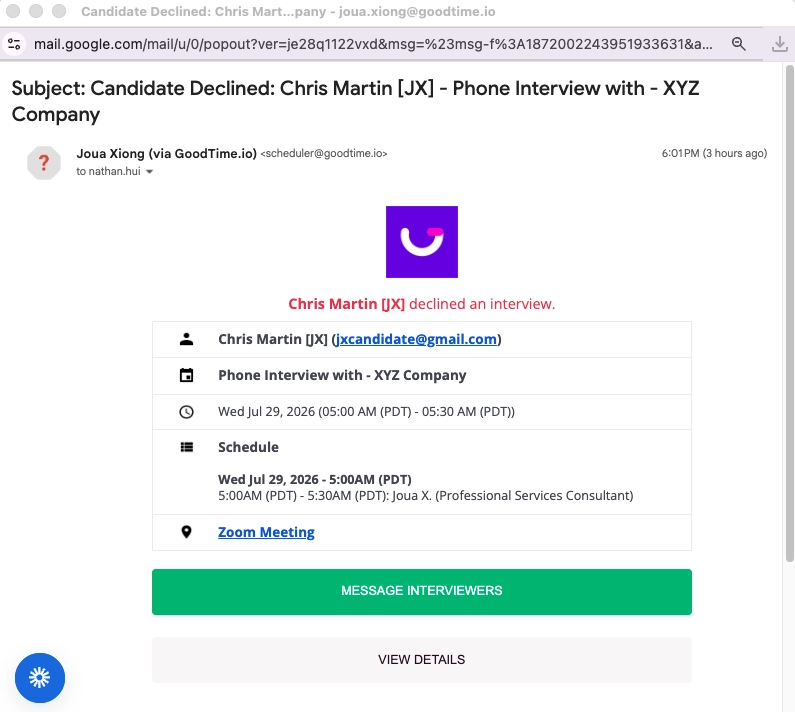
Notifications: Coordinator receives email from GoodTime that the candidate declined.
Scenario 2 — An interviewer declines the calendar invite
GoodTime status: changes to Conflict.
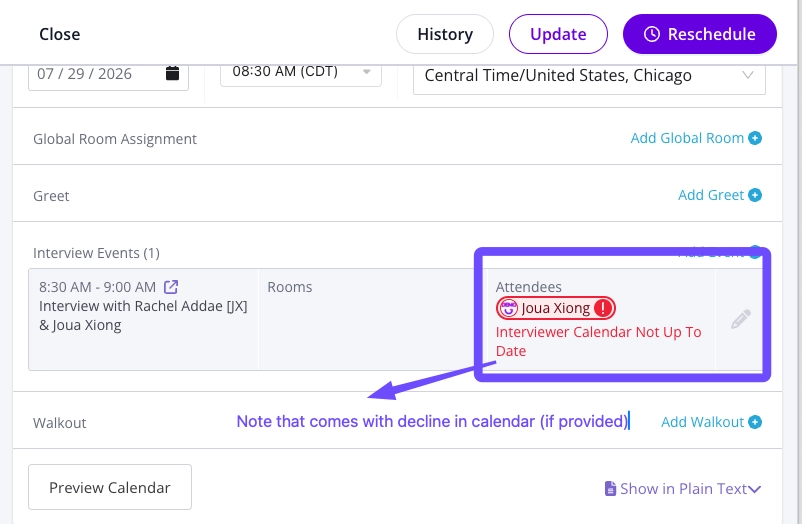
Interviewer's calendar: the event stays on their calendar but is marked as declined.
Decline reason: If Slack/Teams notifications are turned on, the interviewer receives a Slack message asking them to select a reason for declining. If a reason or note is provided, it appears in the interview details and when you hover over the Conflict status (showing who declined and why).
Replacement: the interviewer can still be replaced. If the replacement feature is enabled, GoodTime attempts to find a replacement automatically; if none is available, you'll be notified.
Your ATS: shows that the interviewer declined (if Greenhouse), but the interview remains scheduled.
Notifications: the coordinator receives interviewer decline notification emails (from GoodTime, the calendar, and your ATS (if notification is turned on)).
Scenario 3 — Cancelling an interview from GoodTime
How to cancel
Open the candidate's interview in GoodTime and select Cancel Interview. You'll be asked to type “cancel” to confirm, choose a cancellation reason, decide whether to notify the candidate and the interviewers, and optionally add a note.
What happens:
GoodTime status: changes to Cancelled (a true cancelled status).
Calendars: the event is removed from the candidate's and interviewers' calendars.
In GoodTime: the interview shows as cancelled, with the reason and any note recorded in the candidate's notes.
Your ATS: the interview is removed from the stage.
Notifications: interviewers receive a cancellation notice with the reason and note; the candidate receives a standard calendar cancellation letting them know the event was removed.
If the scheduler is also the interviewer and declines, the scheduler won’t receive a separate email notification telling them that the interviewer declined. Decline emails normally go to the person who confirmed/scheduled the interview, but this self-decline case is an exception.
Scenario 4 — Rejecting a candidate in your ATS
Rejecting a candidate in your ATS is a different action from cancelling their interview, and the two do not sync the way you might expect.
In your ATS: the candidate is marked Rejected, the interview shows as unscheduled (Greenhouse), and a rejection email is sent (if you choose to send one).
In GoodTime: the interview stays Confirmed. A “Rejected” flag appears next to the stage and job name, but this is only an indicator — not a GoodTime status. The interview is still live.
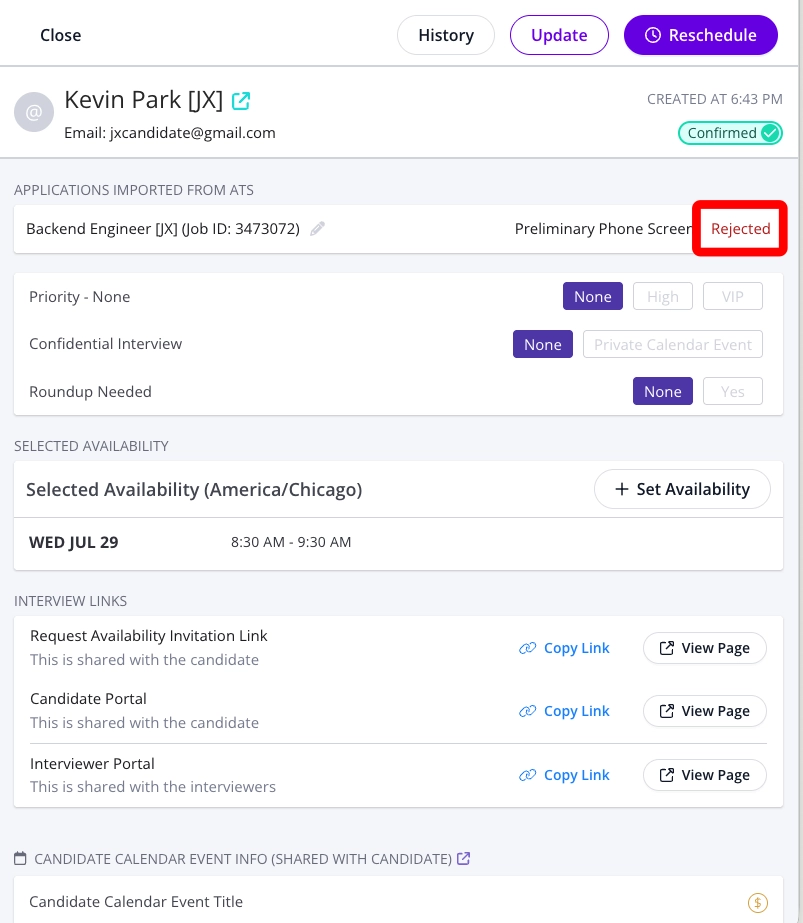
Action required: The recruiter or coordinator must cancel the interview in GoodTime to fully remove it. Rejecting in the ATS alone will leave the interview scheduled, and it will still take place.
Scenario 5 —Interviews with multiple events (panels or back-to-back) – Interviewer declines
Candidate's view (when confirmed): the candidate receives one combined calendar invite covering the full duration, even though GoodTime tracks each interviewer's session as a separate event.
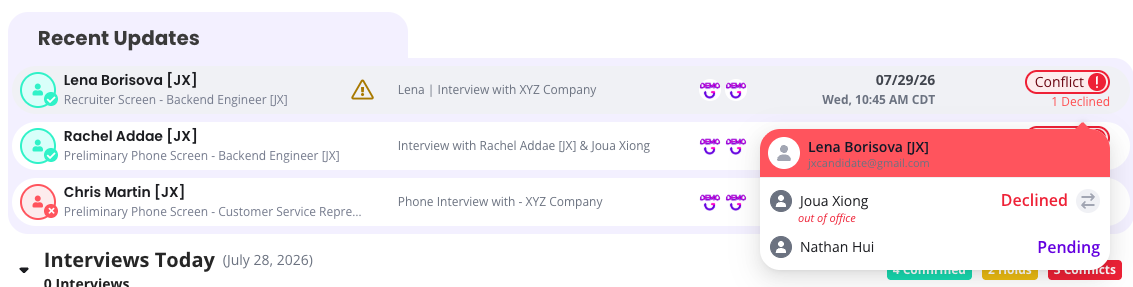
If one interviewer declines: that event moves to Conflict in GoodTime; the other events are unaffected, and the combined invite stays on the candidate's calendar. The same actions happen if an interviewer declines for one, some, or all events in one interview schedule.
Status in GoodTime when an Interviewer declines one event:
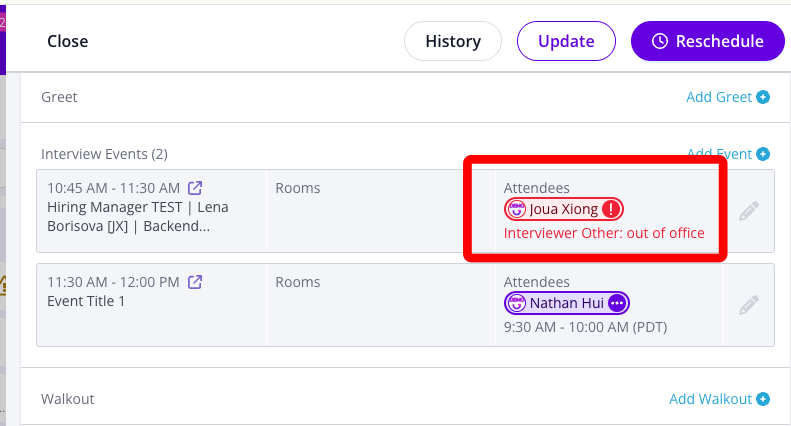
Status in GoodTime when an Interviewer declines more than one event or all events:
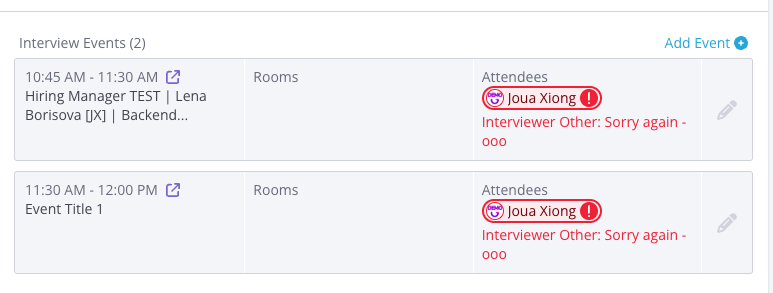
If the candidate declines: they decline the single combined invite (there is no per-event decline for the candidate). The candidate icon turns red and the interview details show the declined banner. The overall status remains in Conflict, but the candidate decline is not reflected in your ATS.
Key things to remember
Declining is not the same as cancelling. A decline sets the interview to Conflict but leaves it on calendars and still lives.
Cancelling in GoodTime fully removes the interview from all calendars and from your ATS.
Rejecting in your ATS does not cancel the GoodTime interview — you must also cancel it in GoodTime.
Candidate declines appear in GoodTime (red icon and banner) but not in your ATS.
Interviewer decline reasons appear in GoodTime in the interview details and when hovering over the Conflict status.