Dashboard - Queue Function
Last updated: February 26, 2026
TL;DR: GoodTime has a function that will allow you to 'Queue' a candidate for scheduling at a later date. This function is most commonly used as part of a handoff process between a Recruiter, who manages a candidate's movement through the recruitment process in an ATS, and a Recruitment Coordinator, who conducts the physical scheduling within GoodTime. NOTE: To Queue a candidate in GoodTime the user should have 'Member' level user permissions or above.
🎥 The following video provides an overview of how the GoodTime Queue function can be used:
Steps to Queue a Candidate:
- From the candidate's profile in your ATS (Applicant Tracking System) , click "Open in GoodTime"
- Click Queue in the top tight.
- Confirm that the candidate is in the correct role and stage under the 'APPLICATIONS IMPORTED FROM ATS SECTION'
- Update the details of the Hiring team (if not imported form your ATS). NOTE: The person assigned as 'Coordinator' within the Hiring team will have this queued candidate flagged to their attention when they filter the dashboard by their own name.
- Under "Add a Note" section, the Recruiter can add any notes to provide the Coordinator additional context about this queued scheduling request
- Click on "Add to Queue"
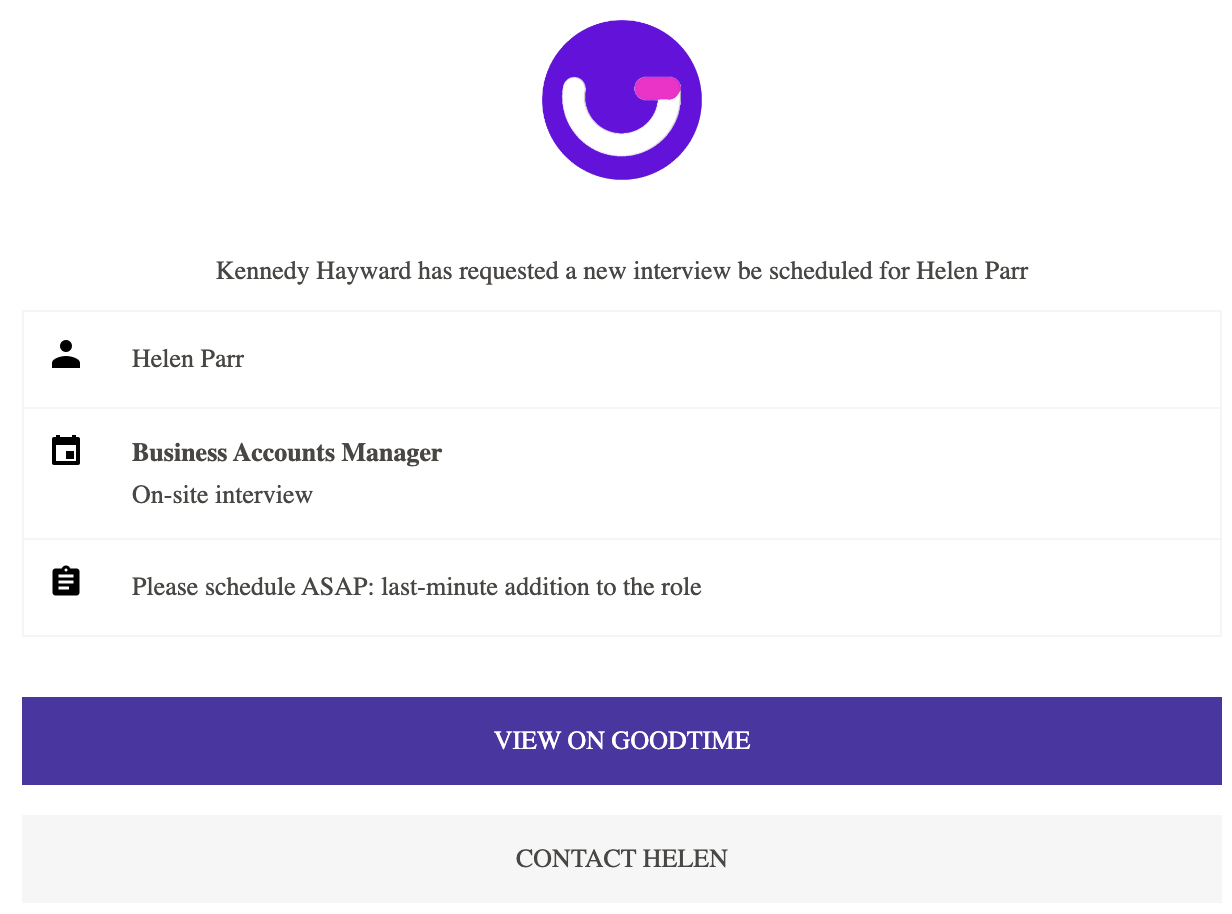
- Now the candidate and the notes will show in the assigned Coordinator's dashboard as a Queued interview. NOTE: Should your coordinators work from their inbox as opposed to the dashboard they will also receive an email similar to the one shown here to indicate there is a queued candidate that has been assigned to them to action.
Queue SLA (Service Level Agreement):
Many companies who use a central scheduling queue will also implement SLAs (Service Level Agreements) to dictate the time in which the scheduling team should action any queued scheduling request. GoodTime supports the use of queue SLAs through following actions:
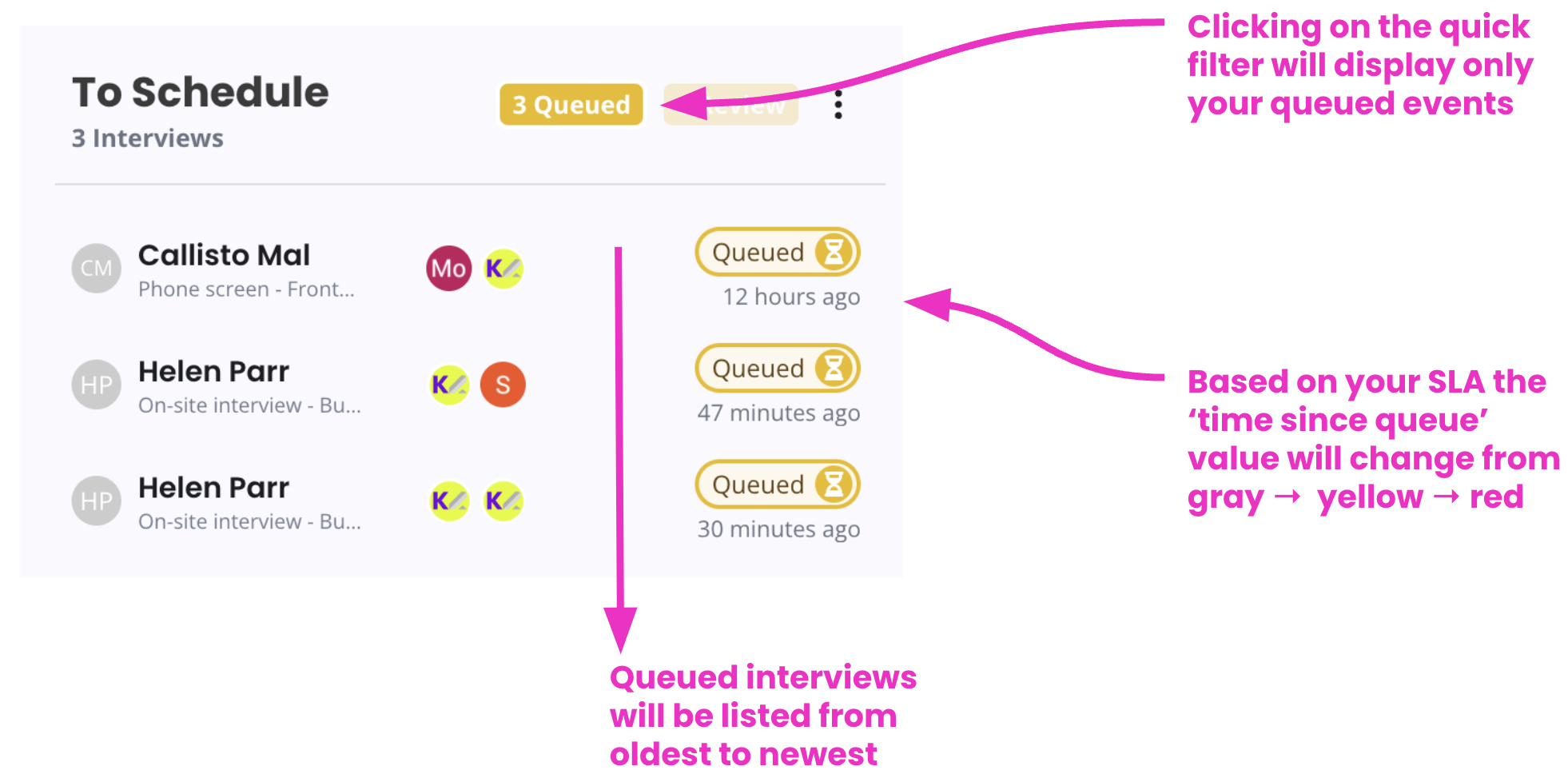
- All queued events will include a 'time since queue' value to clearly indicate which queues interview is the oldest.
- All interviews in the queue status will be listed in order form oldest to newest so you can more easily action the oldest queued events first.
- The 'time since queue' value will change color form gray to yellow to red based on your set SLA (SLA values can be set within the SETTINGS > Company > Dashboard SLAs menu item