Custom Date Picker in Request Availability Flow
Last updated: October 12, 2026
TL;DR: The Custom Date Picker allows you to specify the window within which you would like a candidate to offer availability.
Best practice is to always review the custom date picker as you commence the 'Request Availability' workflow
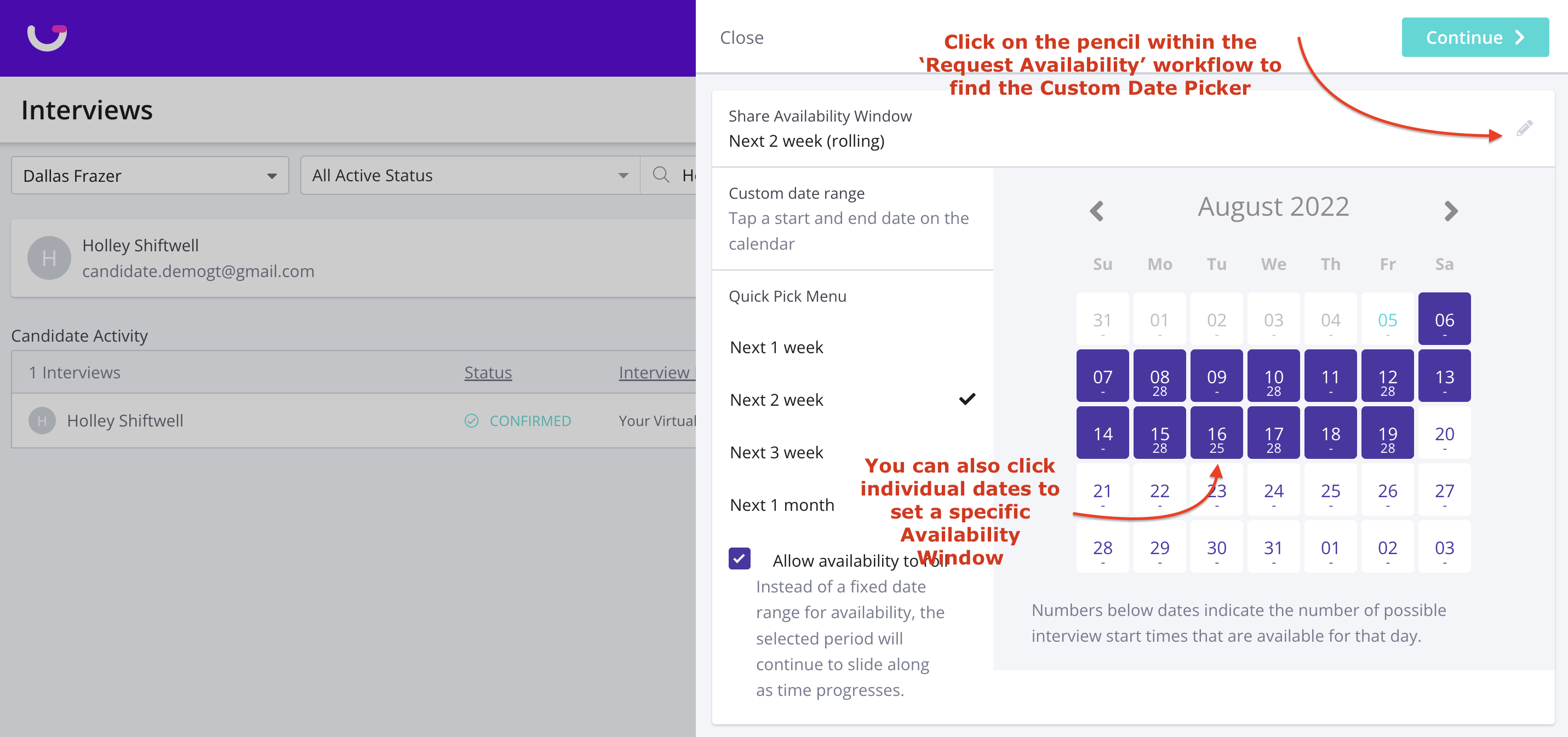
The custom date picker allows you to set a 1, 2, 3, or 4-week window for your candidate to provide availability within
You are also able to allow for a candidate's availability window to roll
If you wish to be more specific, you can also manually select individual dates that you wish a candidate to provide their availability within.
Step-by-Step Instructions (Where do I find the Custom Date Picker?)
Scroll down in the 'Request Availability' side panel
Click the pencil next to the "Share Availability Window" tile
Click on specific dates that you want to share with the candidate
Click Continue (continue scheduling as normal)