Setup - Interviewer Training & Tags
Last updated: September 8, 2026
Overview
This article provides guidance on how GoodTime's tag feature works within Interviewer Training.
For GoodTime's Interviewer Training feature to work effectively, you first need to have interviewer tags in place. That is, your GoodTime account should have "advanced" tags that identify the specific skill or qualification that an interviewer must have to host a specific interview.
GoodTime leverages these existing tags as part of the Interviewer Training feature where you will ultimately build a Training Path. This will allow your trainees to gain practical experience in how to host a specific type of interview as defined by the tag represented.
Tag(s) are a keyword/term that you assign to an interviewer or room within GoodTime to help you dynamically increase or refine your scheduling search results. To learn more about Advanced Tags click here.
How Tags Work Within The Interviewer Training Feature
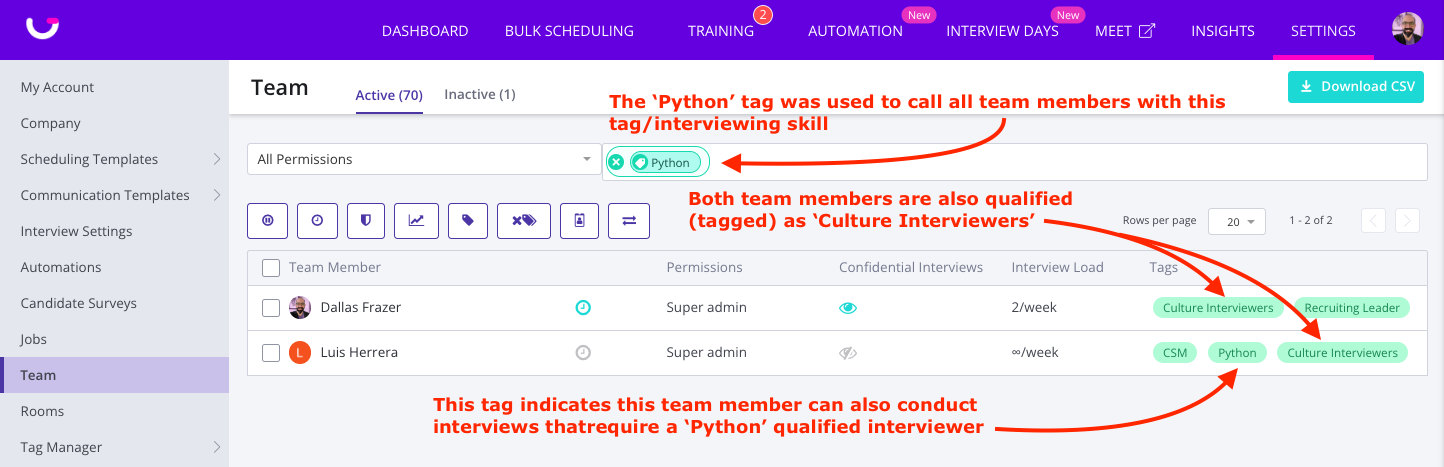
Interviewer Training uses tags (typically "Advanced" or "Skill" tags that identify a skill associated with an interviewer) as a means of identifying those trainees who have graduated from a training path and are now qualified to interview.
Before setting up Interviewer Training, it is important to review the existing tags you have associated with interviewers and your scheduling processes and build training paths to grow these existing interviewer groups. (e.g.: you often schedule interviewers based on a "Java" tag in their interviewer profile)
Each Training Path will assign a trainee a tag (or tags) when they complete all classes. They are also GRADUATED from a training path to indicate that they are a trained interviewer.
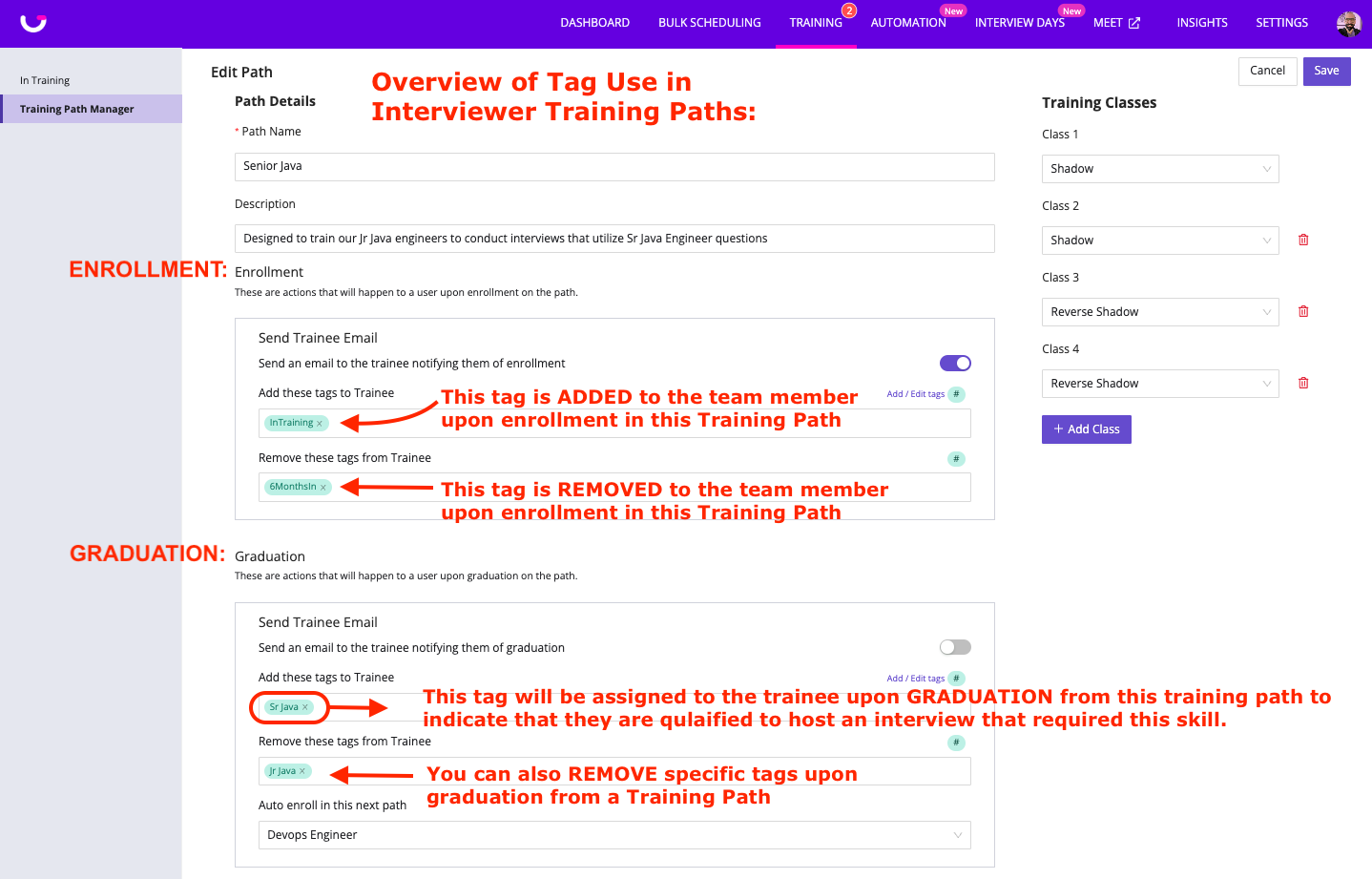
You can assign or remove tags upon ENROLLMENT or GRADUATION from a training path
ENROLLMENT:
You can ADD one or more tags to a trainee upon enrollment. This would typically be done if you wish to use a tag to track all of your team members in training.
You can REMOVE one or more tags from a trainee upon enrollment. This might be done if you were using demographic tags to identify a group of team members that might be suitable for interviewer training.
GRADUATION:
You can ADD one or more tags to a trainee upon graduation to indicate that they are qualified to conduct/host the interview style indicated by the assigned tag.
This action should ALWAYS occur to grow your interview pool.
You can REMOVE one or more tags from a trainee upon graduation. This is typically done when you want to show that a trainee has leveled up from one tag group to another.
You can AUTO-ENROLL the graduating trainee into another training path. This is typically done when you want to daisy-chain training paths together and have a trainee immediately move from training for one interview type or skill tag to another.