Generating a Lever API key for customers who use the Scorecard Notetaker
Last updated: June 10, 2026
Organizations who use the Lever ATS and plan on using the Scorecard Notetaker need to create an API key with a custom set of permissions. Follow the steps below to generate and update your API key for GoodTime.
Step 1: Generate a New API Key in Lever
Log into your Lever account and navigate to Settings > Integrations and API
Go to the API Credentials tab
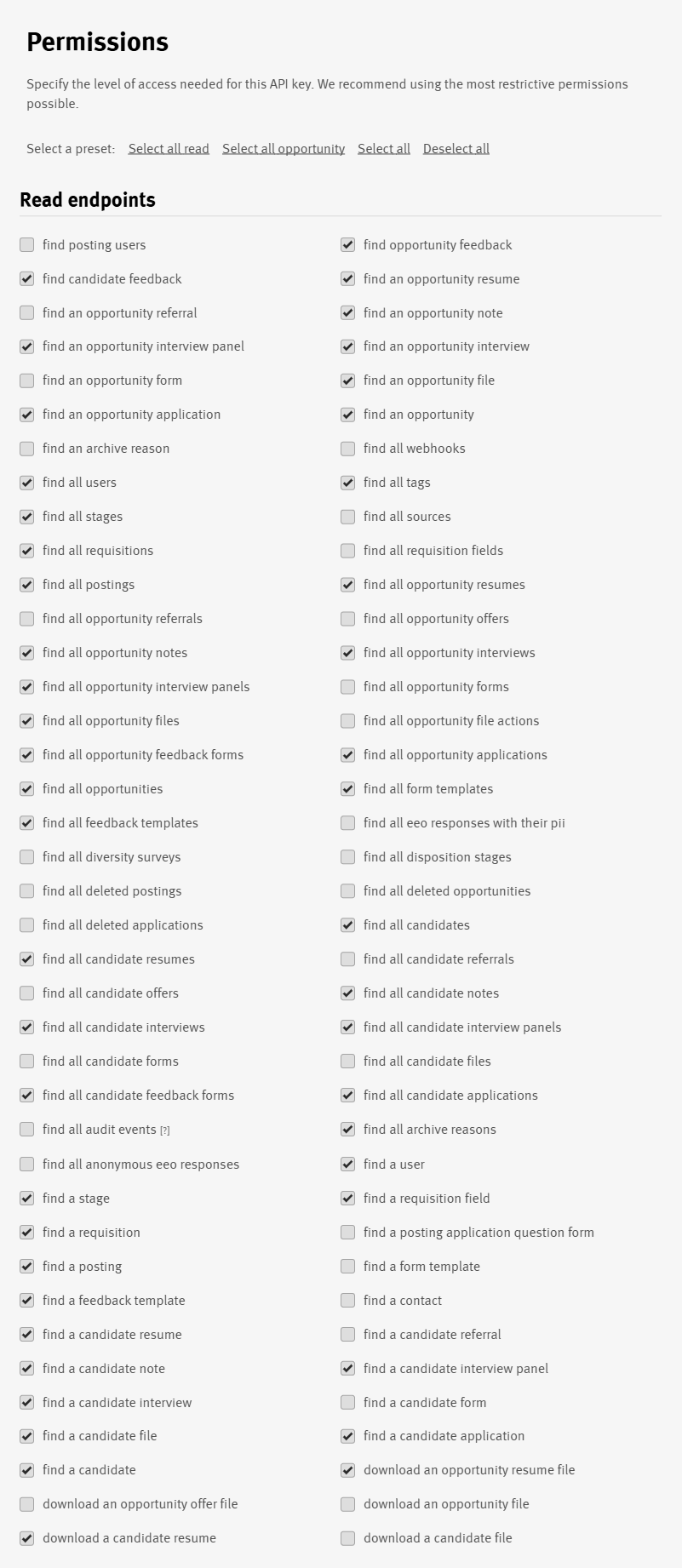
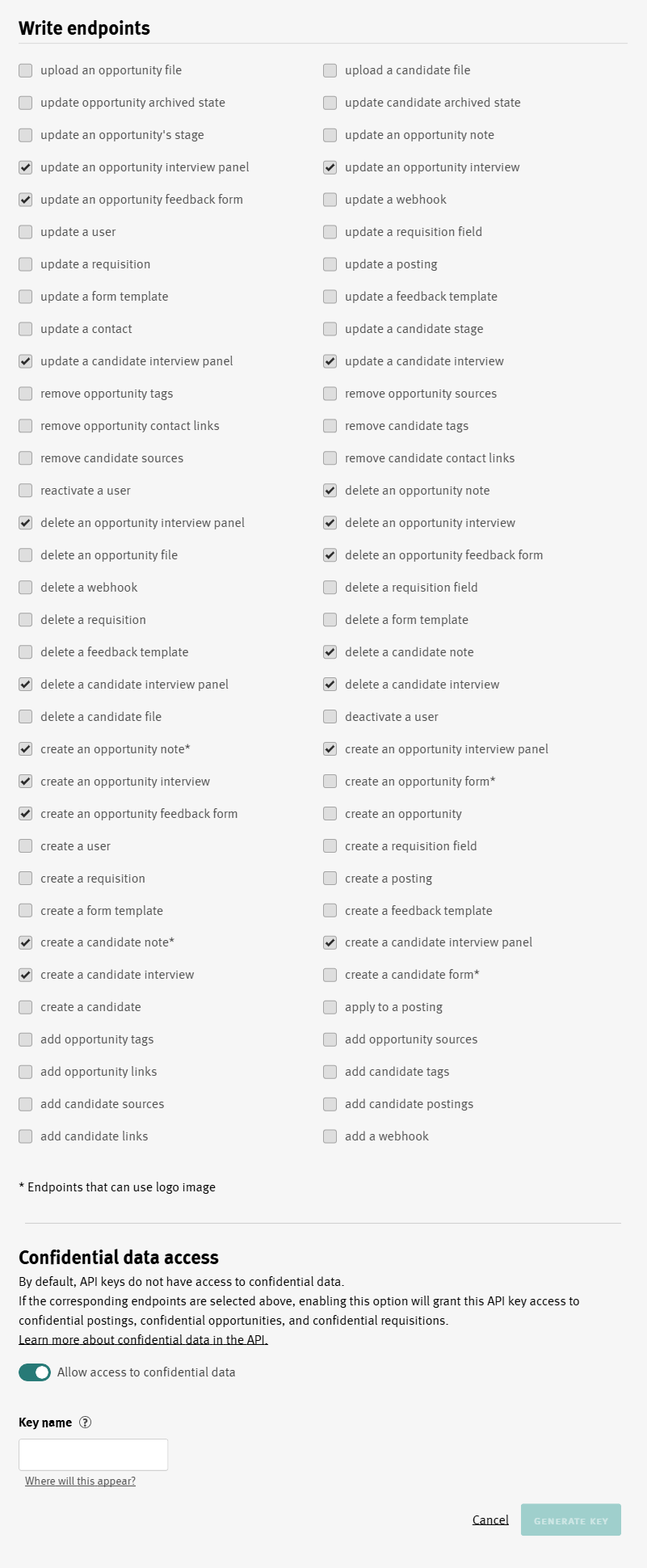
Generate a new API key with the proper permissions (see screenshots below)
Don't forget to enable Confidential data access.
Step 2: Update the API Key in GoodTime
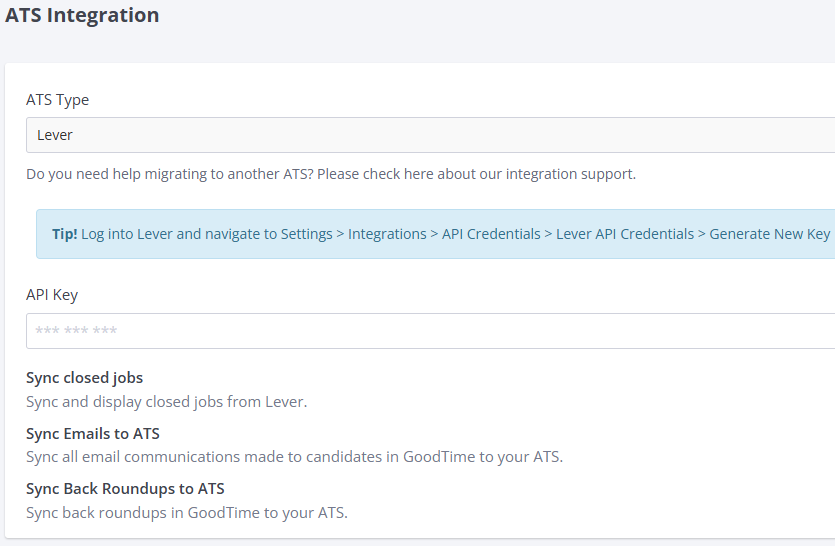
In GoodTime, go to Company Settings > ATS Integration
Paste the new API key from Lever into the API Key field
Click Save to update the integration