Tags - Best Practice
Last updated: February 26, 2026
In GoodTime, a tag is a keyword or term assigned to an interviewer or meeting room. Similarly to hashtags on social media or label tags in a kitchen pantry, tagging on GoodTime keeps your workflow organized and easily searchable for everyone. Tagging your interviewers and meeting rooms allows GoodTime to better understand the classifications of your company and streamline the interview scheduling processes.
Related Videos:
GoodTime Tag Examples |
|
|
Basic Tags: common labels your team may already use to categorize interviewers & meeting rooms |
|
|
Advanced Tags: strategic labels to level up your recruiting strategies through interviewer pools, interviewer load balancing or DE&I initiatives |
|
GoodTime Tags Use Cases - GoodTime Tags can be searched in several areas on the platform. At a basic level, tags can be used to adjust team member settings and leveraged when pulling insight reports. At an advanced level, tags can be used within Interview Templates to expand your overall interviewer groups and maximize scheduling solutions. |
|
|
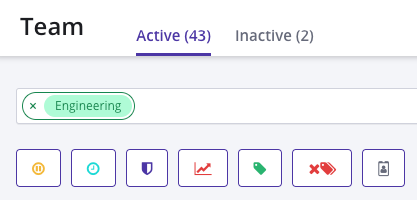
TEAM tab to search by tag group and make bulk setting adjustments. For example, we can search #Engineering to adjust interview times or set interview load |
 |
|
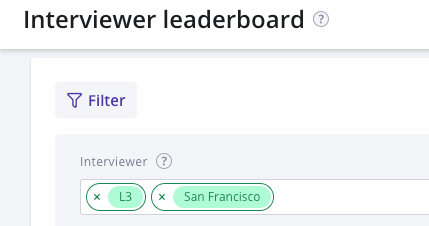
INSIGHTS tab to search by tag group and view specific metrics. For example, we can filter #L3 to view all level 3 interviewers to see how much time they spend interviewing or #San Francisco to view all SF interviewers and compare with another office region |
 |
|
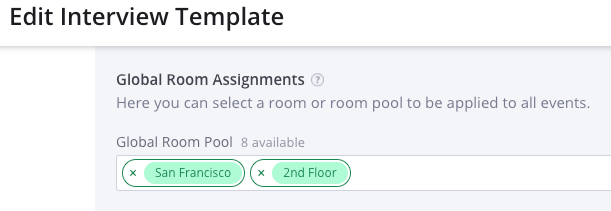
(Within Interview Template) Global Room Assignment to search by tag location and pull meeting rooms that are available for interview |
 |
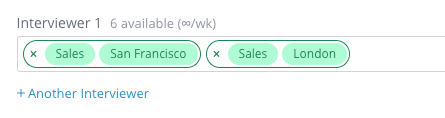
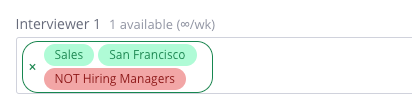
GoodTime Tags & Boolean Search Logic:AND - represented by the green borders grouping tags together. This usually narrows the tag search. OR - represented by the green border separating tag groups. This usually broadens the tag search. NOT - represented in red and will exclude tags from the search. |
|
|
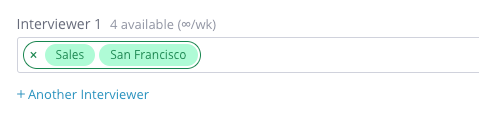
Searching for interviewers with the tag #Sales AND #San Francisco - we see 4 are available |
 |
|
Searching for sales interviewer in San Francisco OR in London, with a priority for San Francisco since it’s listed first - we see 6 are available |
 |
|
Searching for sales interviewer in San Francisco that’s NOT a hiring manager |
 |
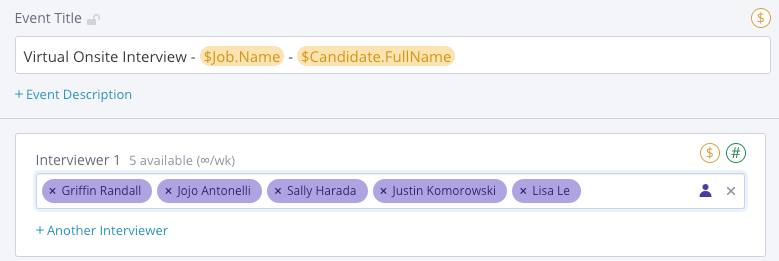
Advanced Tags - when creating Interview Templates a tag group will help Goodtime find the highest number of possible scheduling solutions in a particular date or time frame. Tags are used to diversify and expand the overall interviewer pool to increase the number of scheduling options available for coordinators. By default, GoodTime will randomize how interviewers are selected from the tag group. |
|
|
Instead of listing individual interviewers you can use tags to level up your recruiting strategies |
  |
Advanced Tags Best Practices: utilize Tag Types to fine tune your search for interviewers. Avoid long stringed tags such as #Sales-SDR-West if you can break them into individual tag #Sales, #SDR and #West |
|
|
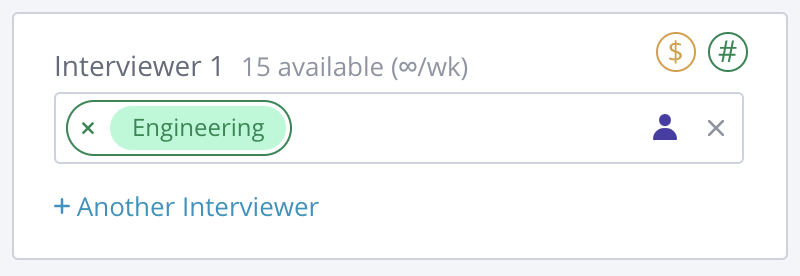
Tag Type: Department Searching #Engineering will pull all engineers at your company - we see 15 are available |
 |
|
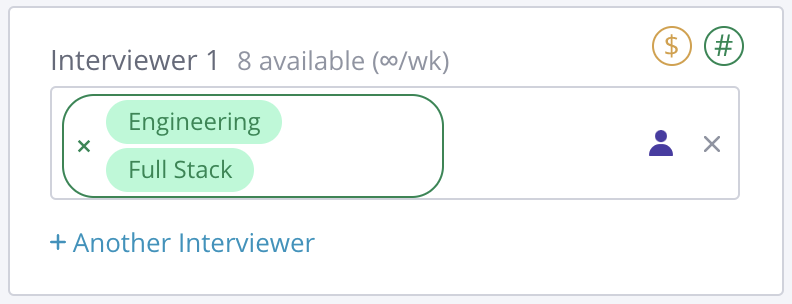
Tag Type: Department & Skill Searching #Engineering AND #Full Stack will pull all engineers that are full stack - we see 8 are available |
 |
|
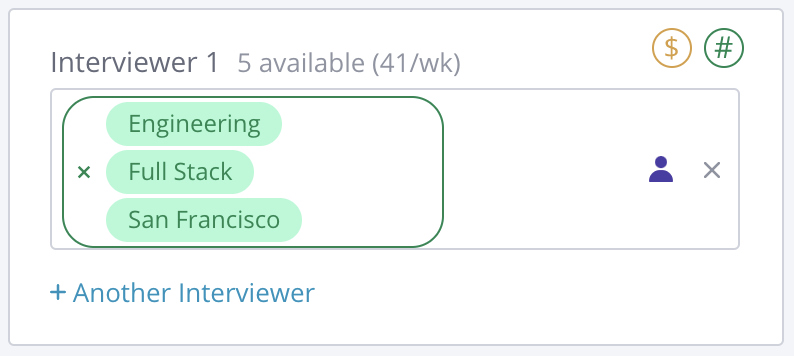
Tag Type: Department, Skill and Location Searching #Engineering AND #Full Stack AND #San Francisco will pull all engineers that are full stack in San Francisco - we see 5 are available |
 |
|
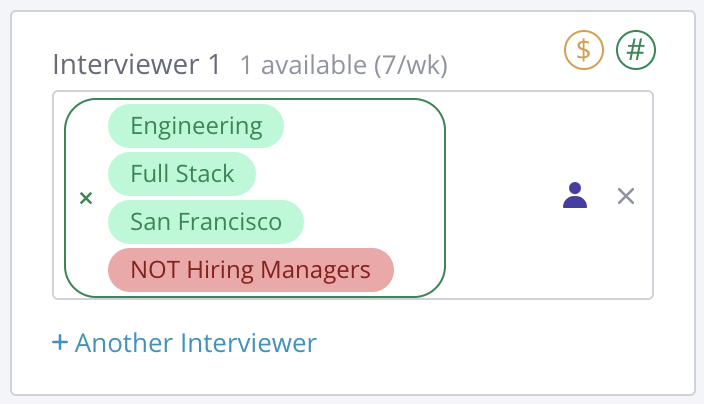
Tag Type: Department, Skill, Location & Role Searching #Engineering AND #Full Sack AND #San Francisco NOT #Hiring Manager will pull all full stack engineers in San Francisco who aren’t hiring managers - we see 1 is available |
 |
Getting Started With Tags: creating tags may take some time, but it’s definitely worth it and your GoodTime CSM is available to share best practices. We recommend setting up Basic Tags during implementation of GoodTime. We recommend exploring the idea of Advanced Tags during implementation which can be reiterated and fine tuned as your team gets comfortable scheduling on GoodTime. |
|
|
Basic Tags: |
Guiding Questions:
|
|
Advanced Tags: |
Guiding Questions:
|